[Help Center] Version History
You can now view and restore changes to a board. Both automatic and manual version snapshots are supported.

Tip: This feature is only available in Pro and Business plans.
Who can use version history
Members of Pro teams can view 7 days of version history.
| Access & View Versions | Copy Elements | Save New Versions | Rename Versions | Restore Versions | |
|---|---|---|---|---|---|
| Editor | ✅ | ✅ | ✅ | ✅ | ✅ |
| Viewer | ✅ | ✅ | ❌ | ❌ | ❌ |
What you can do
Visily automatically saves all changes made on the board every 30 minutes, creating a snapshot of your current work. Additionally, you can:
- View and copy elements from previous versions.
- Restore previous versions.
- Manually save versions.
- Add names to versions.
Where to access
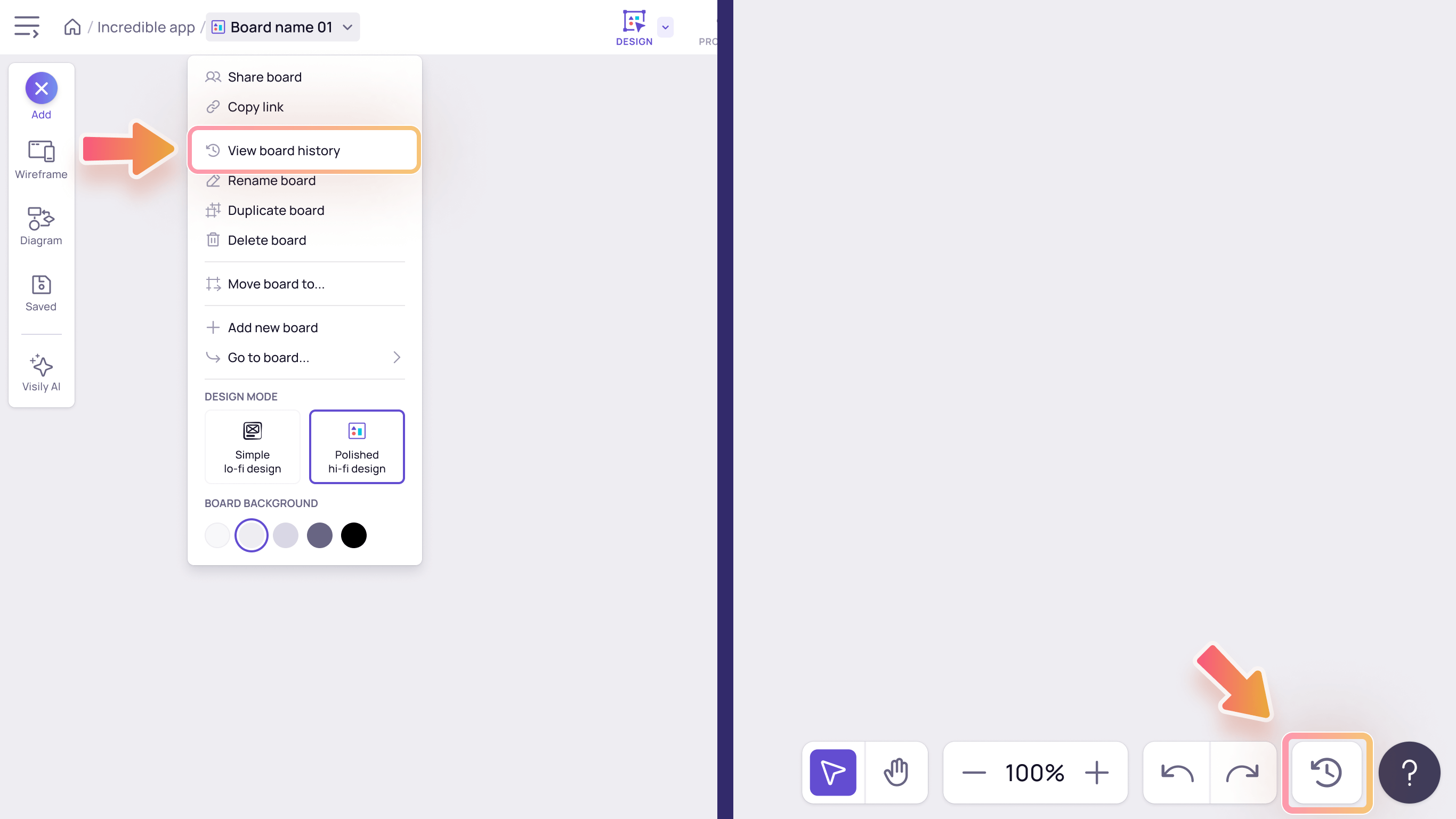
In the editor, You can access Version History through two main methods:
- Navigate to View board history in the board dropdown menu in the editor.
- Click on the Version History icon located on the bottom of the editor.
Copy design in version history
To copy design elements from version history, simply right-click on any element or click the “…” button on the toolbar to access a variety of options:
- Export as: Export your design in PNG, JPEG, or PDF format.
- Convert to Figma: Import your design from Visily into Figma.
- Copy as PNG: Copy your design in PNG format and save it to your clipboard.
- Copy CSS: Copy the CSS code for your design.
- Copy: Copy your design to use within Visily.
How to restore a version
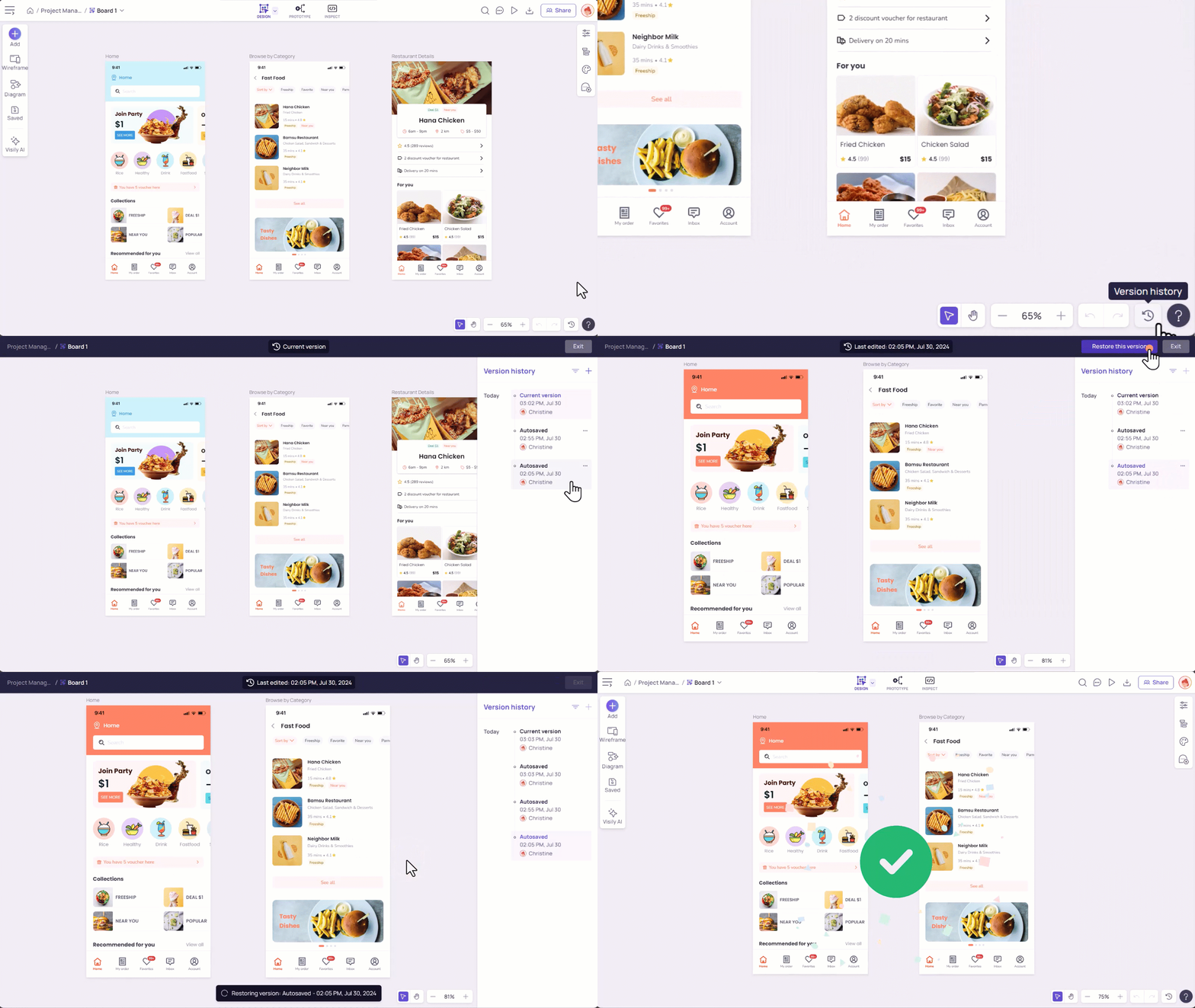
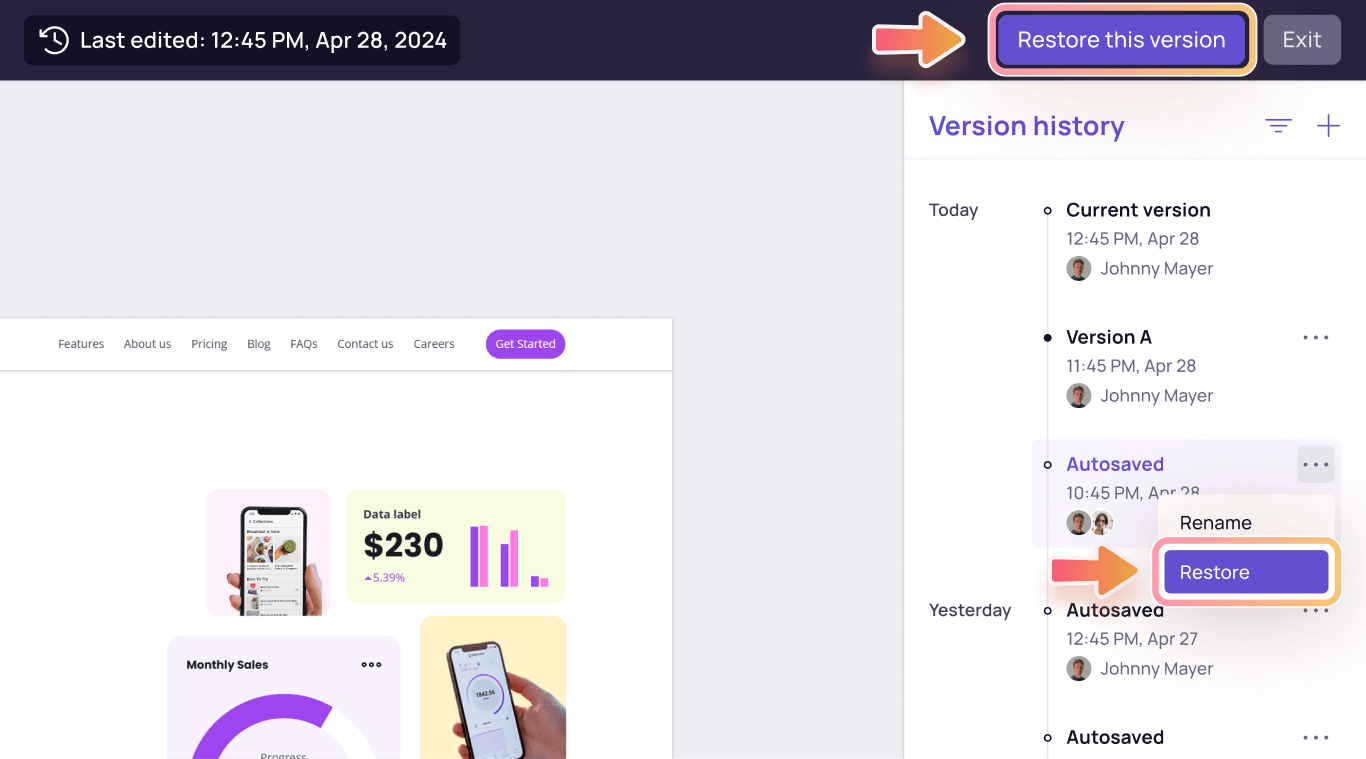
To view and restore an earlier version of your work, please follow these steps:
- Open version history
- Select the version you want to preview.
- Click the “…” button next to the selected version and choose “Restore This Version” option, or simply click the “Restore This Version” option in the top right corner.

Restoring a previous version will not remove any comments from newer versions, nor will it bring back deleted or resolved comments.
How to save and name a version
Saving and naming a version can help you stay organized. Here’s how to do it:
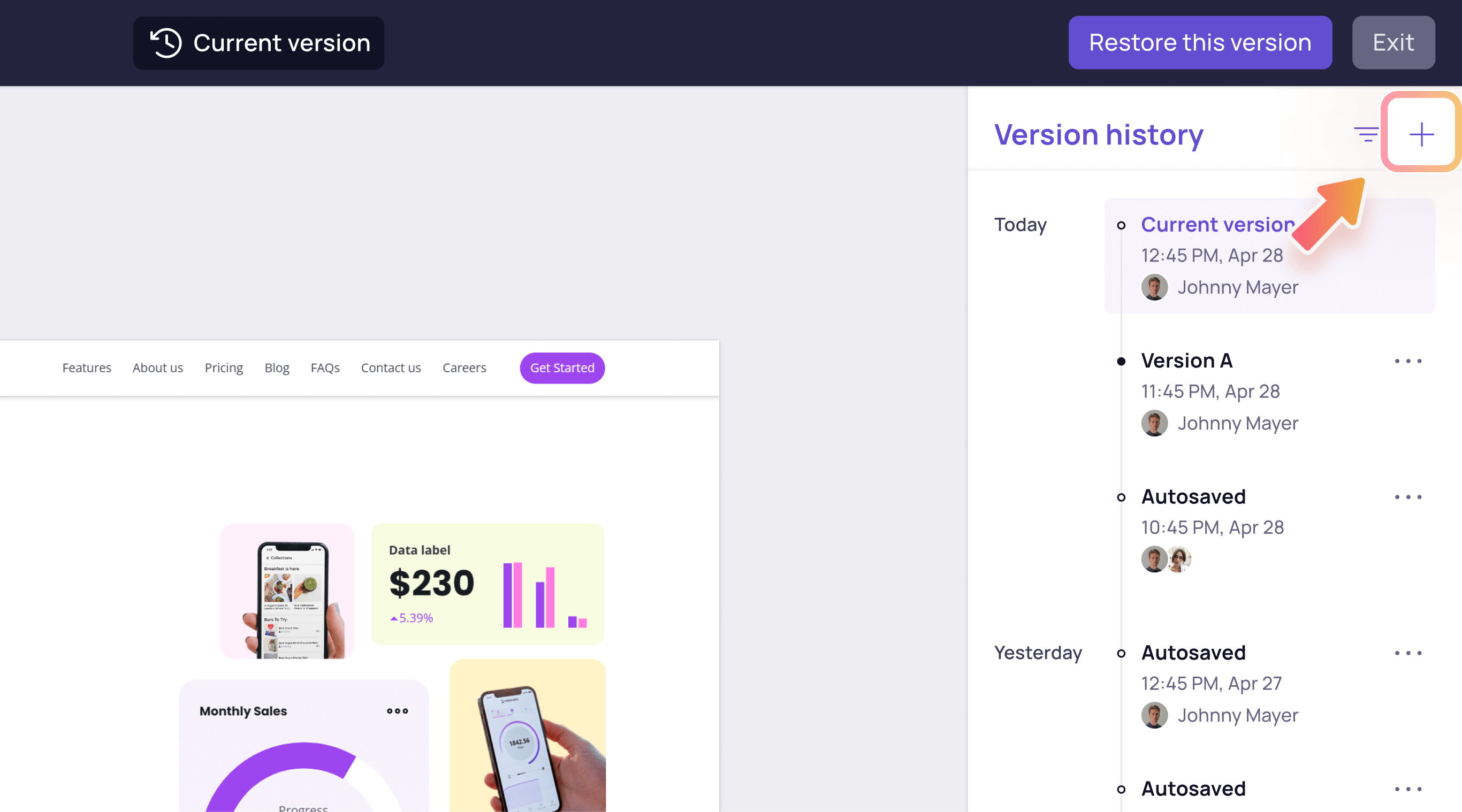
- Click the “+” button at the top-right of the panel.
- Enter a new name for the saved version.
- Press “Enter” button or click outside the text field to save name.
You can only create a new version from the current version.