Visily
Visily
  • Use Cases
    • Wireframing
    • Prototyping
    • Brainstorming
    • Collaboration
  • AI Design
  • Templates
    • Design Templates
    • Premade Themes
    • Smart Components
    • UI Presets
    • Images & Icons
  • Resources
    • Help Center
    • Explore Visily
    • FAQs
    • Blog
    • Release Notes
  • Pricing
  • Login
Log in
Sign up for free
  • Use Cases
    • Wireframing
    • Prototyping
    • Brainstorming
    • Collaboration
  • AI Design
  • Templates
    • Design Templates
    • Premade Themes
    • Smart Components
    • UI Presets
    • Images & Icons
  • Resources
    • Help Center
    • Explore Visily
    • FAQs
    • Blog
    • Release Notes
  • Pricing
  • Login
  • Use Cases
    • Wireframing
    • Prototyping
    • Brainstorming
    • Collaboration
  • AI Design
  • Templates
    • Design Templates
    • Premade Themes
    • Smart Components
    • UI Presets
    • Images & Icons
  • Resources
    • Help Center
    • Explore Visily
    • FAQs
    • Blog
    • Release Notes
  • Pricing
  • Login
Visily
Visily
Sign up for free
Visily
Visily
  • Use Cases
    • Wireframing
    • Prototyping
    • Brainstorming
    • Collaboration
  • AI Design
  • Templates
    • Design Templates
    • Premade Themes
    • Smart Components
    • UI Presets
    • Images & Icons
  • Resources
    • Help Center
    • Explore Visily
    • FAQs
    • Blog
    • Release Notes
  • Pricing
  • Login
Log in
Sign up for free

Visily – The Best Axure Alternative


Visily - The Best Axure Alternative

Build High-Fidelity UI Without Complex Logic

VISILY VS. AXURE 2026 COMPARISON

With Visily, you skip the complexity and jump straight to pixel-perfect results — at zero cost.

star

Compare using AI

Try Visily Free
Talk to us
visily logo

Plan type: Starter

  • AI turns your words into ready-to-use UI screens
  • Anyone can start designing with zero training
  • 1,000+ templates with 200+ fresh ones every month
  • Auto-Prototype builds clickable flows for you
  • Screenshot to Design reads images and rebuilds them as UI
  • One-click Figma plugin for final polish

$0 / month

FREE PLAN REMAINS FREE FOREVER

axure logo

Plan type: Pro

  • Built for experienced UX professionals who need advanced logic
  • Steep learning curve with variables, conditions, and dynamic panels
  • Desktop-only app for PC or Mac
  • No AI design generation of any kind
  • 30-day free trial only with no permanent free plan
  • Team collaboration uses a check-in/check-out system

$34 /user/month

STARTS AT $34/USER/MONTH (TEAM AT $57/USER/MONTH)

Product Hunt Badge

Visily vs. Axure Comparison

Instant AI Wireframing vs. Manual UX Engineering
Get to your first prototype faster — pick the tool that matches your design speed.

Features


visily-logo

Axure

Primary Purpose
Check UI Design & Prototyping for everyone
Advanced UX prototyping for seasoned professionals
AI-Powered Design
Check Type what you want and watch AI build it. Create wireframes from plain English, turn diagrams into screens, and refine designs through AI chat — all inside one tool.
No AI design features. Every screen, interaction, and layout must be built by hand.
Learning Curve
Check None. If you can click a mouse, you can design in Visily.
Steep. You need to learn event triggers, conditional logic, variables, dynamic panels, and repeater widgets.
Pre-Built UI Components
Check Drag-and-drop elements for everyday UI needs — nav bars, search fields, buttons, cards, tabs, accordions, calendars, carousels, and dozens more. Every piece arrives styled, responsive, and ready to use.
Drag-and-drop widgets from built-in or custom pattern libraries. Style them yourself with fills, gradients, line styles, and text formatting.
Templates
Check Over 1,000 templates with 200+ new ones landing every month.
Limited built-in templates. Most teams rely on custom widget libraries they create themselves.
Prototyping
Check Auto-Prototype does the wiring for you — AI connects your screens into clickable flows automatically.
Powerful prototyping engine with conditional logic, animations, math functions, and data-driven interactions — but every connection is manual.
Screenshot to Design
Check Snap a picture of any app or website and AI rebuilds it as an editable, high-fidelity mockup.
❌ Not available
Platform
Check 100% browser-based. Open a tab and start designing on any computer.
Desktop application only. You must download and install software on a PC or Mac.
Collaboration
Check Real-time, in-browser teamwork. Everyone edits the same project at the same time.
Team edition uses a check-in/check-out system. You lock a page while editing, then check it back in for others.
Developer Handoff
CheckInspect mode with CSS properties, plus a Figma plugin that moves your entire project into Figma frames with one click.
Automated redlines, design assets, and CSS inspection through Axure Cloud.
Export Options
Check PDF, PNG, JPG, and more. Figma plugin handles pixel-level handoff.
Publish to Axure Cloud or export as an HTML prototype.
Free Plan
Check Starter plan is free forever — no trial period, no credit card.
30-day free trial only. After that, you pay or you stop.

Visily vs. Axure:

Similarities and Differences

Key Differences

Shared Strengths

Features


visily-logo

Axure
Who It's For
Check Founders, product managers, business analysts, developers — anyone who needs UI wireframes but doesn't have a design degree.
Enterprise UX teams at large organizations. Axure RP 11 is used by over 90% of the Fortune 100 and has served the industry for more than 20 years.
What You Create
Check High-fidelity wireframes, interactive prototypes, presentations, flowcharts — plus AI-generated themes, icon integration, and CSS inspection.
Functional UX prototypes with conditional logic, data-driven tables, multi-state dynamic panels, and complex animations — all without writing code.
How AI Helps
Check Describe a screen in everyday language and Visily AI assembles structured UI elements that match your layout. Upload a screenshot and AI converts it. Paste a diagram and AI transforms it.
Axure has no AI design tools. Every element is placed and configured manually.
Developer Handoff
Check Built-in inspect mode shows CSS values. The Figma plugin transfers your full project into editable Figma layers.
Axure Cloud provides automated redlines, annotated specifications, and CSS export alongside your published prototypes.
Fidelity Level
Check High-fidelity wireframes and interactive prototypes.
High-fidelity functional prototypes with advanced interaction logic.
Visily and Balsamiq share several core capabilities that make them useful for product teams:

Wireframing

Frame 2095585574

Visily generates wireframes using AI-powered text-to-design, while Axure builds wireframes through manual drag-and-drop widget placement.

Prototyping

Frame 2095585575
Visily creates interactive prototypes with Auto-Prototype AI linking, while Axure constructs prototypes using event triggers, conditions, and advanced logic.

Component Libraries

Frame 2095585576
Visily provides pre-styled responsive UI components for rapid assembly, while Axure offers customizable widget libraries for detailed UX specification.

Developer Handoff

Frame 2095585577
Visily delivers CSS inspection and Figma plugin export for handoff, while Axure supplies automated redlines and annotated specs through Axure Cloud.

Flowcharts & Diagrams

Frame 2095585575
Visily produces flowcharts with AI-assisted diagram generation, while Axure creates flow diagrams with built-in shapes and auto-reflowing connectors.

Multi-Device Design

Frame 2095585575
Visily supports responsive wireframes across screen sizes, while Axure handles adaptive views for desktop, tablet, and phone on a single page.

Visily vs Axure:

Best For What?

visily logo
Axure
img 3

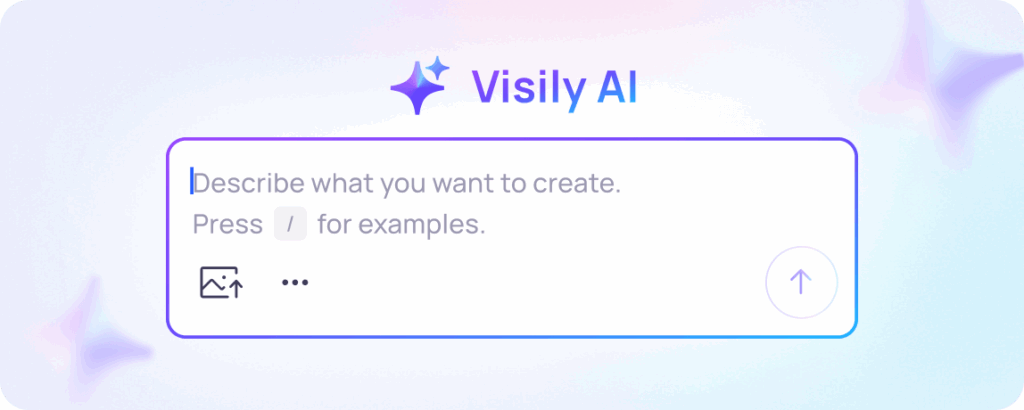
AI Wireframing for Everyone

Visily hands the drawing pen to artificial intelligence. Tell it what you need, like a login page, a dashboard, or a checkout flow, and watch real UI components appear on your canvas. Product managers, startup founders, and developers ship professional wireframes without opening a design manual. Axure expects you to already know how dynamic panels, repeater widgets, and conditional variables work before you place your first element.

img 2

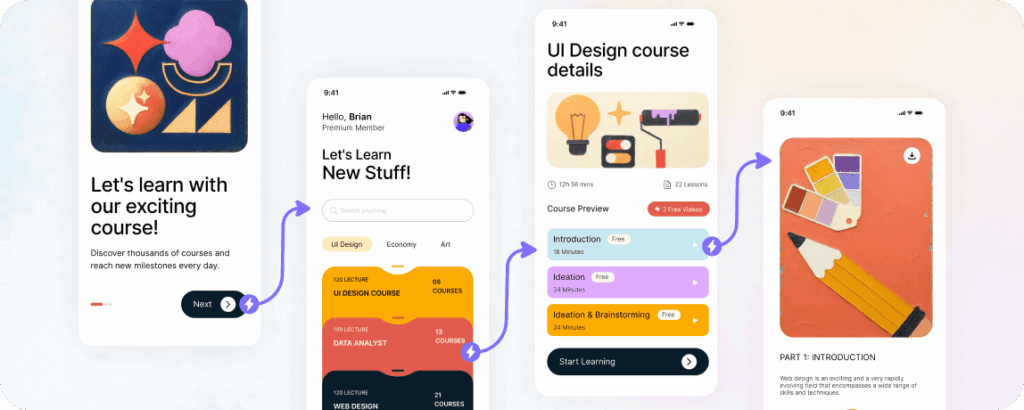
Auto-Prototype Saves Hours

Connecting screens by hand eats hours and breaks your creative flow. Visily's Auto-Prototype reads your layout and generates interactive links between screens using AI. You get a tappable prototype ready for stakeholder review the same afternoon. Axure delivers incredibly powerful prototyping with conditional logic and data-driven grids, but every single connection requires manual setup.

img 1

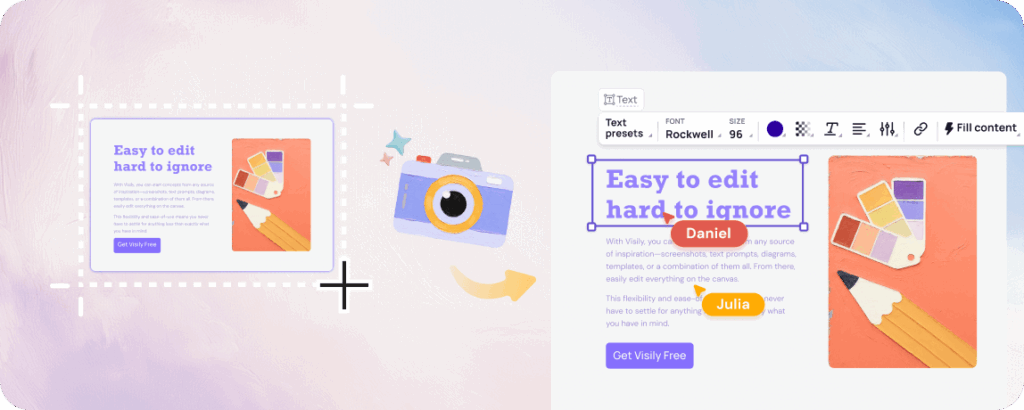
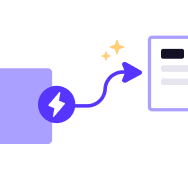
Screenshot to Editable Design

See a competitor's app you admire? Snap a screenshot, drop it into Visily, and AI rebuilds it as a fully editable wireframe with real components. You can rearrange, restyle, and make it your own in minutes. Axure does not offer any way to convert images into editable designs.

img

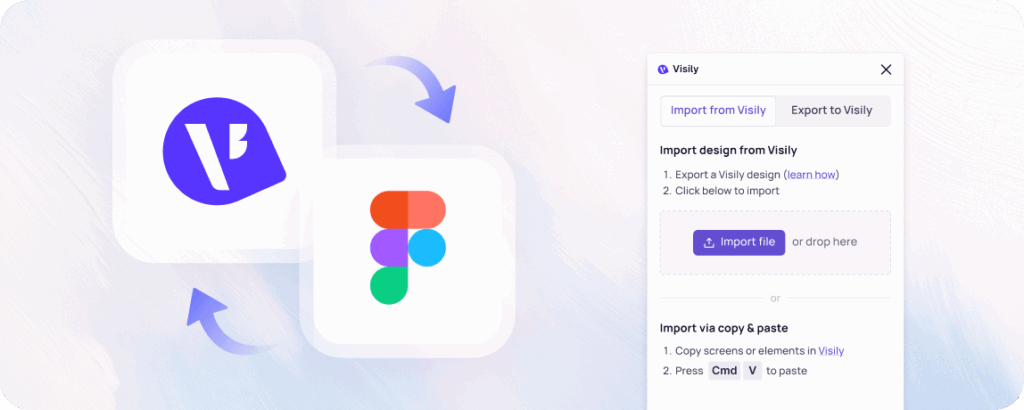
One-Click Figma Export

Finished your prototype? The Visily plugin pushes every screen, artboard, and component directly into a Figma file. Everything arrives organized as proper frames, layers, and groups. No rebuilding from scratch. Axure also connects to Figma through a plugin that copies frames from Figma into Axure RP, but the workflow moves in the opposite direction.

Why Visily Beats Axure

Skip the engineering-grade complexity. Get a wireframing tool that works the moment you open it.
why visily icon section 01

Design in Seconds

Axure RP is powerful, but its power comes with a price: weeks of learning before you feel comfortable. Visily removes that barrier entirely. Pre-styled UI components, smart templates, and AI-assisted editing mean your first wireframe looks polished even if it's your first day using the tool.

why visily icon section 02

AI Adapts to You

Some people think in words. Others think in pictures. Visily accepts both. Type a description and get a screen. Upload a rough sketch and get a wireframe. Paste a screenshot and get an editable mockup. You choose the starting point and AI handles the heavy lifting.

why visily icon section 03

Prototype in One Sitting

Visily combines wireframing and prototyping in a single browser tab. Create your screens with AI, then let Auto-Prototype link them into a clickable experience. Share the link with your team and collect feedback before the end of the day.

why visily icon section 04

Real-Time Co-Design

Axure's Team edition uses a check-out system where you lock a page, make changes, then check it back in. Visily lets everyone edit the same board at the same time, just like a shared document. No waiting, no file conflicts, no version confusion.

Start Designing With Visily for Free

Tired of wrestling with complex prototyping software just to wireframe a simple idea? Visily gives anyone the power to brainstorm, design, and prototype UI experiences with their team. No design background required. In minutes, you can produce detailed flowcharts, polished wireframes, and clickable prototypes.

Visily’s Starter plan is free forever. Not a trial, not a teaser, but a real working plan you can use as long as you want. Join the thousands of product teams who have moved from heavyweight tools to Visily for faster, simpler UI design.

Get Started Free — No Credit Card Required

NO SETUP REQUIRED

UNLIMITED VIEWERS

FAQs

Everything you need to know about moving from Axure to Visily.
01
Visily focuses on high-fidelity wireframing and interactive prototyping that covers most product team needs. Auto-Prototype uses AI to link screens into clickable flows without manual wiring. For conditional logic, data-driven tables, or math-based interactions, Axure remains more advanced. Most teams find Visily's speed and simplicity get them to stakeholder feedback faster.

02

Visily's AI generates structured UI screens from plain text descriptions, screenshots, or diagrams in seconds. Axure requires you to manually place every widget, configure every interaction, and style every element by hand. The AI approach lets non-designers produce professional wireframes without learning complex tools. You can always refine AI output using Visily's drag-and-drop editor.

03

Yes. Type a description of any screen, flow, or component and Visily AI builds it with real UI elements on your canvas. The output is fully editable, so you can move, resize, restyle, or delete any component after generation. This is Visily's most popular AI feature for rapid wireframing.

04

Visily offers Text to Design, Screenshot to Design, Diagram to UI, and AI Chat for editing existing screens. Auto-Prototype uses AI to generate interactive links between your wireframes automatically. Theme generation applies consistent color palettes and typography across your entire project. All AI features are available on the free Starter plan.

Use Cases
  • Wireframing
  • Brainstorming
  • Prototyping
  • Collaboration
Features
  • AI UI Design Generator
  • Screenshot Editor
  • Online Sticky Notes
  • UI Mockup Tool
  • AI Prototype Generator
  • Diagram AI
Resources
  • Vibe Designing
  • Blog
  • Release Notes
  • Help Center
  • FAQs
Features
  • Screenshot Editor
  • Online Sticky Notes
  • UI Mockup Tool
Use Cases​
  • AI Prototype Generator
  • Diagram AI

© 2025 Visily. All rights reserved.

Privacy Policy

Terms of Service

Terms Of Use