Visily
Visily
  • Use Cases
    • Wireframing
    • Prototyping
    • Brainstorming
    • Collaboration
  • AI Design
  • Templates
    • Design Templates
    • Premade Themes
    • Smart Components
    • UI Presets
    • Images & Icons
  • Resources
    • Help Center
    • Explore Visily
    • FAQs
    • Blog
    • Release Notes
  • Pricing
  • Login
Log in
Sign up for free
  • Use Cases
    • Wireframing
    • Prototyping
    • Brainstorming
    • Collaboration
  • AI Design
  • Templates
    • Design Templates
    • Premade Themes
    • Smart Components
    • UI Presets
    • Images & Icons
  • Resources
    • Help Center
    • Explore Visily
    • FAQs
    • Blog
    • Release Notes
  • Pricing
  • Login
  • Use Cases
    • Wireframing
    • Prototyping
    • Brainstorming
    • Collaboration
  • AI Design
  • Templates
    • Design Templates
    • Premade Themes
    • Smart Components
    • UI Presets
    • Images & Icons
  • Resources
    • Help Center
    • Explore Visily
    • FAQs
    • Blog
    • Release Notes
  • Pricing
  • Login
Visily
Visily
Sign up for free
Visily
Visily
  • Use Cases
    • Wireframing
    • Prototyping
    • Brainstorming
    • Collaboration
  • AI Design
  • Templates
    • Design Templates
    • Premade Themes
    • Smart Components
    • UI Presets
    • Images & Icons
  • Resources
    • Help Center
    • Explore Visily
    • FAQs
    • Blog
    • Release Notes
  • Pricing
  • Login
Log in
Sign up for free

Visily – The Best FigJam Alternative


Visily - The Best AI-Powered Alternative to FigJam

VISILY VS. FIGJAM 2026 COMPARISON

Visily vs. FigJam comparison

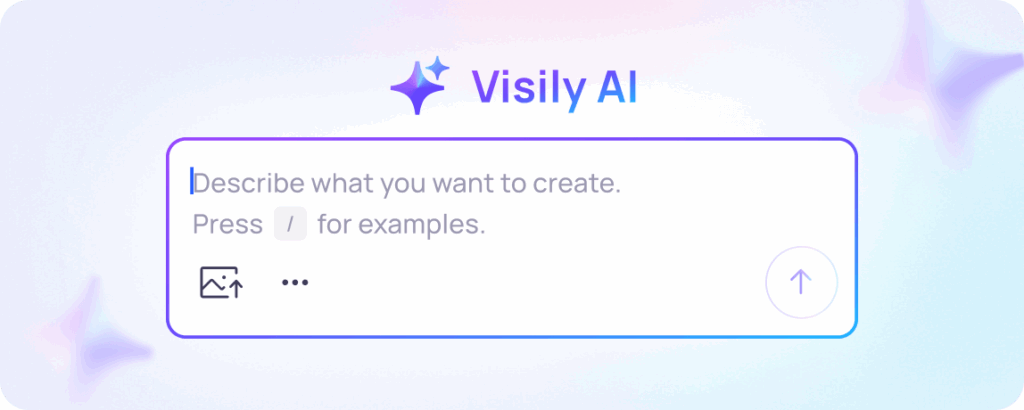
Your ideas don't stop at the whiteboard. They become interactive prototypes with Visily AI

star

Compare using AI

Try Visily Free
Talk to us
visily logo

Plan type: Starter

  • AI converts plain-language ideas into polished UI screens
  • Drag-and-drop editor anyone can use on day one
  • 1,000+ design templates with 200+ added each month
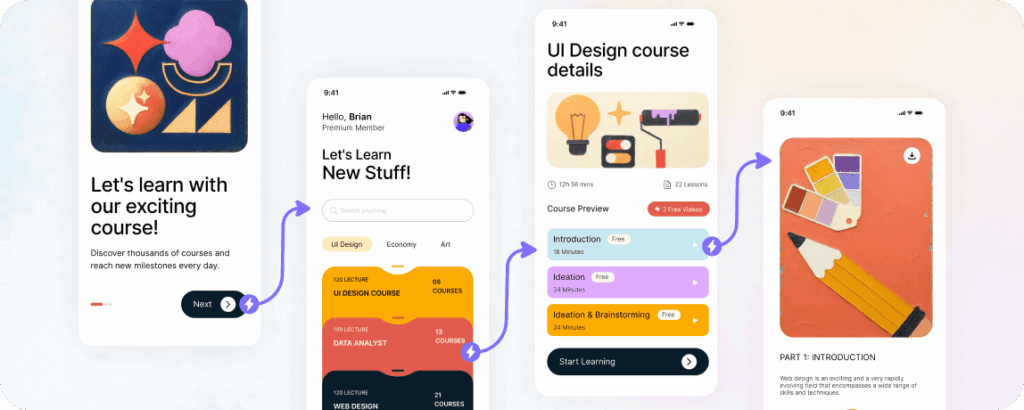
  • Auto-Prototype wires your screens into clickable flows
  • Screenshot to Design turns any image into editable UI
  • Figma plugin exports your work as proper Figma layers

$0 / month

FREE PLAN REMAINS FREE FOREVER

Figma Logo

Plan type: Professional (Collab seat)

  • Online whiteboard for brainstorming, diagramming, and planning
  • AI sorts sticky notes, summarizes ideas, and generates meeting templates
  • Over 300 ready-made templates for meetings and workshops
  • No UI design components like buttons, nav bars, or form fields
  • No prototyping at all — you must switch to Figma Design for that
  • Included with all Figma seats; Figma Starter begins at $3/month

$5 /seat/month

+ 500 AI CREDITS/MO

Product Hunt Badge

Visily vs FigJam Comparison

Complete UI Design Platform vs. Team Whiteboard
When your goal is a working prototype — not just a wall of sticky notes — choose the right canvas.

Features


visily-logo

Figma Logo

Primary Purpose
Check UI Design & Prototyping
Team whiteboarding, brainstorming, and planning
AI-Powered Design
Check Describe a screen, a flow, or an entire app in plain words and Visily AI builds structured UI with real components. Edit anything afterward through AI chat.
AI generates meeting templates from prompts, sorts sticky notes into themes, and summarizes group output into action items. No UI generation.
Learning Curve
Check Practically zero. Drag, drop, and let AI fill the gaps.
Very low. Sticky notes, shapes, and connectors are simple for anyone.
Pre-Built UI Components
Check Full library of styled, responsive UI elements — navigation bars, form fields, buttons, cards, modals, tabs, calendars, carousels, and more. Place them on your canvas and customize instantly.
No UI-specific components. You work with shapes, sticky notes, stamps, emojis, and connectors.
Templates
Check Over 1,000 UI-focused templates with 200+ new additions every month — covering dashboards, onboarding flows, e-commerce screens, and more.
Over 300 templates built for meetings, retrospectives, sprint planning, and brainstorming — not for UI design.
Prototyping
Check Auto-Prototype reads your screens and generates clickable interactive flows using AI. No manual linking required.
❌ No prototyping at all. FigJam is a whiteboard. To prototype, you must move your work into Figma Design.
Screenshot to Design
Check Upload a screenshot of any app, website, or hand-drawn sketch and AI converts it into a clean, editable wireframe.
❌ Not available
Design Editing
Check Full drag-and-drop design editor. Change colors, fonts, spacing, layout, and content — manually or with AI help.
Whiteboard canvas with drawing tools, sticky notes, and shape connectors. Not built for pixel-level design work.
Export Options
Check PDF, PNG, JPG, and more. Figma plugin transfers your entire project into Figma frames, layers, and groups.
PNG and PDF export. No design-specific formats.
Integrations
Check Figma plugin for seamless design handoff.
Deeply connected to the Figma ecosystem. Also integrates with Asana, Jira, and GitHub.
Collaboration
Check Real-time co-editing in the browser. Multiple people design on the same board simultaneously.
Real-time collaboration with audio chat, comments, stamps, emojis, and voting. Guests can join for 24 hours without a login.
Free Plan
Check Starter plan is free forever for anyone.
FigJam is bundled with every Figma seat. A free Figma tier exists with limitations.

Visily vs FigJam:

Similarities and Differences

Key Differences

Shared Strengths

Features


visily-logo

Figma Logo
Who It's For
Check Non-designers who need to produce real UI wireframes — product managers, founders, analysts, and developers.
Entire companies — from design teams to marketing, HR, and operations — who need a shared space to think together.
What You Create
Check Interactive prototypes, high-fidelity wireframes, flowcharts, and presentation-ready screens with CSS inspection and theme generation.
Brainstorming boards, user journey maps, sprint retrospectives, org charts, and meeting agendas.
How AI Helps
Check Tell Visily what to build and AI assembles real UI components on your canvas. Upload screenshots and AI recreates them. Paste diagrams and AI converts them into screens.
Ask FigJam AI to create a meeting template, sort sticky notes into groups, or summarize a brainstorm into key takeaways.
Developer Handoff
Check Inspect mode reveals CSS properties. Figma plugin moves your full project into editable Figma files.
Not designed for developer handoff. You need Figma Design for that step.
Fidelity Level
Check High-fidelity wireframes and interactive prototypes ready for stakeholder review.
Low-fidelity diagrams, sticky note clusters, and visual plans.
Visily and Balsamiq share several core capabilities that make them useful for product teams:

Real-Time Collaboration

Frame 2095585574

Visily enables live co-editing on shared design boards, while FigJam supports live co-editing on shared whiteboard canvases.

AI Assistance

Frame 2095585575
Visily uses AI to generate UI screens and edit designs from prompts, while FigJam uses AI to generate meeting templates and organize sticky notes from prompts.

Template Libraries

Frame 2095585576

Visily offers 1,000+ UI design templates for rapid wireframing, while FigJam offers 300+ workshop templates for rapid meeting setup.

Browser-Based Access

Frame 2095585577

Visily runs entirely in the browser with no downloads required, while FigJam runs entirely in the browser with no downloads required.

Diagramming

Frame 2095585575
Visily supports flowcharts and user flow diagrams with AI-assisted generation, while FigJam supports flowcharts and process diagrams with snap-to-grid connectors.

Low Barrier to Entry

Frame 2095585575
Visily welcomes non-designers with a zero-learning-curve editor, while FigJam welcomes non-designers with an intuitive sticky-note canvas.

Visily vs FigJam:

Best For What?

visily logo
Figma Logo
img 3

Brainstorms That Become Screens

FigJam is wonderful for gathering ideas. But when the meeting ends and someone asks "So what does this actually look like?" that is where FigJam stops and Visily starts. Visily takes your concepts and turns them into actual UI screens with real buttons, real navigation, and real layout. You never need to switch tools.

img 2

Prototyping Without Tool-Hopping

FigJam cannot create prototypes. It is a whiteboard, and Figma themselves describe it as "the complement to Figma." You brainstorm in FigJam, then rebuild everything in Figma Design. Visily eliminates that gap. Design your wireframes and prototype them in the same workspace. Auto-Prototype even handles the screen linking for you.

img 1

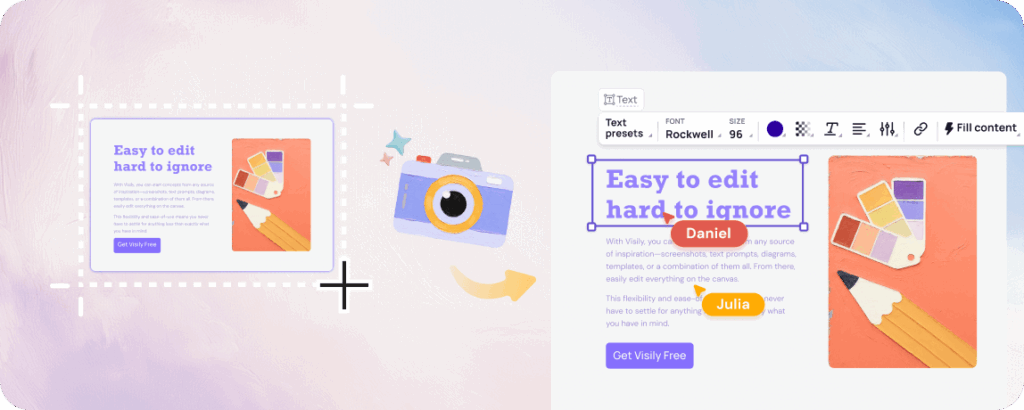
Screenshots Become Starting Points

Found an app with a layout you love? Drop a screenshot into Visily and AI deconstructs it into editable UI components you can rearrange and restyle. FigJam has no way to convert images into design elements. It is built for sticky notes, not screen reconstruction.

img

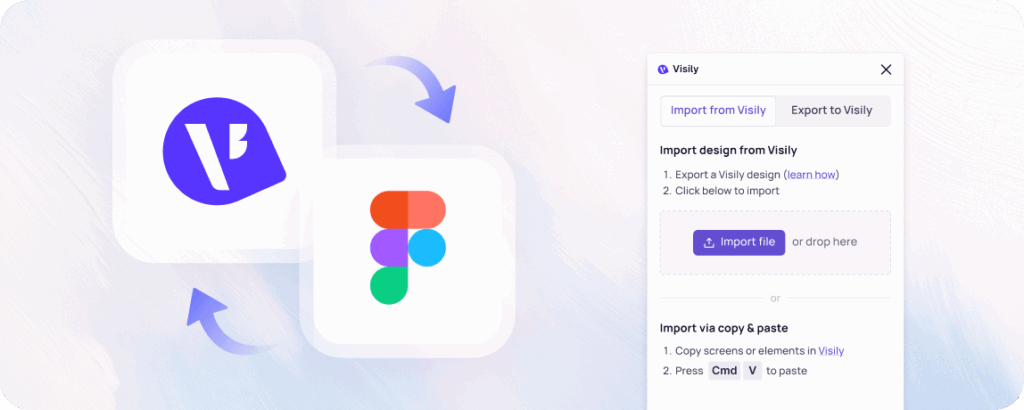
Structured Figma Export

Both tools connect to Figma, but in very different ways. FigJam feeds ideas into the Figma ecosystem as whiteboard artifacts. Visily feeds finished wireframes into Figma as structured frames, layers, and groups. Your designs arrive ready for a designer to refine or a developer to inspect.

Why Visily Beats FigJam

Love the simplicity of a whiteboard? Imagine one that actually produces finished wireframes.
why visily icon section 01

Real Components, Not Shapes

FigJam gives you rectangles, circles, and sticky notes. Visily gives you navigation bars, form inputs, data tables, card layouts, modals, and dozens of other production-ready UI components. The difference? Your output looks like an actual app, not a mood board.

why visily icon section 02

AI Builds Screens

FigJam's AI is helpful for organizing meeting notes and generating agenda templates. Visily's AI is helpful for generating entire application interfaces from a single sentence. Different tools, different design ambitions.

why visily icon section 03

One Workspace, Full Workflow

With FigJam, you brainstorm on a whiteboard, then switch to Figma Design to create screens, then switch again to prototype. Visily keeps everything in a single workspace. Ideation, wireframing, and prototyping happen on the same canvas.

why visily icon section 04

Free Without Ecosystem Lock-In

FigJam comes bundled with Figma seats, which means you are tied to Figma's pricing structure. Visily's Starter plan stands on its own. It is completely free, requires no seat purchases, and creates no ecosystem lock-in.

Start Designing With Visily for Free

Ready to move past sticky notes and start building real interfaces? Visily lets anyone brainstorm, design, and prototype UI experiences with their team. It does not matter if you have used design software before or not. In minutes, you can go from a rough idea to a polished, clickable prototype.

Visily’s Starter plan costs nothing today, tomorrow, and forever. Sign up now and discover why product teams everywhere are choosing Visily over whiteboard tools when they need actual UI output.

Get Started Free — No Credit Card Required

NO SETUP REQUIRED

UNLIMITED VIEWERS

FAQs

Everything you need to know about choosing Visily over FigJam.
01

Yes. Visily supports sticky notes, flowcharts, and collaborative boards for brainstorming sessions. The difference is that Visily also lets you turn those brainstormed ideas into real UI wireframes on the same canvas. You get the brainstorming features plus a full design and prototyping toolkit.

02

Visily connects to Figma through a dedicated plugin that exports your screens as organized Figma frames, layers, and groups. FigJam connects to Figma as a whiteboard companion for brainstorming and feedback. Visily's export delivers design-ready files, while FigJam's connection delivers planning artifacts.

03
Yes. Describe any screen, user flow, or component in plain language and Visily AI builds it with real UI elements. The output lands on your canvas as fully editable components you can move, resize, and restyle. This feature works for mobile apps, web dashboards, and any other interface type.

04

Visily includes Text to Design, Screenshot to Design, Diagram to UI conversion, and AI Chat for editing existing wireframes. Auto-Prototype generates clickable interactive flows between your screens automatically. Theme generation applies consistent colors and typography across your entire project with one click.

Use Cases
  • Wireframing
  • Brainstorming
  • Prototyping
  • Collaboration
Features
  • AI UI Design Generator
  • Screenshot Editor
  • Online Sticky Notes
  • UI Mockup Tool
  • AI Prototype Generator
  • Diagram AI
Resources
  • Vibe Designing
  • Blog
  • Release Notes
  • Help Center
  • FAQs
Features
  • Screenshot Editor
  • Online Sticky Notes
  • UI Mockup Tool
Use Cases​
  • AI Prototype Generator
  • Diagram AI

© 2025 Visily. All rights reserved.

Privacy Policy

Terms of Service

Terms Of Use