Visily
Visily
  • Use Cases
    • Wireframing
    • Prototyping
    • Brainstorming
    • Collaboration
  • AI Design
  • Templates
    • Design Templates
    • Premade Themes
    • Smart Components
    • UI Presets
    • Images & Icons
  • Resources
    • Help Center
    • Explore Visily
    • FAQs
    • Blog
    • Release Notes
  • Pricing
  • Login
Log in
Sign up for free
  • Use Cases
    • Wireframing
    • Prototyping
    • Brainstorming
    • Collaboration
  • AI Design
  • Templates
    • Design Templates
    • Premade Themes
    • Smart Components
    • UI Presets
    • Images & Icons
  • Resources
    • Help Center
    • Explore Visily
    • FAQs
    • Blog
    • Release Notes
  • Pricing
  • Login
  • Use Cases
    • Wireframing
    • Prototyping
    • Brainstorming
    • Collaboration
  • AI Design
  • Templates
    • Design Templates
    • Premade Themes
    • Smart Components
    • UI Presets
    • Images & Icons
  • Resources
    • Help Center
    • Explore Visily
    • FAQs
    • Blog
    • Release Notes
  • Pricing
  • Login
Visily
Visily
Sign up for free
Visily
Visily
  • Use Cases
    • Wireframing
    • Prototyping
    • Brainstorming
    • Collaboration
  • AI Design
  • Templates
    • Design Templates
    • Premade Themes
    • Smart Components
    • UI Presets
    • Images & Icons
  • Resources
    • Help Center
    • Explore Visily
    • FAQs
    • Blog
    • Release Notes
  • Pricing
  • Login
Log in
Sign up for free

Visily – The Best Balsamiq Alternative


Visily - The Best Balsamiq Alternative

Go beyond low-fidelity sketches. Create high-fidelity UI designs and interactive prototypes with AI. No design skills needed.

Visily vs. Balsamiq 2026 comparison

Less Effort Than Balsamiq. More Features Than Expected.

star

Compare using AI

Try Visily Free
Talk to us
visily logo

Plan type: Starter

  • AI features help move from idea to design in minutes
  • No learning curve required, unlike professional tools
  • 1,000+ templates with 200+ added monthly
  • Auto-Prototype handles interactive flows with AI
  • Screenshot to Design transforms images to UI
  • Figma plugin for pixel-perfect tweaks

$0 / month

FREE PLAN REMAINS FREE FOREVER

Balsamiq Logo

Plan type: Business

  • Low-fidelity, hand-drawn style wireframes only
  • AI credits included but limited per plan tier
  • Moderate learning curve for new users
  • Basic UI component library (no high-fidelity elements)
  • Clickable prototypes via basic screen linking
  • No permanent free plan — 30-day trial only

$12 /member/month

STARTS AT $12/MONTH (2-PROJECT PLAN)

Product Hunt Badge

Visily vs Balsamiq Comparison

High-Fidelity AI Design vs Low-Fidelity Wireframing — choose the right tool for your workflow.
Design Smarter, Not Harder — Choose the Right Tool for UI Creation

Features


visily-logo
Balsamiq Logo

Primary Purpose
Check AI-powered UI Design & High-Fidelity Prototyping
Low-fidelity, hand-drawn style wireframing
Output Fidelity
Check High-fidelity wireframes, mockups & interactive prototypes
Low-fidelity sketches only — not suitable for final handoffs
AI-Powered Design
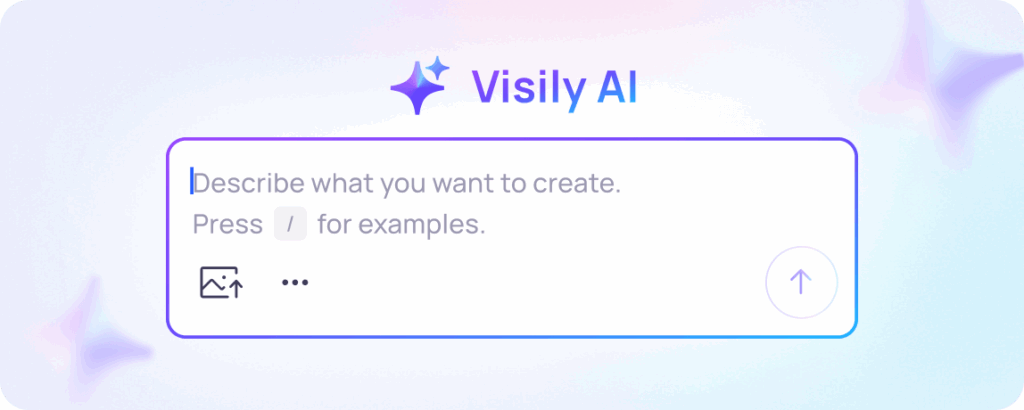
Check Text to Design, Screenshot to Design, Sketch to Design, Diagram to Design — all built in
Balsamiq AI available but limited to wireframe generation within plan credits
Learning Curve
Check No design skills required — anyone can start in minutes
Minimal curve for basic use; steeper for advanced prototyping features
Pre-Built UI Components
Check Fully styled, responsive nav bars, cards, accordions, carousels, and more
Basic drag-and-drop UI elements and icons — hand-drawn aesthetic only
Templates
Check 1,000+ templates, 200+ added monthly
Curated template library for desktop and mobile — smaller selection
Prototyping
Check Auto-Prototype generates interactive flows automatically with AI
Basic screen linking for clickable prototypes — no AI automation
Screenshot to Design
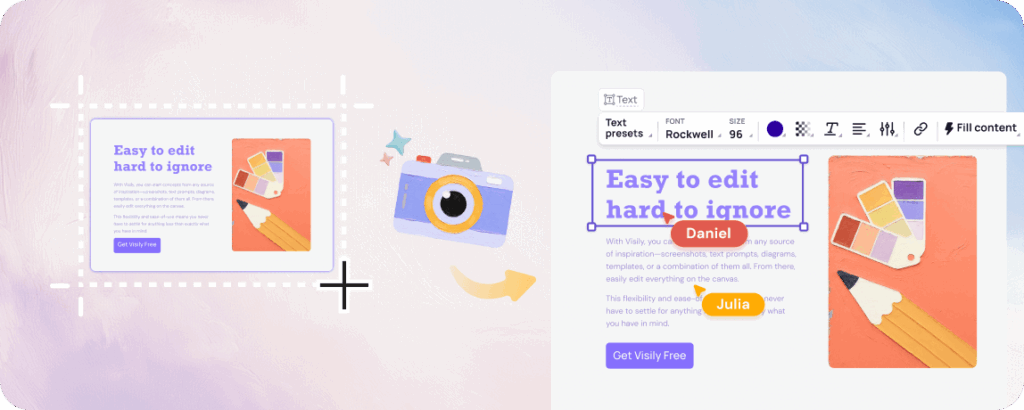
Check Upload any screenshot; AI converts it into editable high-fidelity UI
✗ Not available
Developer Handoff
Check Inspect mode with CSS export and Figma plugin for seamless handoff
Not designed for developer handoff — external tools required
Export Options
Check PDF, PNG, JPG + Figma plugin for pixel-perfect export
PDF and PNG export; PDF links are clickable for prototype sharing
Free Plan
Check Starter plan is free forever — no credit card required
No permanent free plan; 30-day free trial only
Paid Plan
Check $14/month (monthly) or $11/month (annual)
From $12/month for 2 projects; scales by project count, not users
Export Options
Check Shared libraries, follower mode, real-time commenting
Real-time co-editing and threaded comments in Balsamiq Cloud

Visily vs Balsamiq:

Similarities and Differences

Key Differences

Shared Strengths

Features


visily-logo

Balsamiq Logo
Target Users
Check Non-designers: founders, product managers, developers, and business analysts who need professional-looking output
Product teams, PMs, and developers focused on fast lo-fi ideation and stakeholder communication
Design Output Quality
Check High-fidelity prototypes, interactive mockups, CSS-inspectable designs ready for developer handoff
Intentionally low-fidelity hand-drawn aesthetics — keeps focus on structure over visuals
AI Capabilities
Check Multimodal AI: text, screenshot, sketch, and diagram inputs all generate structured UI elements and full prototypes
Balsamiq AI turns text prompts into lo-fi wireframes; limited to wireframe generation
Fidelity Level
Check High-fidelity wireframes and interactive prototypes ready for stakeholder review and developer handoff
Strictly low-fidelity — intentional design choice to avoid distracting from UX decisions
Free Access
Check Free plan available permanently with no credit card required
30-day free trial only; subscription required to continue editing after trial
Visily and Balsamiq share several core capabilities that make them useful for product teams:

Real-Time Collaboration

Frame 2095585574

Both tools support collaborative workflows — Visily with follower mode and shared libraries; Balsamiq Cloud with co-editing, roles, and threaded comments.

Cloud-Based Platform

Frame 2095585575
Both run in the browser with no software installation needed, letting teams access and share work from anywhere at any time.
 

Template
Libraries

Frame 2095585576
Both platforms offer template collections to help teams start projects quickly without building from scratch.
 

Built for Non-Technical Teams

Frame 2095585577
Both tools are designed so that product managers, founders, and developers can create wireframes without relying on professional design skills.
 

Clickable Prototypes

Frame 2095585575
Both allow you to link screens together so stakeholders can experience user flows interactively before development begins.
 

Feedback & Commenting

Frame 2095585575
Both platforms enable team members and stakeholders to leave comments and feedback directly inside the tool to streamline iteration.
 

Visily vs Balsamiq:

Which is Best For What?

visily logo
balsamiq logo removebg preview
img 3

AI-Powered High-Fidelity UI Design

Visily is created for non-designers. Its AI features and drag-and-drop editor let anyone — product managers, founders, developers — produce professional, high-fidelity wireframes without hiring a designer or mastering complex tools.

img 2

Rapid Prototyping with Auto-Prototype

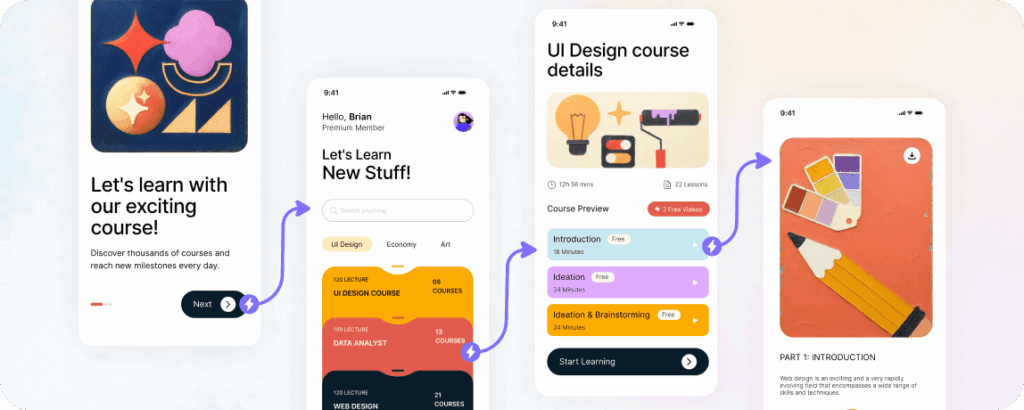
Linking screens manually is slow. Visily's Auto-Prototype generates interactive flows with AI instantly, allowing you to test and validate ideas with stakeholders in hours rather than days.

img 1

Screenshot to Design Conversion

Upload screenshots of existing products, competitor apps, or rough sketches, and Visily AI converts them into editable high-fidelity wireframes ready for immediate iteration — no redrawing required.

img

Seamless Developer Handoff via Figma

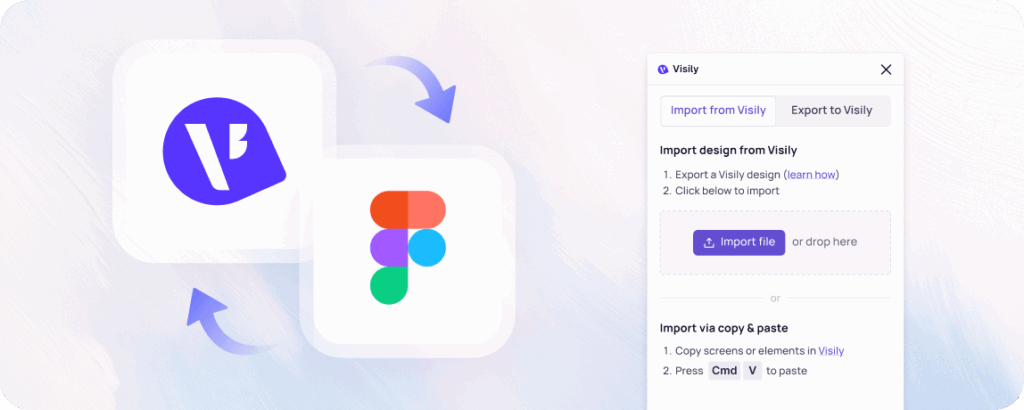
When your prototype is complete, Visily's Figma plugin brings it directly into Figma with one click — converting all screens into frames, layers, and groups that save developers significant time.

img 5

Fast Lo-Fi Ideation & Stakeholder Buy-In

Balsamiq's hand-drawn aesthetic is intentionally low-fidelity — it keeps conversations focused on structure, flow, and UX rather than visual polish, reducing premature pixel debates during early planning.

img 5

Teams Already Integrated with Atlassian

Balsamiq integrates directly with Confluence and Jira, making it a natural fit for teams that rely on the Atlassian ecosystem for project management and documentation workflows.

img 4

MVP Planning & Requirements Documentation

Product teams use Balsamiq to translate vague requirements into actionable blueprints. It's widely used for user flows, process mapping, and getting team alignment before committing to development.

img 4

Pay-Per-Project Teams (Not Per Seat)

Balsamiq's pricing model charges per project, not per user — making it cost-effective for large teams with limited active projects who want unlimited collaborators at no extra seat cost.

Why Visily is the Best Balsamiq Alternative for Designing

Experience a design-first workflow that bridges the gap between low-fidelity wireframing and high-fidelity, developer-ready output.
why visily icon section 01

Zero Learning Curve for Professional Results

Visily's drag-and-drop components, pre-made templates, and AI-generated layouts create a completely intuitive design experience. Unlike professional design tools, no design background is needed — simply point, click, and share.

why visily icon section 02

AI That Goes Further Than Lo-Fi

While Balsamiq AI generates low-fidelity wireframes, Visily's multimodal AI produces high-fidelity UI screens, full prototypes, and styled components from text, screenshots, or sketches — all in one tool.

why visily icon section 03

From Idea to Interactive Prototype in Minutes

After creating your wireframes using Visily's AI features, Auto-Prototype instantly transforms them into fully interactive prototypes — skipping the tedious manual linking that Balsamiq requires.

why visily icon section 04

Built for Cross-Functional Team Collaboration

Multiple team members can work simultaneously on the same project in Visily, with real-time commenting, shared component libraries, and follower mode — removing the constant file-sharing bottleneck.

why visily icon section 03

Free Forever — No Trial Countdown

Balsamiq offers only a 30-day free trial with no permanent free plan. Visily's Starter plan is free forever for anyone, with no credit card required and no surprise billing after a trial period ends.

why visily icon section 04

Figma-Ready Developer Handoff

Visily closes the gap between wireframing and development with its Figma plugin and CSS inspect mode — features Balsamiq does not offer, requiring external tools for handoff in Balsamiq workflows.

Start Designing With Visily for Free

Ready to move beyond low-fidelity sketches? Visily lets anyone quickly brainstorm, design, and prototype UI experiences with their team — regardless of design skill or experience level.

Get Started Free — No Credit Card Required

NO SETUP REQUIRED

UNLIMITED VIEWERS

FAQs

Everything you need to know about switching to Visily.
01
Yes. Visily can fully replace Balsamiq for wireframing — and goes significantly further. While Balsamiq focuses on low-fidelity, hand-drawn wireframes, Visily produces high-fidelity wireframes and interactive prototypes using AI. Non-designers can produce professional output in Visily that is immediately usable for developer handoff, something Balsamiq is not designed to do.


02
Yes. Visily's Starter plan is free forever — no credit card required and no expiration. Balsamiq does not offer a permanent free plan; it provides a 30-day free trial, after which a paid subscription is required to continue editing. This makes Visily significantly more accessible for individuals, startups, and small teams.


03
Visily's AI is multimodal — it accepts text descriptions, screenshots, hand-drawn sketches, and diagrams as inputs and converts them into high-fidelity UI designs. Balsamiq AI is primarily focused on generating low-fidelity wireframes from text prompts, with AI credits limited per plan. Visily additionally offers Auto-Prototype, which uses AI to automatically generate interactive prototype flows.


04
Absolutely. Visily was specifically built for non-designers — product managers, founders, developers, and business analysts. Its AI-assisted workflow removes the need for design expertise entirely. If you can describe an idea or provide a screenshot, Visily can turn it into a professional design. Balsamiq is also accessible, but it intentionally limits output to low-fidelity, which means teams still need another tool to produce presentation-ready mockups.
 
Use Cases
  • Wireframing
  • Brainstorming
  • Prototyping
  • Collaboration
Features
  • AI UI Design Generator
  • Screenshot Editor
  • Online Sticky Notes
  • UI Mockup Tool
  • AI Prototype Generator
  • Diagram AI
Resources
  • Vibe Designing
  • Blog
  • Release Notes
  • Help Center
  • FAQs
Features
  • Screenshot Editor
  • Online Sticky Notes
  • UI Mockup Tool
Use Cases​
  • AI Prototype Generator
  • Diagram AI

© 2025 Visily. All rights reserved.

Privacy Policy

Terms of Service

Terms Of Use