An AI UI generator is a software tool that uses artificial intelligence to create user interface designs from simple inputs like text descriptions, screenshots, or hand-drawn sketches. Traditional methods, on the other hand, rely on professional tools like Figma, Sketch, and Adobe XD, where trained designers manually build every screen.
Product teams often struggle to choose between these two approaches, and the wrong decision can cost valuable time, money, and momentum. Non-designers can get stuck dealing with complicated tools, while hiring skilled designers adds extra expense. At the same time, slow iteration makes it harder for early-stage projects to move fast and gain traction before the opportunity fades.
AI UI generators now match or beat traditional methods for speed, accessibility, and early-stage design quality. Traditional tools still hold advantages in pixel-perfect refinement.
This guide breaks down both approaches across speed, cost, learning curve, output quality, collaboration, and real-world use cases so you can decide which one fits your team.
What Is an AI UI Generator?
An AI UI generator is a software tool that uses artificial intelligence to convert simple inputs into structured, editable user interface designs such as wireframes, mockups, and interactive prototypes.
These platforms run in the browser. They require no installation and no design training. The process is straightforward. A user provides an input. The AI interprets it and produces a structured design. The user then edits, refines, and shares the output using drag-and-drop controls.
Common input-to-output methods include:
- Text to design turns a plain-language description into a full UI layout
- Screenshot to design converts an uploaded screenshot or competitor app image into an editable wireframe or mockup
- Sketch to design transforms a hand-drawn sketch into a clean digital wireframe
- Diagram to design converts flowcharts and diagrams into multi-screen UI layouts
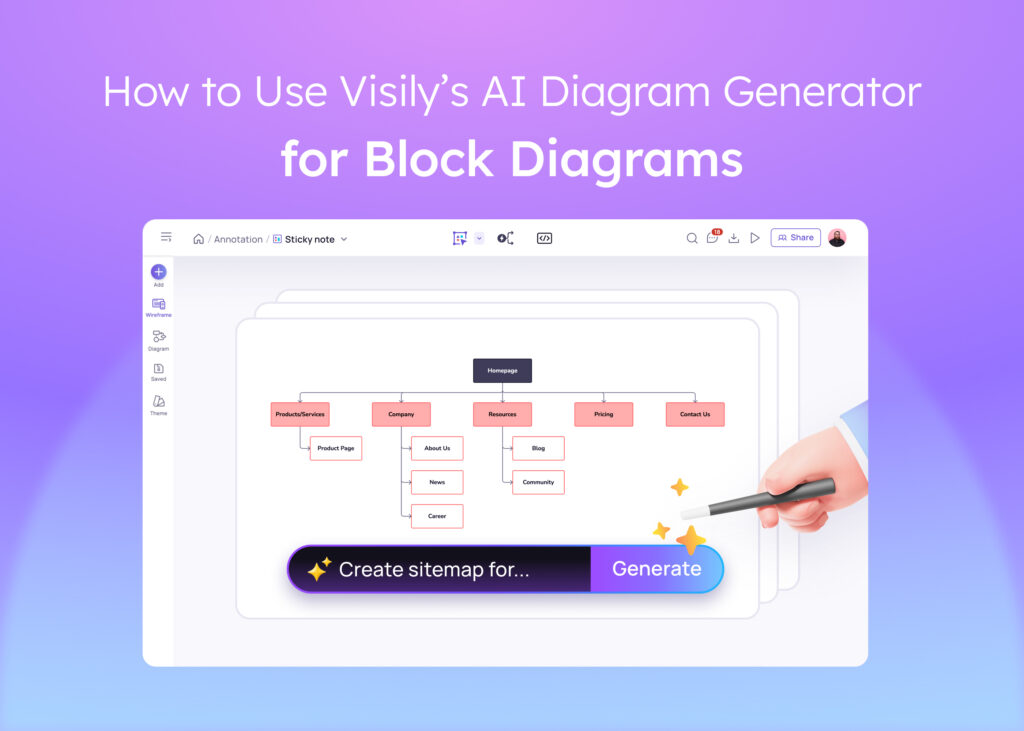
- Text to diagram generates sitemaps, flowcharts, and entity relationship diagrams from text prompts
Product managers, startup founders, developers, and business analysts use these tools daily. Platforms like Visily are built specifically for these non-designer roles, making professional UI output accessible to anyone with an idea.
What Are Traditional UI Design Methods?
Traditional UI design methods are established design workflows that rely on professional tools and trained designers to manually create wireframes, mockups, and prototypes through iterative review cycles. These methods have been the industry standard for over a decade.
The typical workflow follows a predictable path. A team writes a brief. A designer creates wireframes. Those wireframes become high-fidelity mockups. Mockups become interactive prototypes. Prototypes go through review rounds. Final designs are handed off to developers. Each step requires a skilled designer and takes time.
Common traditional tools include:
- Figma for collaborative UI design, prototyping, and design systems
- Sketch for macOS-based interface design with a large plugin ecosystem
- Adobe XD for wireframing and prototyping within the Adobe suite
- Balsamiq for low-fidelity wireframing focused on speed over polish
- InVision for prototyping and stakeholder review workflows
These tools offer deep control, mature plugin ecosystems, and pixel-perfect output. They are the standard in professional design teams. The trade-off is significant, though. Most require weeks to months of training before a new user becomes productive. That learning curve locks out non-designers entirely.
AI UI Generators vs Traditional Methods: A Side-by-Side Comparison
Both approaches have clear strengths. The right choice depends on your team’s skills, budget, timeline, and design maturity. Here is how they compare across six key dimensions.
| Dimension | AI UI Generators | Traditional Methods |
| Speed | Seconds to minutes per screen | Hours to days per screen |
| Learning Curve | None to minimal; built for non-designers | Weeks to months of training required |
| Cost | Free tiers available; $11 to $29/month paid plans | $15 to $75/month per editor plus designer salaries |
| Output Quality | Strong for wireframes and mockups; improving for hi-fi | Pixel-perfect production-ready output |
| Collaboration | Built-in for cross-functional teams | Strong but designer-centric |
| Flexibility | Structured through templates and AI; fast but guided | Unlimited creative control for trained users |
Speed: From Idea to Prototype
AI UI generators produce a first screen in under 60 seconds from a text prompt. Traditional tools require 2 to 4 hours for the same output, assuming a trained designer is available and not working on other projects.
This speed advantage compounds across multi-screen projects. A 10-screen app prototype that takes a designer two full days can be generated in under 30 minutes with an AI tool. Text-to-design and screenshot-to-design features are the primary speed drivers. Teams that need to test ideas quickly or present concepts to stakeholders on short notice benefit the most from this difference.
Learning Curve: Who Can Use Each Method?
Traditional tools like Figma require significant training. A new user typically needs 4 to 8 weeks of regular practice before they can produce professional-quality wireframes independently. That barrier locks out product managers, founders, developers, and business analysts who have ideas but lack design training.
AI UI generators remove that barrier entirely. They use text prompts, drag-and-drop editing, and pre-built component libraries instead of requiring manual design skills. A product manager can describe a screen in plain language and get an editable layout in seconds. A developer can upload a rough sketch and receive a clean wireframe. No training period. No design background needed.
Cost: Free Tiers, Subscriptions, and Hidden Expenses
The sticker price of a design tool tells only part of the story. Figma charges $15 to $75 per editor per month depending on the plan. But the real cost of traditional design includes the salary of a trained designer, which averages over $95,380 per year in the United States according to the Bureau of Labor Statistics.
AI UI generators cut both costs. Many offer generous free tiers. For startups and small teams, this means professional UI output without hiring a designer or paying for expensive tool licenses.
Output Quality: Wireframes, Mockups, and Pixel Perfection
Traditional tools still lead in pixel-perfect, production-ready design. A trained designer using Figma can control every pixel, every spacing value, and every interaction state. For final handoff to developers, this level of precision matters.
AI UI generators produce professional wireframes and mockups that are strong enough for ideation, stakeholder reviews, and usability testing. They are improving rapidly, but they are not yet a full replacement for production design. The lo-fi to hi-fi toggle helps bridge this gap. Teams can start with a rough wireframe and switch to a polished mockup on the same board without losing any work. For final production, exporting AI-generated layouts to Figma for refinement is a common and effective workflow.
Collaboration: Real-Time Teamwork and Stakeholder Sharing
Both AI generators and traditional tools support real-time co-editing. Figma set the standard for collaborative design, and most modern tools have followed.
Where AI generators pull ahead is in cross-functional collaboration. Features like cursor chat, on-canvas commenting, follower mode, and presentation mode make it easy for non-designers to participate in the design process. A product manager can walk a stakeholder through a prototype without switching to a separate presentation tool. Guest access lets external reviewers comment directly on designs. These features matter most for remote and cross-functional teams where not everyone has a design background.
Flexibility: Customization and Design Control
Traditional tools offer unlimited creative freedom for trained users. A designer in Figma can build any layout, any interaction, and any visual style from scratch. There are no guardrails and no constraints beyond the designer’s own skill.
AI UI generators offer what is best described as structured flexibility. They are fast and guided, not limiting. Smart components, pre-built templates, and AI-assisted editing give users a wide range of options within a structured framework. The trade-off is intentional. Structured flexibility means faster output with fewer decisions, which is exactly what non-designers need. For teams that need raw creative control on every detail, traditional tools remain the better fit.
When Should You Use an AI UI Generator?
AI UI generators are the better choice in specific, common scenarios. If any of these describe your situation, an AI-first approach will save you time and money.
- Early-stage ideation where you need to visualize an idea before committing resources to full design
- Startup MVP validation where speed matters more than pixel perfection and budgets are tight
- Product manager-led wireframing where PMs need to communicate product vision before a designer is available
- Developer UI visualization where engineers want to map out screens and flows before writing code
- Stakeholder alignment meetings where you need a visual prototype to get buy-in, not a polished deliverable
- Budget-constrained teams where hiring a full-time designer is not feasible
- Cross-functional collaboration where non-designers need to contribute directly to the design process
When Do Traditional Design Methods Still Make Sense?
Traditional design tools are not going away. They remain the right choice in several important situations.
- Production-ready handoff where developers need pixel-perfect specs, exact spacing values, and exportable assets
- Complex design system management where teams maintain large component libraries with strict version control
- Brand-critical projects where visual identity guidelines require precise control over every element
- Enterprise teams with mature Figma workflows where switching tools would disrupt established processes
- Advanced interactions and animations where micro-interactions and complex transitions require manual design control
These scenarios share a common thread. They all require a level of precision and control that AI generators have not yet matched. The output needs to be production-ready, not just good enough for review.
Many teams are finding that the best results come from combining both approaches rather than choosing one exclusively.
The Hybrid Approach: Using AI and Traditional Tools Together
The smartest teams are not choosing one or the other. They use both. AI generators handle the fast, messy, creative early stages. Traditional tools handle the precise, polished final stages. This hybrid workflow is becoming the standard for product teams that want both speed and quality.
The workflow is simple:
- Generate initial designs with an AI UI generator using text prompts, screenshots, or sketches
- Iterate with stakeholders using built-in collaboration features like real-time co-editing, commenting, and presentation mode
- Export to Figma for pixel-perfect refinement, design system integration, and developer handoff
Visily’s Figma plugin makes this workflow seamless. Teams generate and iterate in Visily, then export directly to Figma when designs are ready for production. This approach gives non-designers a seat at the design table during early stages while preserving the precision that professional designers need for final output.
SmartDev studied more than 300 real-world projects that used AI-powered development tools. They found that teams were able to build products 30% faster. These results came from companies that replaced slow manual work with smarter automated processes.
How Visily Bridges the Gap Between AI and Traditional Design
Visily was built from the ground up as an AI-first design platform. It is not a traditional tool with AI added as an afterthought. Every core workflow starts with AI and gives users the option to refine manually.
What makes Visily different from other AI UI generators:
- Zero learning curve with drag-and-drop editing and text-based design generation that requires no training
- AI-first architecture where every feature is designed around AI assistance, not manual effort
- Lo-fi to hi-fi toggle that lets users switch between wireframe and mockup fidelity on the same board without losing work
- Figma export through a native plugin that sends designs directly to Figma for pixel-perfect production refinement
- 1,500+ pre-built templates covering screens, flows, diagrams, and full app layouts
- Generous free tier with 300 AI credits, 2 editable boards, and access to core features at no cost
Try Visily free and see how AI-powered design compares to traditional design workflow.