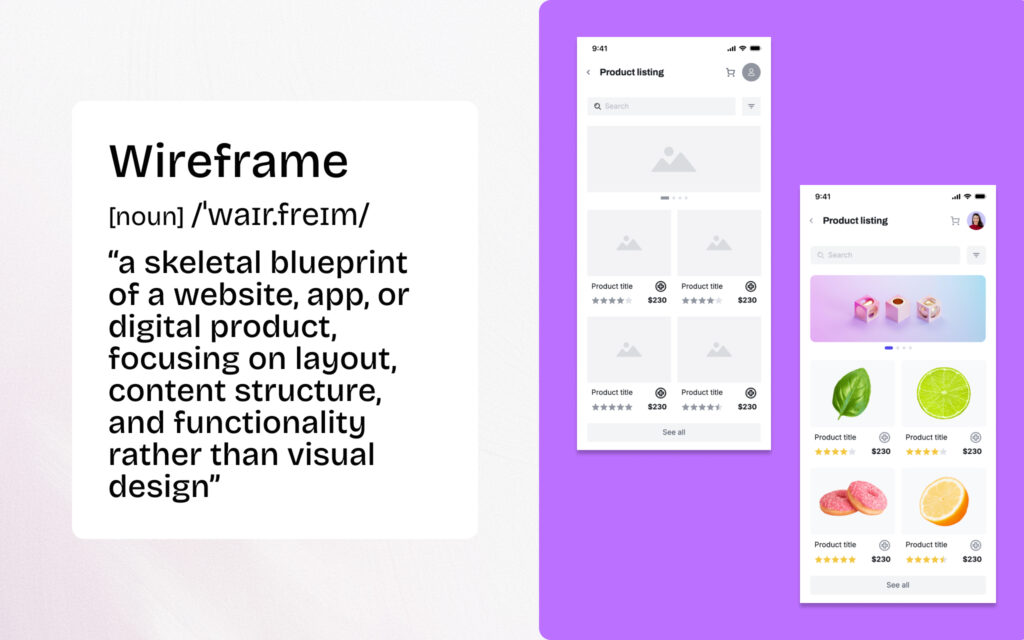
Every successful digital product starts with a clear vision—but turning that vision into reality requires more than just ideas. Teams often struggle with miscommunication, wasted development time, and costly revisions that could have been avoided with proper planning. A wireframe is a low-fidelity visual representation that outlines the basic structure, layout, and functionality of a digital product before detailed design or development begins.
Wireframes are important because they provide a visual blueprint of a product's structure and functionality before development begins. They help teams save time, reduce costs, align stakeholders, and identify usability issues early in the design process. By establishing the basic structure and user flow before investing in visual design details, wireframes serve as the critical bridge between rough ideas and the final product.
In this guide, we'll cover the key reasons wireframes are essential for product success and how anyone—regardless of design experience—can create wireframes that communicate ideas effectively and facilitate collaboration across teams.
What Is a Wireframe in Product Design?
A wireframe is a simplified visual guide that represents the skeletal framework of a website or mobile app, showing the arrangement of page elements, navigation, and content placement without detailed design elements like colors or images. Think of it like an architect's blueprint for a house—it shows where the rooms, doors, and windows will go without specifying paint colors or furniture styles.
Wireframes are typically shown in grayscale with basic shapes, boxes, lines, and placeholder text. This intentional simplicity keeps the focus on structure and functionality rather than visual design. Whether you're working on a mobile application or a complex web design project, wireframes help teams visualize the user interface before committing to detailed wireframes or high fidelity designs.
Key Characteristics of Wireframes:
- Simple shapes and basic sketches representing content areas and interactive elements
- Grayscale color scheme to avoid distraction from visual details
- Placeholder text indicating where actual content will appear
- Focus on layout and navigational elements rather than brand elements
- Varying fidelity levels from lo fi wireframes to high fidelity wireframes depending on project needs
The wireframing process can produce different types of wireframes—from quick paper sketches to detailed digital representations. Understanding when to use low fidelity wireframes versus high fidelity wireframes depends on where you are in the development process and what you need to communicate to relevant stakeholders.
8 Key Reasons Why Wireframes Are Important
Understanding why wireframes are important goes beyond theory—it directly impacts project success, team efficiency, and product quality. Wireframes play a critical role throughout the design process, from early stages of ideation to the final design handoff. Here are the eight key reasons every product team should prioritize wireframing.
1. Clarifies Ideas and Concepts Early
Wireframes transform abstract concepts into tangible visuals that teams can evaluate and refine. When a product manager describes a new feature or a startup founder pitches their mobile app idea, words alone often lead to different interpretations. The wireframe stage bridges this gap by giving everyone a concrete reference point.
During the early stages of a project, rough ideas need structure. A simple wireframe—even one created with basic sketches on paper—helps teams validate ideas before investing significant resources. This early visualization ensures that design concepts align with user needs and business objectives from the start.
2. Saves Time and Reduces Development Costs
Catching issues in wireframes costs significantly less than fixing them during development. According to IBM's Systems Sciences Institute research, fixing a bug during implementation costs 6 times more than fixing it during design, and fixing it during testing costs 15 times more[1]. Wireframes allow teams to identify and resolve usability issues, navigation problems, and structural flaws before a single line of code is written.
The iterative process of wireframing enables rapid changes without the overhead of modifying coded features. When the development team receives well-thought-out wireframes, they spend less time asking clarifying questions and more time building. This efficiency translates directly to faster project completion and lower overall costs.
3. Improves Stakeholder Communication and Alignment
Wireframes provide a common visual language for designers, developers, project managers, and business stakeholders. Instead of lengthy written specifications that different people interpret differently, a wireframe puts everyone on the same page. This shared understanding reduces the back-and-forth that typically delays digital projects.
When presenting to executives or clients, wireframes make it easier to gather feedback on structure and functionality without getting sidetracked by discussions about colors or fonts. Stakeholders can focus on whether the user flow makes sense and whether key elements are properly prioritized—decisions that are much harder to change after visual design begins.
4. Focuses on User Experience and Functionality
Without visual distractions, wireframes keep discussions centered on how users will interact with the product. The absence of visual design details forces teams to think critically about user flow mapping, information architecture, and core functionality. This focus on the user's journey leads to better UX design decisions.
Wireframes help teams prioritize content and determine what interactive features are truly necessary. By stripping away brand elements and visual elements, the design team can objectively evaluate whether the page structure supports user needs and business goals. This clarity is essential for creating products that users actually want to use.
5. Enables Early User Testing and Validation
Wireframes allow teams to test user flows with real users before investing in full design and development. Even low fidelity wireframes can reveal whether users understand the navigation, find key components, and can complete essential tasks. This early user testing provides invaluable insights that shape the final product.
User research conducted at the wireframe stage is faster and cheaper than testing high fidelity designs or clickable prototypes. Teams can quickly iterate based on feedback, testing multiple approaches to find what works best for their target audience. This validation process significantly reduces the risk of building something users don't want or can't use.
6. Streamlines the Design-to-Development Handoff
Clear wireframes reduce ambiguity and questions during the development phase. When web designers and developers have detailed wireframes that specify page elements, interactive elements, and user interactions, they can work more independently and efficiently. The wireframe serves as a reference document throughout the development process.
Well-documented wireframes also help when team members change or when projects span long timeframes. New team members can quickly understand the product's structure and functionality by reviewing the wireframes. This documentation value extends beyond the initial build to future updates and iterations.
7. Facilitates Faster Iteration and Experimentation
Low fidelity wireframes can be created and modified quickly, encouraging creative exploration without significant time investment. Teams can sketch ideas, test them, and refine them in hours rather than days. This speed enables more experimentation and often leads to better solutions.
Modern wireframing tools and digital tools make iteration even faster. Teams can duplicate wireframes, try different layouts, and compare versions side by side. This ability to rapidly explore options helps teams find the best approach before committing to more detail in the design process.
8. Establishes Content Hierarchy and Information Architecture
Wireframes force teams to prioritize content and establish clear information hierarchy. By deciding what goes where on each screen, teams must make deliberate choices about what's most important for users. This discipline leads to cleaner, more focused designs that guide users toward conversion paths and key actions.
The wireframe creation process also reveals content gaps and redundancies. Teams often discover they need content that doesn't exist yet or that certain elements don't add value. Addressing these issues at the wireframe stage prevents costly content creation or removal later in the project.
Benefits of Wireframing for Different Roles
Wireframing isn't just for designers. Different team members gain unique benefits from participating in the wireframing process. Understanding these role-specific advantages helps teams see wireframing as a collaborative activity that improves outcomes for everyone involved.
For Product Managers
Product managers use wireframes to communicate product vision and align cross-functional teams around shared goals. When planning sprints or presenting roadmaps, wireframes provide concrete visuals that make abstract features tangible.
- Communicate feature requirements more clearly than written specifications alone
- Get faster stakeholder approval by showing rather than telling
- Prioritize features visually by seeing how they fit into the overall product
- Reduce scope creep by establishing clear boundaries early
A product manager preparing for a stakeholder meeting can use wireframes to walk through the user's journey, demonstrating how each feature supports business objectives. This visual approach often leads to more productive discussions and quicker decisions.
For Business Analysts
Business analysts find wireframes invaluable for documenting requirements and bridging the gap between business needs and technical implementation. Visual requirements are less ambiguous than text-based specifications.
- Document functional requirements with visual context
- Reduce misunderstandings between business and technical teams
- Validate requirements with stakeholders before development begins
- Create clearer user stories with wireframe references
For Startup Founders and Entrepreneurs
Startup founders can use wireframes to visualize their MVP quickly and communicate their vision to investors, partners, and early team members. Wireframes help validate ideas before committing limited resources to development.
- Create investor pitch materials that show product vision
- Test concepts with potential users before building
- Communicate with developers even without design skills
- Save development budget by planning thoroughly upfront
For Cross-Functional Team Members
Marketing, sales, customer support, and other team members benefit from understanding product direction through wireframes. This visibility enables better collaboration and more meaningful feedback.
- Participate in design discussions with informed perspectives
- Provide feedback on user experience from their unique viewpoints
- Prepare for launches by understanding upcoming features
- Align messaging with actual product capabilities
When to Use Wireframes in the Product Development Process
Wireframes should be created early in the product development process, typically during the discovery or ideation phase after initial requirements are gathered but before visual design or development begins. Understanding the optimal timing helps teams maximize the value wireframes provide.
Typical Product Development Timeline:
1. Discovery/Research → 2. Wireframing → 3. Visual Design → 4. Prototyping → 5. Development → 6. Testing → 7. Launch
Key Stages Where Wireframing Adds Value
- After user research: When you understand user needs and can translate them into structure
- Before visual design: To establish layout and hierarchy before adding visual details
- During stakeholder reviews: To gather feedback on functionality without design distractions
- Before development handoff: To ensure developers understand the intended structure and functionality
The Cost of Skipping Wireframes
Some teams skip wireframes thinking they'll save time, but this approach typically backfires. Without wireframes, teams often discover structural problems during development—when changes are expensive and time-consuming. The initial wireframe investment pays dividends throughout the project lifecycle.
Both agile and traditional waterfall methodologies benefit from wireframing. In agile workflows, wireframes can be created quickly at the start of each sprint. In waterfall projects, comprehensive wireframes help ensure requirements are fully understood before development begins.
Low-Fidelity vs. High-Fidelity Wireframes: Which to Use When
The term "fidelity" refers to how closely a wireframe resembles the final product. Understanding the difference between low fidelity wireframes and high fidelity wireframes helps teams choose the right approach for each situation.
Low-Fidelity Wireframes
Low fidelity wireframes are simple, rough sketches using basic shapes and placeholders. They're quick to create and easy to modify, making them ideal for early brainstorming and rapid iteration. Lo fi wireframes focus on layout and structure without any visual design details.
Best for: Early ideation, brainstorming sessions, exploring multiple concepts quickly, internal team discussions
High-Fidelity Wireframes
High fidelity wireframes are detailed, polished representations with accurate content, proper spacing, and realistic proportions. They take more time to create but provide a clearer picture of the final design. A high fidelity prototype may include interactive features for user testing.
Best for: Stakeholder presentations, user testing, development handoff, client approvals
Comparison Table
| Aspect | Low-Fidelity Wireframes | High-Fidelity Wireframes |
|---|---|---|
| Detail Level | Basic shapes, simple shapes, placeholders | Realistic content, accurate spacing, more detail |
| Creation Time | Minutes to hours | Hours to days |
| Best For | Early ideation, brainstorming | Stakeholder approval, user testing |
| Interactivity | Usually static | Often clickable prototypes |
| Tools Needed | Paper, basic digital tools | Dedicated wireframing tools |
| Modification Speed | Very fast | Moderate |
Mid-Fidelity Wireframes
Mid fidelity wireframes fall between the two extremes, offering more detail than basic sketches while remaining faster to create than polished designs. Many teams find this middle ground works well for most situations, providing enough detail for meaningful feedback without excessive time investment.
Teams often progress from low to high fidelity as projects advance. Starting with quick sketches allows exploration of multiple ideas, while later high fidelity wireframes help finalize decisions and prepare for development.
Common Wireframing Mistakes to Avoid
Even experienced teams make wireframing mistakes that reduce effectiveness and waste time. Being aware of these common pitfalls helps you get more value from your wireframing efforts.
1. Adding Too Much Detail Too Early
Jumping straight to detailed wireframes before exploring options limits creativity and wastes time on ideas that may not survive review. Start with simple shapes and basic structure, then add more detail as concepts are validated.
How to avoid: Begin with paper sketches or lo fi wireframes. Only invest in detailed wireframes after the basic structure is approved.
2. Skipping Wireframes to "Save Time"
This shortcut almost always costs more time later. Without wireframes, teams discover structural problems during development when changes are expensive. The time spent wireframing is recovered many times over in reduced revisions.
3. Not Involving Stakeholders Early
Creating wireframes in isolation leads to late-stage revisions when stakeholders finally see the work. Include relevant stakeholders in wireframe reviews to catch issues early and build buy-in throughout the process.
4. Ignoring User Flow and Navigation
Wireframes should show how users move through the product, not just individual screens. User flow mapping reveals navigation problems and ensures the user's journey makes sense from start to finish.
5. Using Complex Tools That Slow You Down
Complicated software with steep learning curves discourages iteration and limits who can participate in wireframing. Simple, accessible tools enable faster creation and broader team involvement.
6. Not Iterating Based on Feedback
Wireframes should evolve based on feedback from stakeholders, users, and team members. Treating wireframes as final documents defeats their purpose as exploration and communication tools.
The right tools can help you avoid many of these mistakes by making wireframe creation fast, collaborative, and accessible to everyone on the team.
How to Create Wireframes Without Design Skills
You don't need to be a designer to create wireframes that communicate ideas effectively. Modern wireframing tools have made the process accessible to anyone who can describe what they want to build. Product managers, business analysts, startup founders, and other non-designers regularly create wireframes that drive successful projects.
Traditional Approaches
The simplest way to start wireframing is with paper and pencil. Sketch ideas on paper, use sticky notes to represent page elements, or draw on a whiteboard during team discussions. These analog methods work well for early brainstorming and require no special tools or skills.
Modern AI-Powered Tools
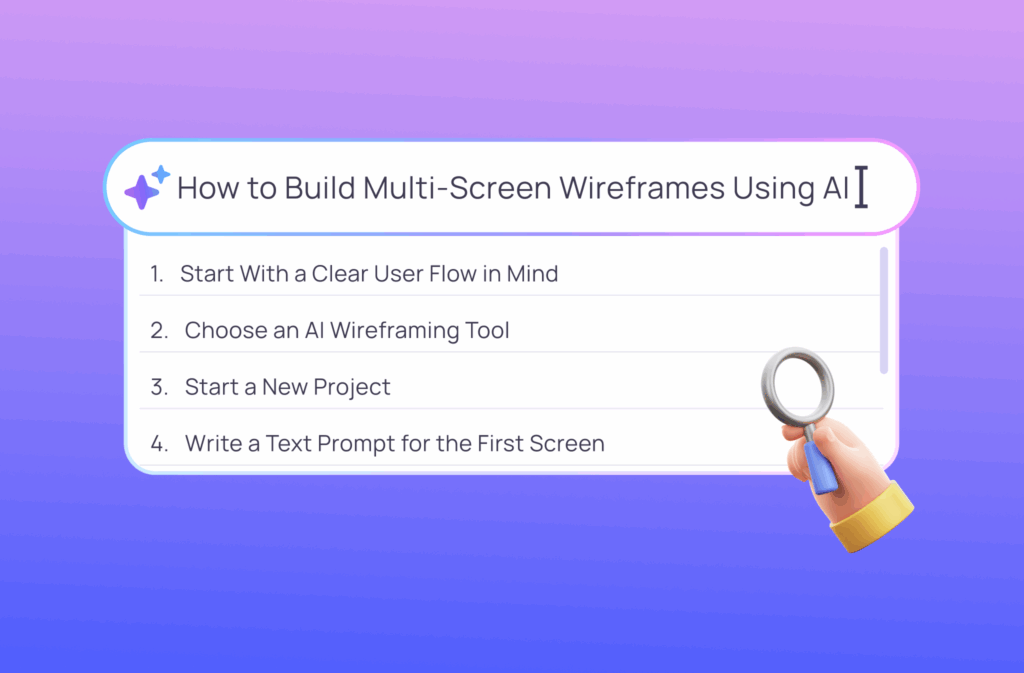
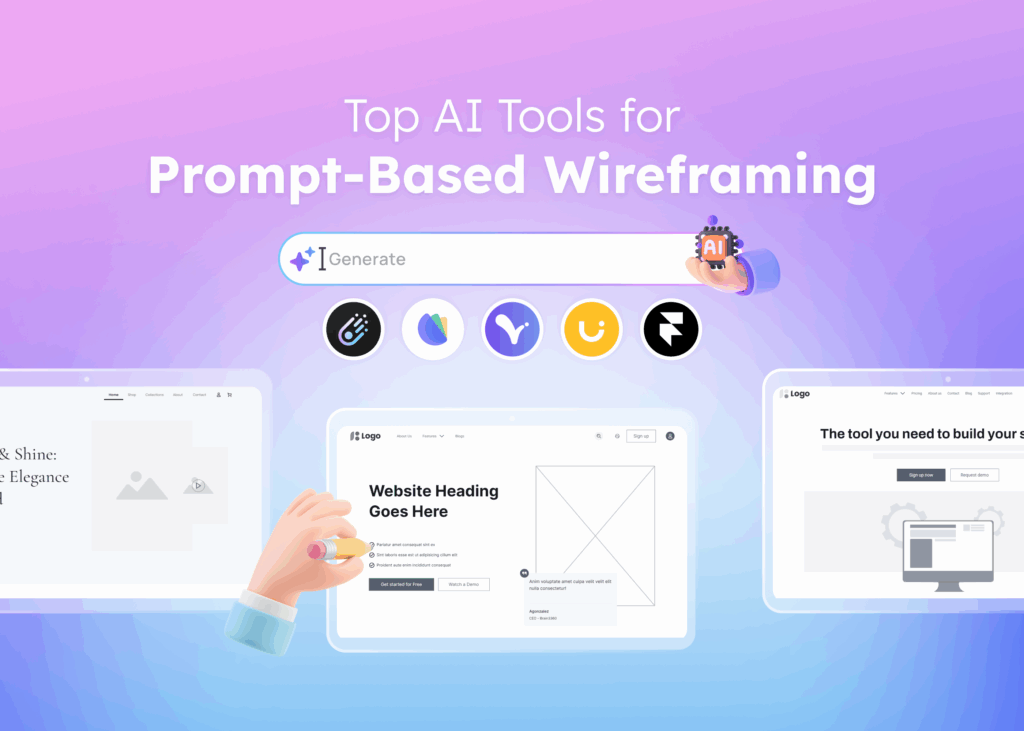
AI-powered wireframing tools have transformed what's possible for non-designers. Tools like Visily enable anyone to create wireframes quickly using features that would have seemed impossible just a few years ago.
Key Features That Make Wireframing Accessible:
- Text to UI Generation: Describe what you want in plain language, and AI creates a starting wireframe
- Screenshot to Wireframe: Upload an image of an existing website or app, and convert it to an editable wireframe
- Drag-and-Drop Canvas: No learning curve—just drag elements where you want them
- Thousands of Templates: Start with professional designs and customize for your needs
- Pre-Built Components: Common UI elements ready to use without creating from scratch
- Figma Export: Hand off to designers seamlessly when ready for visual design
Visily offers a free tier with full access to features and AI models—no credit card required. This means you can start creating wireframes immediately without any financial commitment or design training.
Ready to create your first wireframe?
Sign up for Visily free and create your first wireframe in minutes.
Getting Started with Wireframing Today
The best time to start wireframing is now. Whether you're planning a new mobile app, redesigning an existing website, or documenting requirements for your development team, wireframes will help you communicate more clearly and build better products.
Quick-Start Steps
- Define your project goal and target audience: Know what you're building and who will use it
- Sketch rough ideas on paper: Get initial concepts out of your head and onto paper
- Choose a beginner-friendly wireframing tool: Select something that won't slow you down
- Start with a template or use AI: Don't start from a blank canvas if you don't have to
- Share and iterate based on feedback: Wireframes improve through collaboration
Conclusion
Wireframes are important because they provide the foundation for successful product design. They clarify ideas early, save time and reduce costs, improve stakeholder communication, and keep teams focused on user experience. Whether you're a product manager, business analyst, startup founder, or anyone else involved in digital projects, wireframing skills will make you more effective.
The good news is that wireframing has never been more accessible. Modern tools have removed the barriers that once limited wireframing to trained designers. Anyone can now create wireframes that communicate ideas effectively and facilitate collaboration across teams.
Frequently Asked Questions About Wireframes
Why are wireframes important in UX design?
Wireframes are essential in UX design because they allow teams to visualize user flow, test user flows, and identify usability issues before investing in visual design. By focusing on structure and functionality without visual distractions, UX designers can make better decisions about information architecture and user interactions that directly impact the user experience.
What is the difference between a wireframe and a prototype?
A wireframe is a static visual representation showing structure and layout, while a prototype is an interactive simulation that users can click through. Wireframes focus on what elements appear on each screen; prototypes demonstrate how those elements behave. Teams typically create wireframes first, then build clickable prototypes for user testing.
Can I create wireframes without design software?
Yes, you can create wireframes without traditional design software. Paper sketching and whiteboard drawings work well for early ideation. Modern AI-powered tools like Visily also enable non-designers to create digital wireframes quickly without any design experience or training.
How detailed should a wireframe be?
Wireframe detail depends on purpose and project stage. Low fidelity wireframes with basic shapes work best for early brainstorming. High fidelity wireframes with accurate content and spacing are better for stakeholder approval and user testing. Start simple and add more detail as concepts are validated.
Who should be involved in the wireframing process?
Wireframing benefits from cross-functional involvement. Product managers, designers, developers, and business stakeholders should all participate at appropriate stages. This collaborative approach ensures wireframes reflect business requirements, technical constraints, and user needs while building team alignment.
How long does it take to create a wireframe?
Creation time varies by fidelity level and complexity. Low fidelity wireframes can be created in minutes to hours. High fidelity wireframes may take hours to days. AI-powered wireframing tools can generate initial wireframes in seconds, dramatically reducing the time needed to get started.