Annual Pro comes with 2× normal AI credits

Explore now

Subscribe now to get 6,000 credits/month (up from 3,000) for the next 2 months

Explore now
Visily
Visily
  • Use Cases
    • Wireframing
    • Prototyping
    • Brainstorming
    • Collaboration
  • AI Design
  • Templates
    • Design Templates
    • Premade Themes
    • Smart Components
    • UI Presets
    • Images & Icons
  • Resources
    • Help Center
    • Explore Visily
    • FAQs
    • Blog
    • Release Notes
  • Pricing
  • Login
Log in
Sign up for free
  • Use Cases
    • Wireframing
    • Prototyping
    • Brainstorming
    • Collaboration
  • AI Design
  • Templates
    • Design Templates
    • Premade Themes
    • Smart Components
    • UI Presets
    • Images & Icons
  • Resources
    • Help Center
    • Explore Visily
    • FAQs
    • Blog
    • Release Notes
  • Pricing
  • Login
  • Use Cases
    • Wireframing
    • Prototyping
    • Brainstorming
    • Collaboration
  • AI Design
  • Templates
    • Design Templates
    • Premade Themes
    • Smart Components
    • UI Presets
    • Images & Icons
  • Resources
    • Help Center
    • Explore Visily
    • FAQs
    • Blog
    • Release Notes
  • Pricing
  • Login
Visily
Visily
Sign up for free
Visily
Visily
  • Use Cases
    • Wireframing
    • Prototyping
    • Brainstorming
    • Collaboration
  • AI Design
  • Templates
    • Design Templates
    • Premade Themes
    • Smart Components
    • UI Presets
    • Images & Icons
  • Resources
    • Help Center
    • Explore Visily
    • FAQs
    • Blog
    • Release Notes
  • Pricing
  • Login
Log in
Sign up for free

[Help Center] Delete Account

If you decide to delete your account, please refer to this user guide for instructions. We’re sorry to see you go, but we’re always working to improve Visily. We hope to welcome you back in the future.

Important to Note

When you delete your Visily account, here’s what will happen:
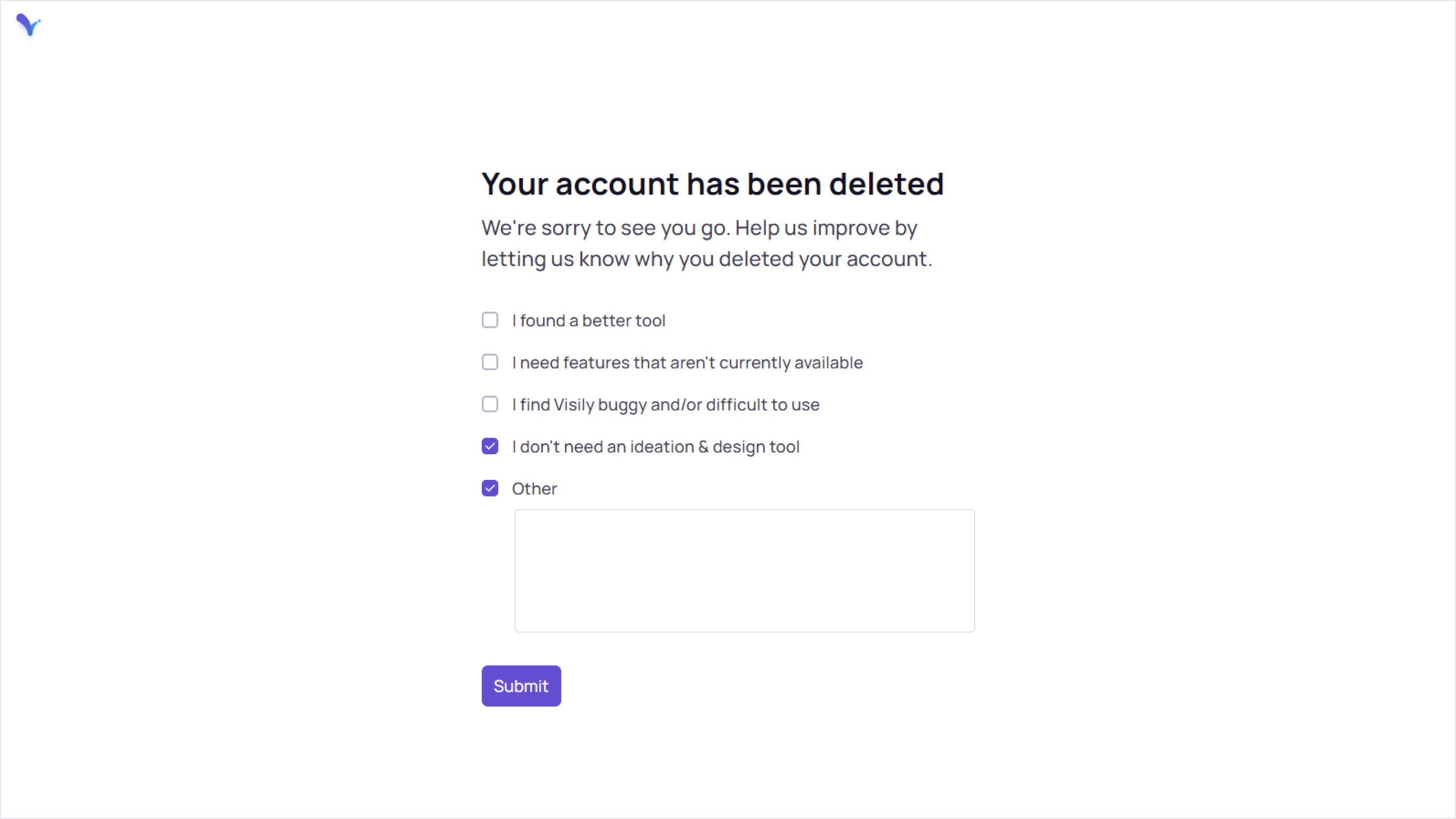
  • All your projects and boards will be permanently deleted.
  • You’ll no longer have access to shared projects, boards, or your team.
These changes cannot be undone, so make sure to protect and backup any important data before deleting your account.

Transfer ownership

If you have team workspaces with collaborators, we suggest transferring ownership of your team space and its content to a teammate before deleting your account.

To do this, click on your workspace name, go to the Team Workspace dropdown, and choose “Leave team.” Select a team member to assign ownership of the team name and click “Confirm” to finish.

light-bulb
You need to have at least one member in your team workspace to transfer ownership.

Export your designs

It’s recommended to create a backup of your designs. You can do this by exporting them in various formats:

  • Export as PDF
  • Export as PNG or JPG images
  • Export into Figma files

To learn more, visit this page: Export Design.

Delete your account:

Please follow these steps to delete your account:
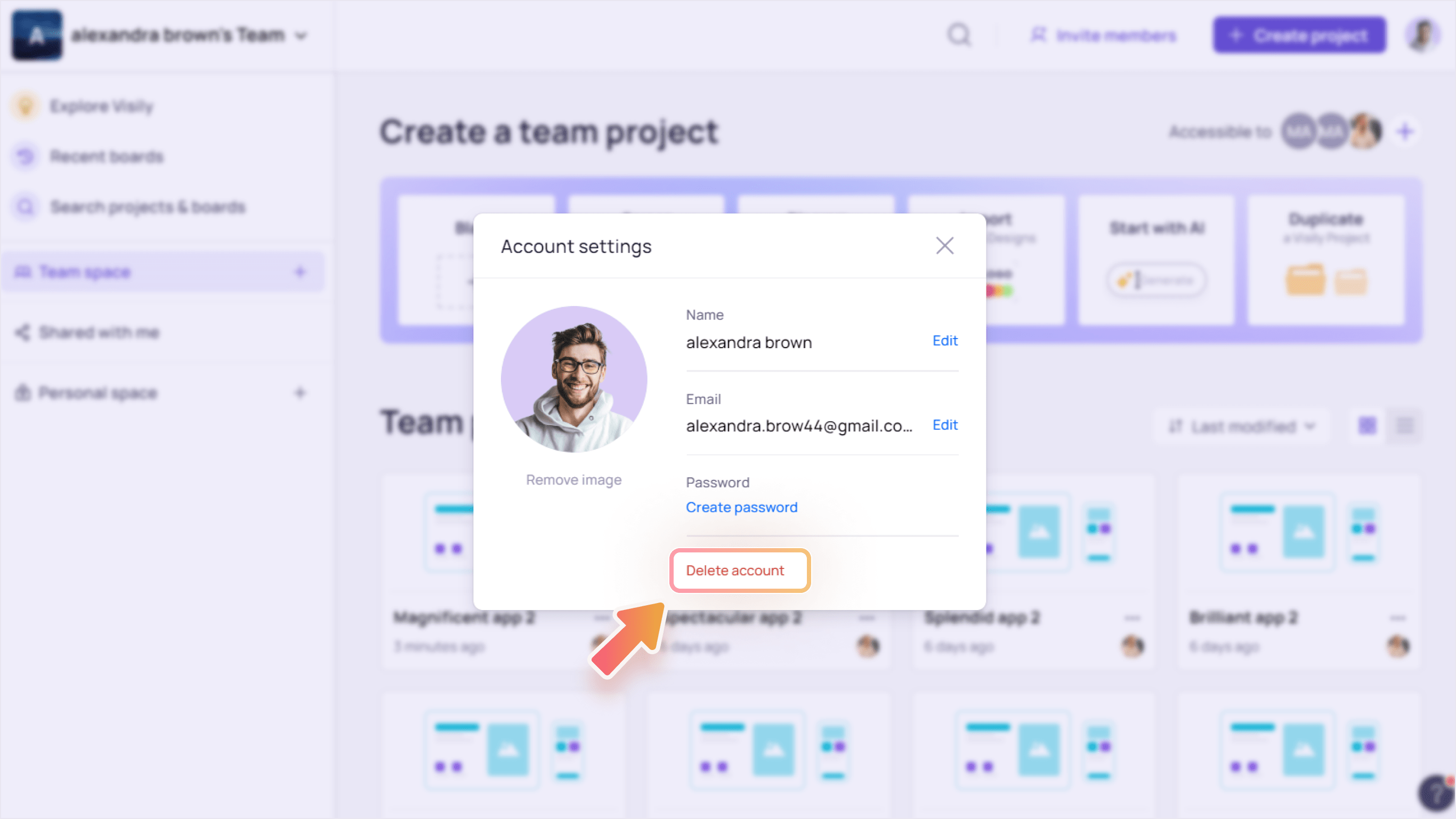
  1. Click your Profile at the top-right of the screen and select “Account Settings” in the dropdown menu.
    Account Settings min
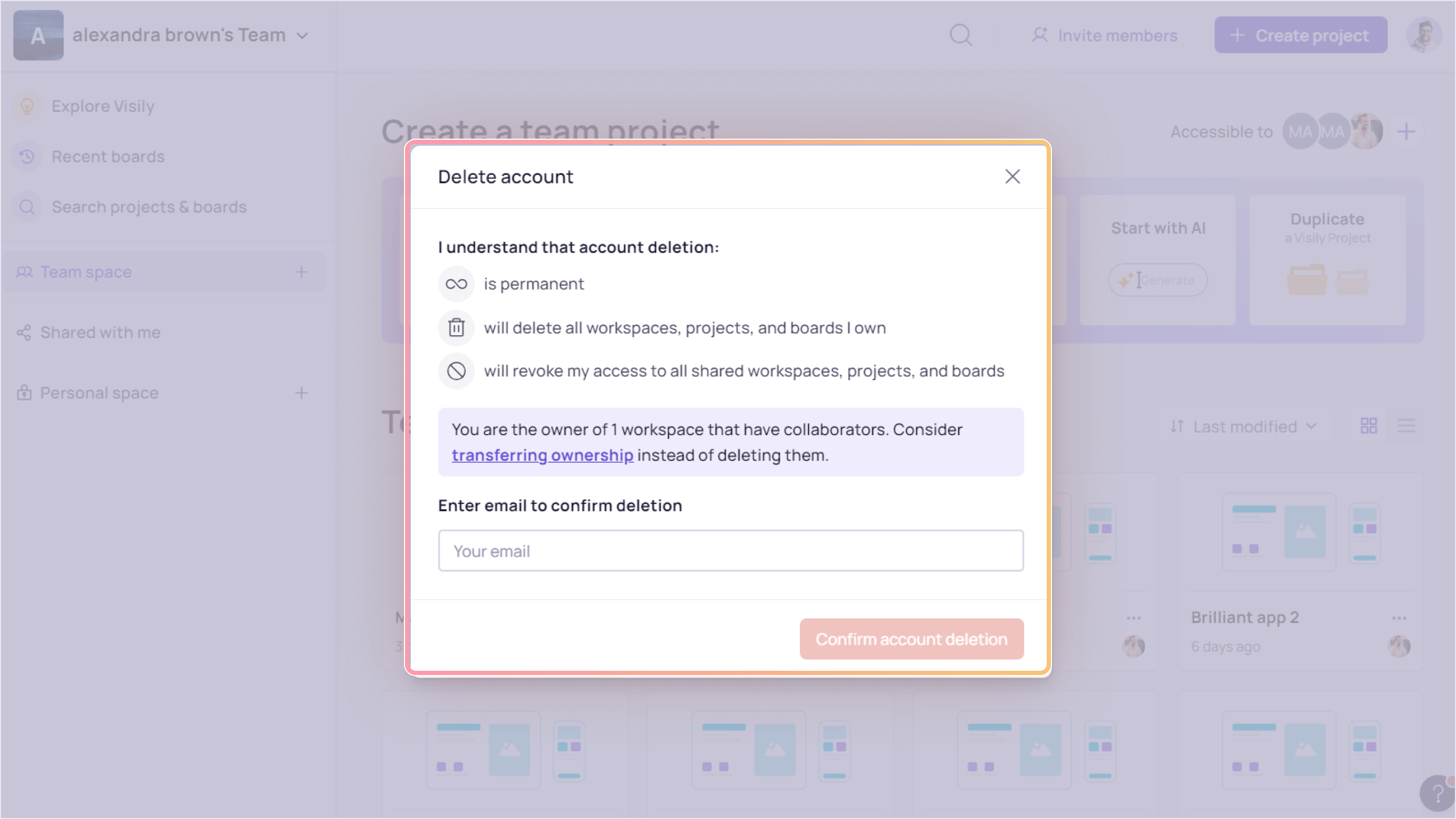
  2. Click “Delete account” to start the process.
    Account Settings 1 min
  3. Before proceeding, we suggest exporting your boards or transferring ownership of your teams. Enter your email address to confirm the account deletion process.
    Account Settings 2 min
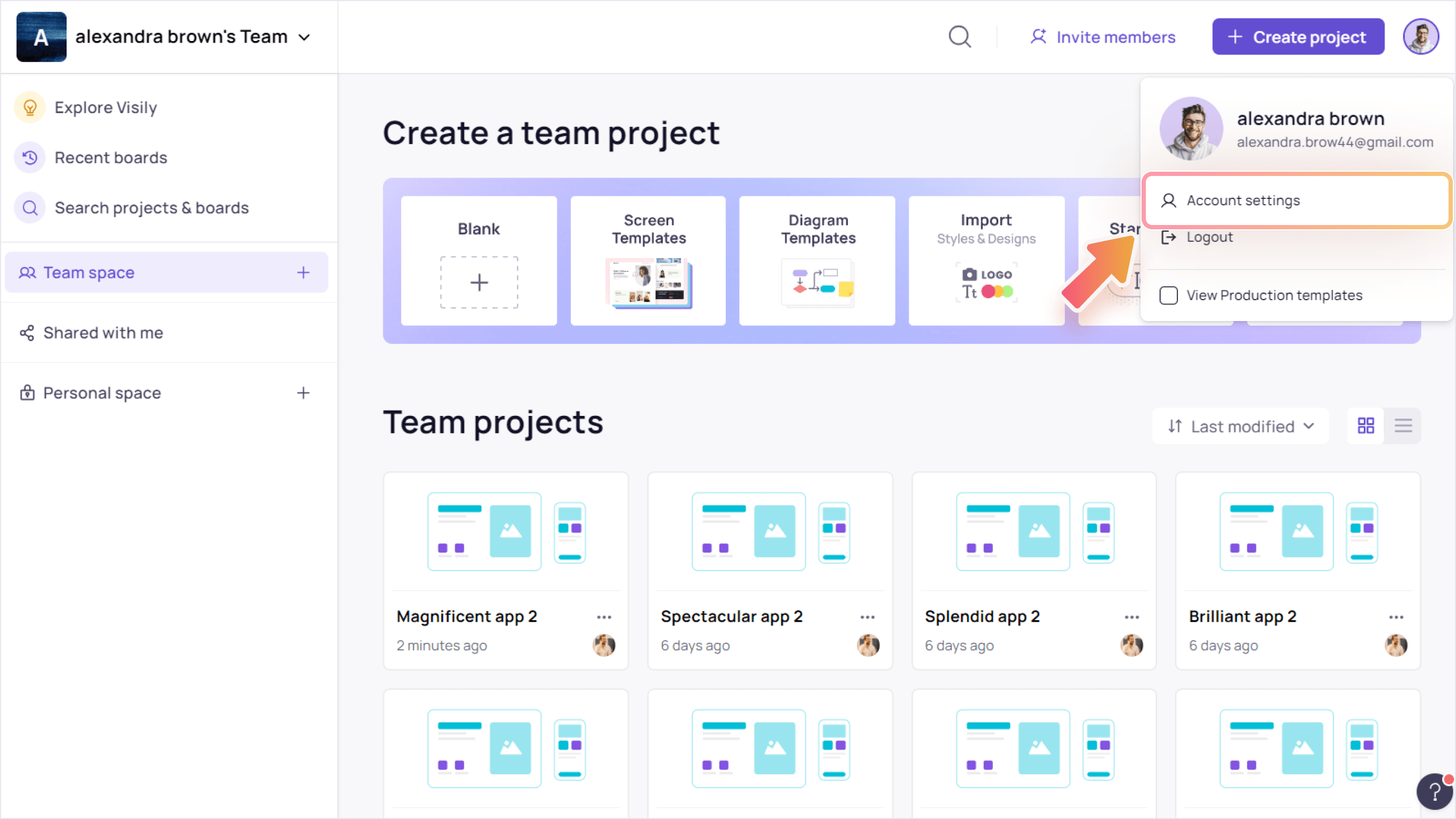
  4. Help us understand your reason for leaving by completing a short survey. Finally, click “Submit” to confirm.
    Account Settings 3 min
Once confirmed, your account will be deleted automatically.
Use Cases
  • Wireframing
  • Brainstorming
  • Prototyping
  • Collaboration
Features
  • AI UI Design Generator
  • Screenshot Editor
  • Online Sticky Notes
  • UI Mockup Tool
  • AI Prototype Generator
  • Diagram AI
Resources
  • Vibe Designing
  • Blog
  • Release Notes
  • Help Center
  • FAQs
Features
  • Screenshot Editor
  • Online Sticky Notes
  • UI Mockup Tool
Use Cases​
  • AI Prototype Generator
  • Diagram AI

© 2025 Visily. All rights reserved.

Privacy Policy

Terms of Service

Terms Of Use