


Annual Pro comes with 2× normal AI credits

Explore now

Subscribe now to get 6,000 credits/month (up from 3,000) for the next 2 months

Explore now
Visily
Visily
  • Use Cases
    • Wireframing
    • Prototyping
    • Brainstorming
    • Collaboration
  • AI Design
  • Templates
    • Design Templates
    • Premade Themes
    • Smart Components
    • UI Presets
    • Images & Icons
  • Resources
    • Help Center
    • Explore Visily
    • FAQs
    • Blog
    • Release Notes
  • Pricing
  • Login
Log in
Sign up for free
  • Use Cases
    • Wireframing
    • Prototyping
    • Brainstorming
    • Collaboration
  • AI Design
  • Templates
    • Design Templates
    • Premade Themes
    • Smart Components
    • UI Presets
    • Images & Icons
  • Resources
    • Help Center
    • Explore Visily
    • FAQs
    • Blog
    • Release Notes
  • Pricing
  • Login
  • Use Cases
    • Wireframing
    • Prototyping
    • Brainstorming
    • Collaboration
  • AI Design
  • Templates
    • Design Templates
    • Premade Themes
    • Smart Components
    • UI Presets
    • Images & Icons
  • Resources
    • Help Center
    • Explore Visily
    • FAQs
    • Blog
    • Release Notes
  • Pricing
  • Login
Visily
Visily
Sign up for free
Visily
Visily
  • Use Cases
    • Wireframing
    • Prototyping
    • Brainstorming
    • Collaboration
  • AI Design
  • Templates
    • Design Templates
    • Premade Themes
    • Smart Components
    • UI Presets
    • Images & Icons
  • Resources
    • Help Center
    • Explore Visily
    • FAQs
    • Blog
    • Release Notes
  • Pricing
  • Login
Log in
Sign up for free

[Help Center] Guest Access

This article explains “guests” and how to invite them to collaborate on Visily designs. Inviting guests is ideal when you need to share your work with clients or people outside your workspace.

What is a guest?

A guest is anyone who is invited to individual projects or boards in your workspace but is not a workspace member. A guest can have either “can edit” or “can view” permission within the invited project or board.

Note: If someone accesses your project or board via a public sharing link without being invited via email, that person is not considered a guest.

To invite guests, go to share project or board, then input emails to invite. Learn more about sharing project and board here.

Guest access in different plans

Guests are only supported in paid plans. In Free plan, you can still share a project or board, but the invited people will be added as workspace members.

In Pro plan, you can invite unlimited guest viewers, but the number of guest editors are limited per workspace. When you reach the limit of guest editors, you can either add more licenses or invite them as team editors instead of guests.

PlanGuest access
FreeNot supported
Pro

Guest viewers: unlimited

Guest editors: limited per workspace

  • Workspace with 1-5 licenses: maximum guest editors = 5
  • Workspace with 6 or more licenses: maximum guest editors = 2 x licenses

View all workspace guests

If you are a team member and want to see all guests in your workspace, go to the Members & Guests page in your Team settings.

From there, you’ll see a list of all guests and the projects or boards they’ve been invited to. You can promote them to team members or remove them from the workspace. You can also check the number of guest editors currently allowed in your workspace.
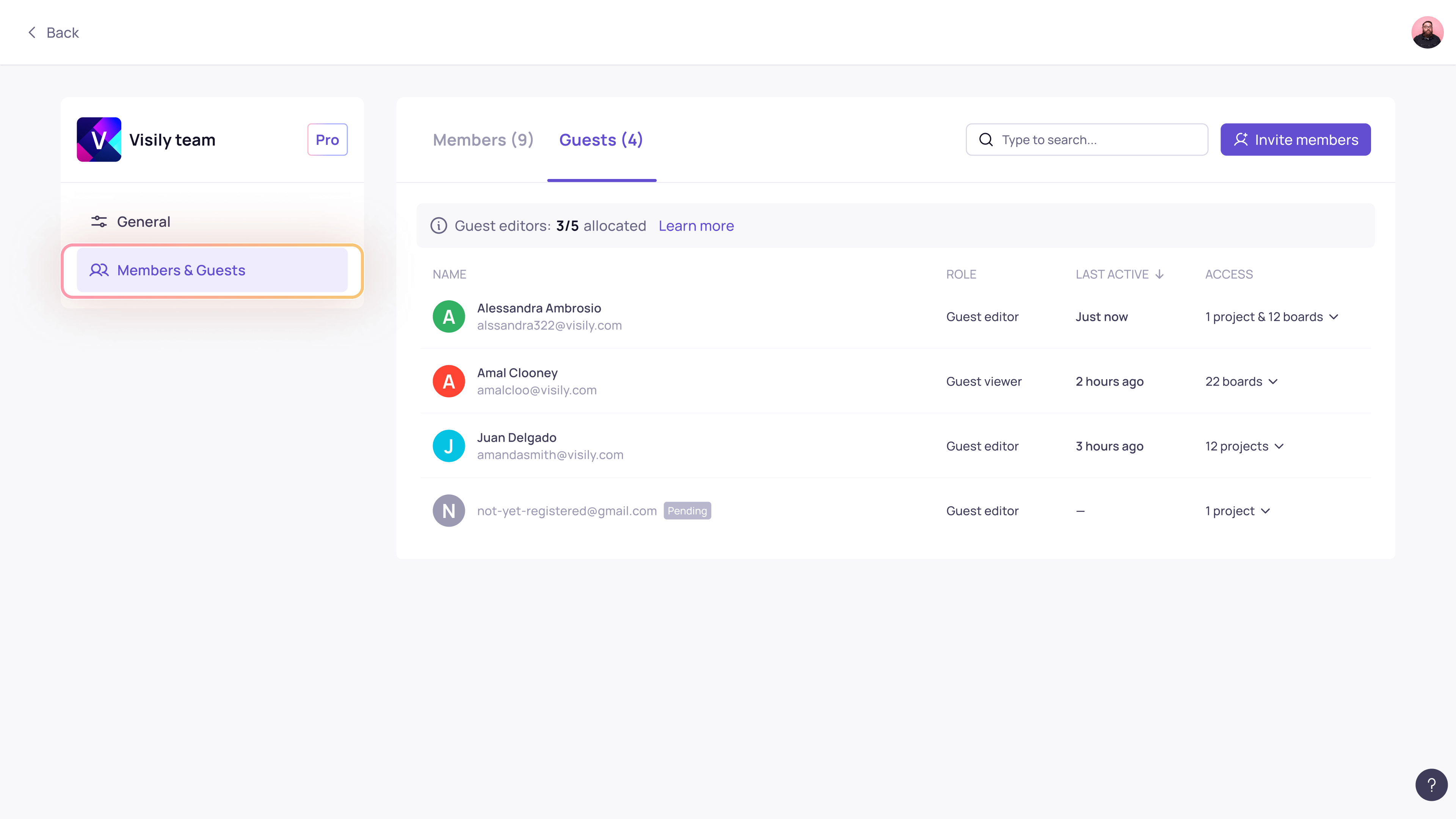
image 2 1

Leaving a workspace as a guest

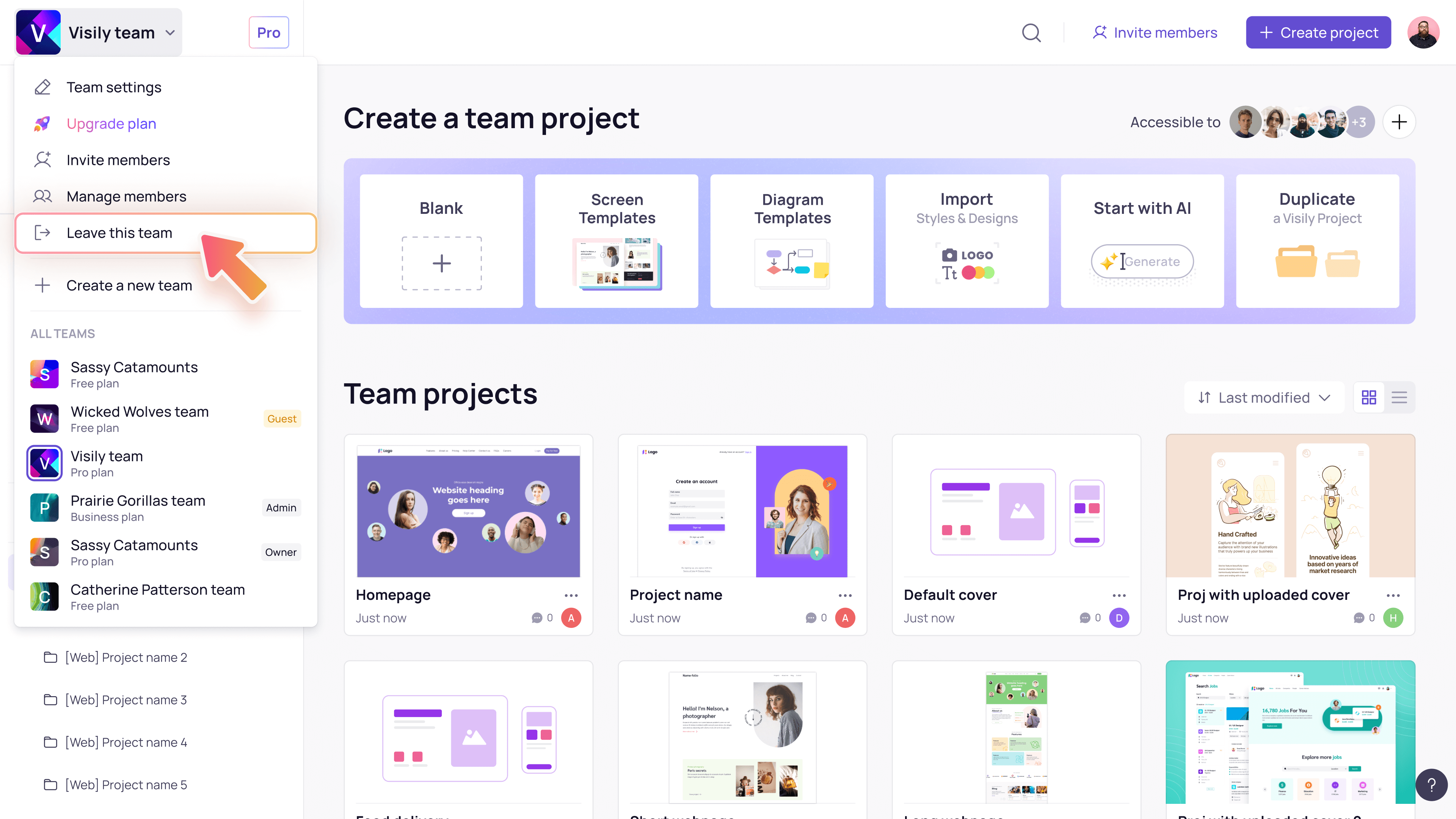
If you are a guest and want to leave a workspace you’ve been invited to, click the workspace name in the top-left corner and select Leave this team.
Install Plugin Editor Search 2 1
Use Cases
  • Wireframing
  • Brainstorming
  • Prototyping
  • Collaboration
Features
  • AI UI Design Generator
  • Screenshot Editor
  • Online Sticky Notes
  • UI Mockup Tool
  • AI Prototype Generator
  • Diagram AI
Resources
  • Vibe Designing
  • Blog
  • Release Notes
  • Help Center
  • FAQs
Features
  • Screenshot Editor
  • Online Sticky Notes
  • UI Mockup Tool
Use Cases​
  • AI Prototype Generator
  • Diagram AI

© 2025 Visily. All rights reserved.

Privacy Policy

Terms of Service

Terms Of Use