


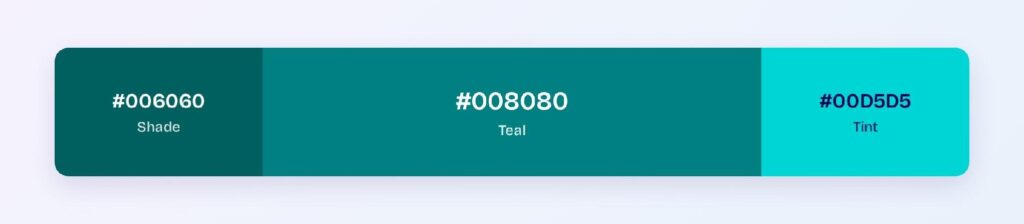
Teal’s HEX code is #008080. It sits at hue 180 — dead center between blue and green — with full saturation and 25% lightness, which gives it the depth of a dark cyan with equal parts calm and vitality.
Below you get every teal code format, the five computed harmony palettes, and exact WCAG contrast ratios against white, black, and dark surfaces. Every value is computed from the hex, so you can drop the numbers straight into your design tokens.
What Is the Color of Teal?
Teal is the CSS color #008080: a perfectly balanced mix of blue and green at equal channel strength (0, 128, 128), darkened to 25% lightness. Named after the stripe around the eye of the Eurasian teal duck, it’s the color you get when cyan goes deep.
In interfaces, teal signals trust, clarity, and professionalism without the corporate weight of navy. Healthcare apps, fintech products, and productivity tools all reach for it because it stays calm in dense layouts.
Is Teal Blue or Green?
Teal is both, equally. Its hue sits at exactly 180 degrees — the midpoint between blue (240°) and green (120°) on the HSL wheel. The RGB channels confirm it: red 0, green 128, blue 128, identical green and blue values.
In practice, teal reads as blue-green to most people, and context shifts the perception: next to green it looks blue, next to blue it looks green. Design systems typically file it under blue or give it its own token family.
Is Teal Blue or Turquoise?
Teal is darker and more saturated than turquoise. Turquoise (#40E0D0) sits at hue 174 with 72% lightness, so it’s brighter and greener. Teal (#008080) sits at hue 180 with 25% lightness, giving it a heavier, more grounded presence.
Pick teal for primary brand surfaces where you need weight, turquoise for lighter accents and illustrations where you want airiness.
How Does Teal Appear on Digital Screens?
On white, teal passes WCAG AA at 4.77:1 for normal text. On pure black it manages 4.4:1 — large text only.
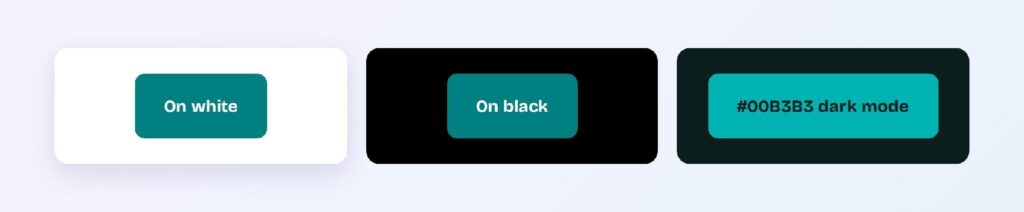
Dark mode brings the brightened variant #00B3B3 on a teal-cast dark surface #0C1D1D, where it reaches 6.7:1, a solid AA pass. Two tokens: teal-brand for light themes, teal-brand-dark for dark themes.
What UI Elements Work Best with Teal?
Teal’s balanced hue and AA-level contrast against white make it a strong primary for both brand surfaces and interactive components.
Navigation Bars
A teal navbar anchors a page with more personality than gray or navy. White labels and icons clear AA against #008080, and the darker shade #006060 makes a strong active state.

Buttons and CTAs
White text on #008080 passes AA at 4.77:1. Use #006060 for hover states — it jumps to 7.39:1 (AAA) without changing the hue.

Data Visualizations
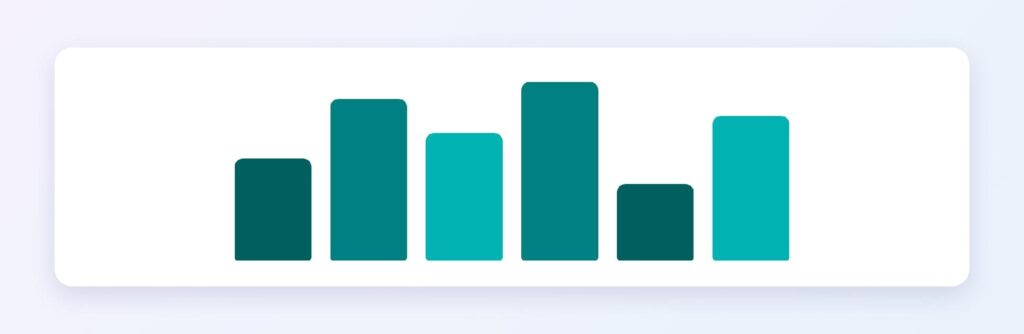
Teal’s monochromatic ramp from #008080 through #006060 and #004D4D gives you a sequential scale for positive metrics that avoids the overused green.
Dark Mode Surfaces
The #0C1D1D surface with #00B3B3 accents delivers 6.7:1, strong enough for body copy. Teal’s dark mode story is unusually clean.
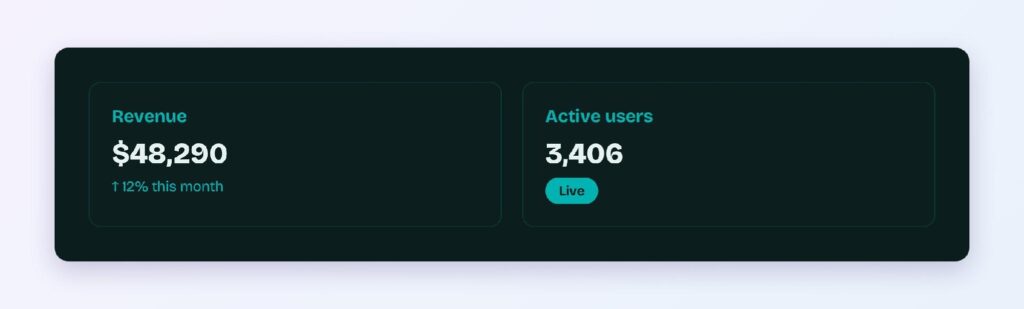
Status Badges
Teal badges signal informational or in-progress states that sit between green (success) and blue (neutral). You can use Visily’s Theme feature to apply this scheme consistently across your wireframes.

What Are the Best Teal Color Palettes for UI?
Five harmony schemes come from teal’s position at hue 180. Every value below is computed from #008080.
Monochromatic
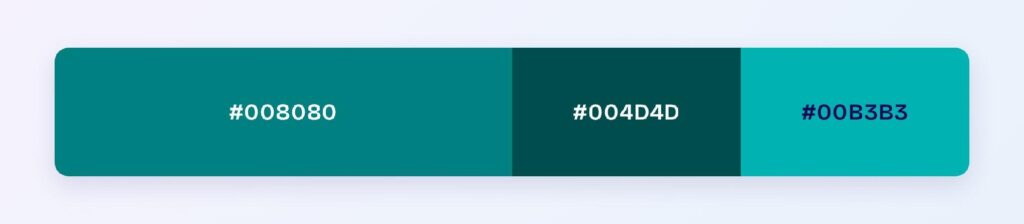
The set: #008080, #004D4D, and #00B3B3. One hue at three values gives you a calm, unified brand look — healthcare, wellness, and fintech dashboards use this for density without visual stress.
Analogous
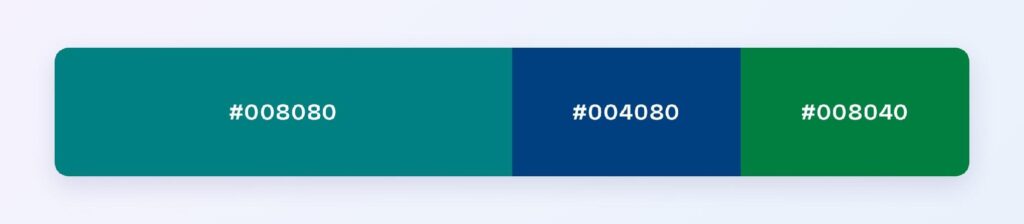
The set: #008080 with #004080 (toward blue) and #008040 (toward green). Neighboring hues stay harmonious, making this scheme ideal for nature, sustainability, and education products.
Complementary
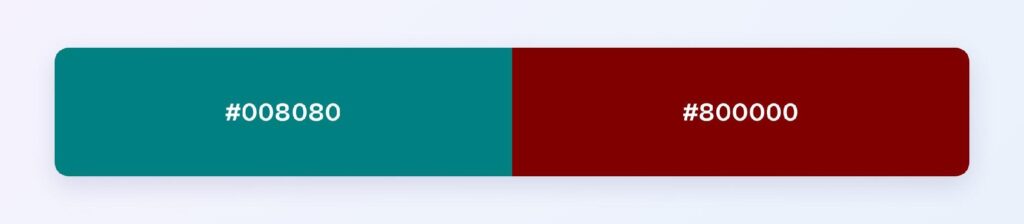
The set: #008080 against #800000, its direct opposite. Maximum hue contrast makes the deep red ideal for the 10% accent layer: alerts and critical actions in a teal-primary system.
Triadic
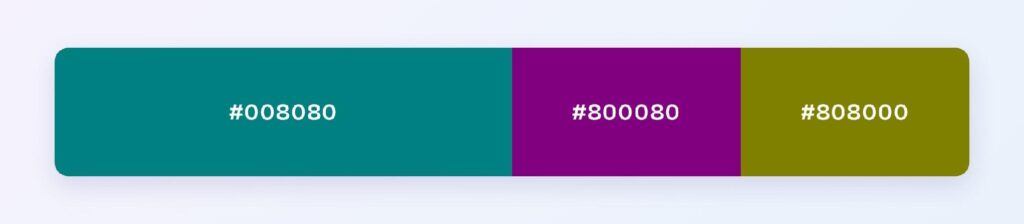
The set: #008080, #800080 (purple), and #808000 (olive). Three evenly spaced hues at matched depth suit multi-category dashboards.
Split-Complementary
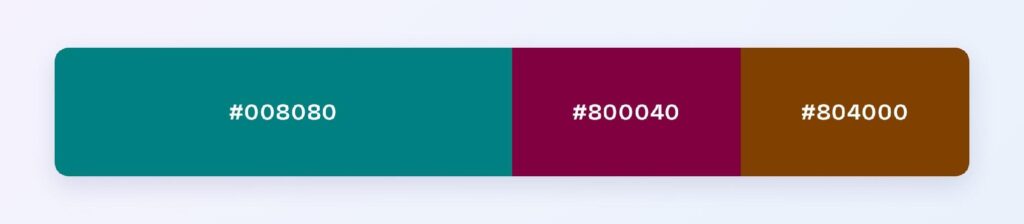
The set: #008080 with #800040 and #804000. You get the complementary scheme’s energy softened, so teams pick this when full red-teal contrast feels too aggressive.
Which Colors Are Similar to Teal?
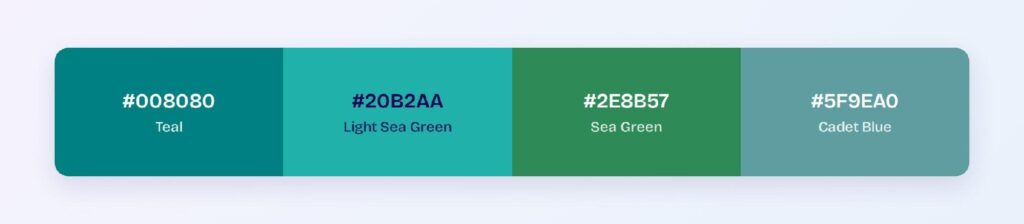
The three closest named colors are light sea green (#20B2AA), sea green (#2E8B57), and cadet blue (#5F9EA0). Light sea green is brighter and slightly greener, sea green trades blue for deeper green, and cadet blue adds gray that mutes the hue.
What Color Makes Teal Pop?
Coral and warm reds make teal pop the hardest because they sit near its complement (#800000). Gold and copper work for premium contexts. The key is warm against cool — any warm accent at teal’s lightness level creates maximum separation.
Which Colors Pair Best with Teal?
The single best accent partner is #800000 (maroon), teal’s computed complement. For neutrals, warm off-whites and sand tones let teal hold the spotlight.
Apply the 60-30-10 split: 60% neutral background, 30% teal for structure and primary components, 10% warm accent.
Which Colors Should You Avoid Pairing with Teal?
Avoid the near-neighbors #004B80 and #00804B. They sit 15 to 45 degrees away at the same lightness, so edges between them and #008080 vibrate.
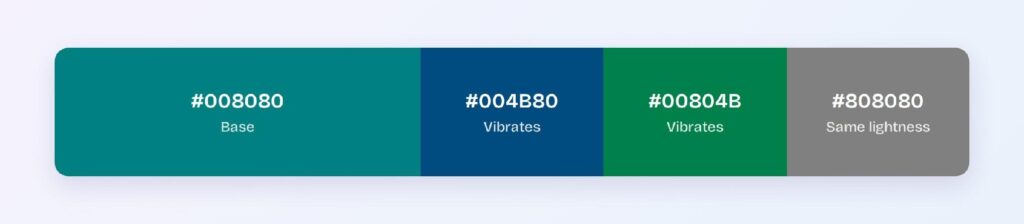
Mid-gray (#808080) fails because it matches teal’s lightness, blurring boundaries even though the hues differ.
Does Teal Meet Accessibility Standards?
Yes, at AA level: #008080 on white scores 4.77:1, passing the WCAG AA threshold of 4.5:1. Use the dark variant #006060 (7.39:1) when AAA matters.
Teal is less affected by red-green color blindness than pure green because it contains equal blue, but verify with a deuteranopia simulator before relying on hue alone.
How Can You Convert Teal Between HEX, RGB, HSL, CMYK, and Other Color Formats?
All six formats describe the same color:
- HEX #008080 — default for CSS and design tokens.
- RGB rgb(0, 128, 128) — use RGBA for alpha overlays.
- HSL hsl(180, 100%, 25%) — programmatic shifts; hover states are one lightness change away.
- HSB 180, 100, 50 — what Figma’s and Photoshop’s pickers show.
- CMYK 100, 0, 0, 50 — for print; expect slight muting.
Wrapping Up
Teal (#008080) earns its spot as a UI primary: AA-level contrast on white, a balanced blue-green hue that avoids the corporate weight of navy, and a dark mode story that delivers 6.7:1 without hue shifts. The palettes and ratios above are all computed from color math.
Put them to work in Visily‘s Theme feature: pick the harmony that fits your product and ship a teal interface today.