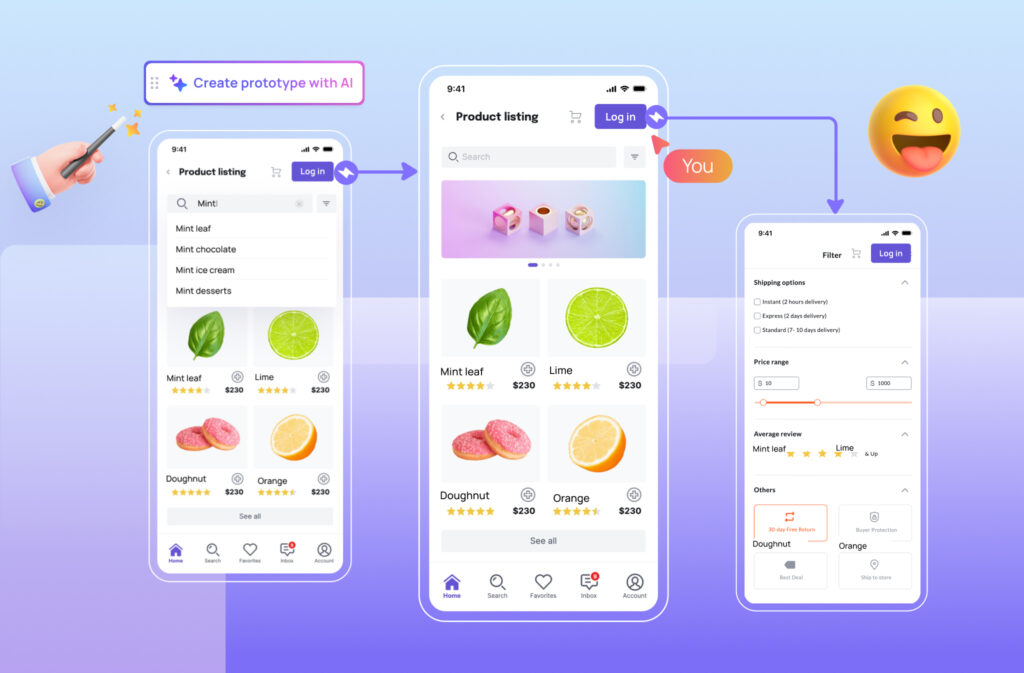
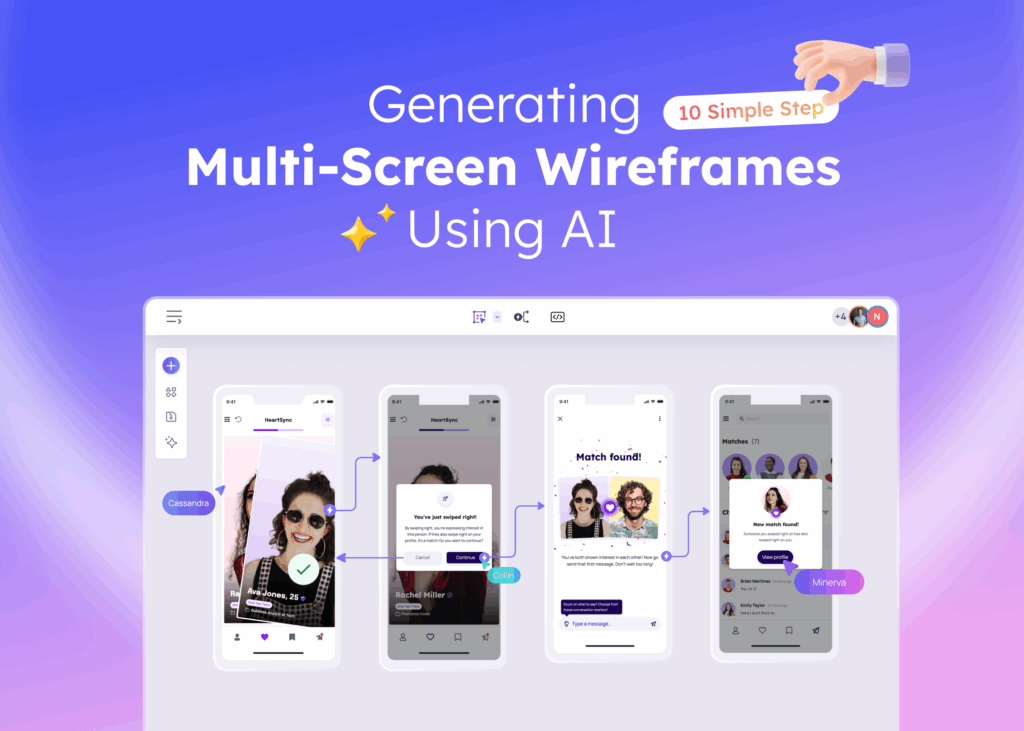
Creating user interface designs used to require years of training, expensive software, and countless hours of manual work. AI wireframing changes everything. Now, anyone with an idea can transform their vision into a professional wireframe layout within minutes—no design degree required.
AI wireframing is a design methodology that uses artificial intelligence to automatically generate user interface layouts and wireframe structures from text descriptions, sketches, or screenshots.
Traditional wireframing presents significant challenges: it’s time-consuming, requires specialized design skills, demands expensive tools, and comes with a steep learning curve that discourages many entrepreneurs and product teams from even starting.
AI-powered wireframing tools solve these problems by making professional design accessible to everyone. Whether you’re a startup founder sketching your MVP, a product manager communicating feature ideas, or a developer who needs quick UI mockups, AI wireframing puts the power of professional design in your hands.
In this guide, we’ll cover everything you need to know about AI wireframing—from understanding the basics to choosing the right tools and creating your first AI-generated wireframe.
What Is AI Wireframing?
Unlike traditional wireframing where designers manually place every element, AI wireframing interprets your intent and creates structured layouts based on learned design patterns and UI conventions.
Think of it as having a design assistant who understands what you’re trying to build. You describe what you need—”a mobile app login screen with email and password fields”—and the AI generates a properly structured wireframe with all the right elements in logical positions. The technology behind this involves machine learning models trained on thousands of successful UI designs, allowing them to recognize patterns and apply best practices automatically.
What makes AI wireframing different from traditional methods is accessibility. Traditional wireframing requires proficiency in design software like Figma or Sketch, understanding of UI principles, and significant time investment. AI wireframing removes these barriers, letting anyone create professional-looking wireframes regardless of their design background. This shift represents a fundamental change in how digital products get designed and who gets to participate in the design process.
Traditional Wireframing vs. AI Wireframing
| Criteria | Traditional Wireframing | AI Wireframing |
|---|---|---|
| Time to Create | Hours to days | Minutes |
| Skill Required | Design expertise needed | No design skills required |
| Cost | Expensive software + designer time | Free or low-cost tools available |
| Iteration Speed | Slow, manual changes | Fast, regenerate in seconds |
| Consistency | Varies by designer skill | Consistent quality output |
| Learning Curve | Steep, months to master | Minimal, start immediately |
The key difference comes down to accessibility. Traditional wireframing creates a barrier between ideas and execution—you either need design skills or budget to hire someone who does. AI wireframing removes this barrier entirely, making it possible for product managers, developers, and entrepreneurs to communicate their ideas visually without depending on design resources.
How Does AI Wireframing Work?
AI wireframing works by using machine learning algorithms to interpret user inputs—such as text descriptions, rough sketches, or screenshots—and automatically generate structured wireframe layouts based on learned design patterns and UI conventions. The process combines natural language processing, computer vision, and pattern recognition to understand what you want and translate it into a visual design.
Modern AI wireframing tools accept three primary types of input, each suited to different workflows and preferences. The AI then processes this input through models trained on extensive libraries of successful UI designs, applying design rules about spacing, hierarchy, and component placement to generate professional results.
Text-to-Wireframe: Describe and Generate
Text-to-design is the most accessible way to create wireframes with AI. You simply describe what you want in plain language, and the AI generates a corresponding wireframe. For example, you might type: “Create a mobile app login screen with email and password fields, social login buttons for Google and Apple, and a forgot password link at the bottom.”
The AI interprets your description, identifies the required UI components, and arranges them according to established design patterns. You don’t need to know design terminology or understand layout principles—just describe what you need as if you were explaining it to a colleague. Visily’s text-to-design feature makes this process particularly straightforward for beginners.
Screenshot-to-Wireframe: Convert Existing Designs
Sometimes the best way to communicate what you want is to show an example. Screenshot-to-wireframe functionality lets you upload images of apps or websites you admire, and the AI extracts the UI elements to create an editable wireframe version.
This approach works well when you’ve found a competitor’s app layout that resonates with your vision, or when you want to redesign an existing interface. Upload a screenshot, and within seconds you have a fully editable wireframe that captures the structure without copying the visual design. The screenshot to design converter handles the technical work of identifying buttons, text fields, navigation elements, and other components.
Sketch-to-Wireframe: From Paper to Digital
For those who prefer starting with pen and paper, sketch recognition technology bridges the gap between analog brainstorming and digital design. Take a photo of your rough whiteboard sketch or napkin drawing, upload it, and the AI converts your hand-drawn elements into clean, digital wireframe components.
Your sketches don’t need to be perfect—the AI interprets your intent rather than requiring precise drawings. Rectangles become buttons, squiggly lines become text placeholders, and rough boxes transform into image containers. This feature respects the natural ideation process many people prefer while eliminating the tedious work of recreating sketches digitally.
Key Features of AI Wireframing Tools
When evaluating AI wireframing tools, certain features separate useful tools from exceptional ones. Understanding these capabilities helps you choose the right tool for your needs and get the most value from AI-assisted design.
- Text-to-Design Generation: The ability to create wireframes from natural language descriptions. Quality varies significantly between tools—look for ones that understand context and generate complete, logical layouts rather than just placing random elements.
- Screenshot and Image Conversion: Converting existing designs or inspiration images into editable wireframes. The best tools accurately identify UI components and maintain proper hierarchy.
- Smart Component Suggestions: AI that recommends relevant UI elements as you build. When you’re creating a checkout flow, the tool should suggest payment fields, order summaries, and confirmation elements.
- Pre-built Templates: Starting points for common screen types like dashboards, landing pages, and mobile app screens. Templates accelerate the process and ensure you don’t miss standard elements. Browse wireframe templates to see examples of what’s available.
- Real-time Collaboration: Multiple team members working on the same wireframe simultaneously. Essential for distributed teams and stakeholder feedback sessions.
- Export and Handoff Options: Ability to export designs in various formats (PNG, PDF, SVG) and share with developers. Some tools integrate directly with development workflows.
- Responsive Design Support: Creating wireframes that work across desktop, tablet, and mobile screen sizes. The AI should help adapt layouts appropriately for different devices.
- Design System Integration: Maintaining consistency through reusable components and style guidelines. This becomes critical as projects scale beyond single screens.
The combination of these features determines how much time you’ll save and how professional your results will look. Prioritize the features that match your specific workflow and team structure.
Benefits of Using AI for Wireframing
AI wireframing offers significant benefits including dramatically faster design creation, no design skills required, reduced costs compared to hiring designers, rapid iteration capabilities, improved team collaboration, and professional-quality results accessible to anyone.
Speed: What traditionally takes hours or days now happens in minutes. Generate multiple wireframe concepts in the time it would take to set up a single artboard in traditional design software. This speed advantage compounds when you need to explore different approaches or make revisions.
Accessibility: The most significant benefit is removing the skill barrier. Product managers can visualize features without waiting for design resources. Entrepreneurs can create investor-ready mockups without hiring designers. Developers can prototype interfaces before writing code. According to Nielsen Norman Group research, early visualization helps identify usability issues before they become expensive to fix.
Cost Savings: Hiring a UI designer costs between $50-150 per hour, and creating wireframes for a typical app might require 20-40 hours of work. AI wireframing tools often cost under $20 per month or offer generous free tiers, representing savings of thousands of dollars per project.
Faster Iteration: When stakeholders request changes, you can regenerate or modify wireframes instantly rather than scheduling design time. This accelerates the feedback loop and helps teams reach consensus faster.
Better Collaboration: Visual communication beats verbal descriptions. When everyone can see the proposed interface, discussions become more productive and misunderstandings decrease. Teams align faster when they’re looking at the same wireframe rather than imagining different interpretations of a written spec.
Consistent Quality: AI applies design best practices automatically—proper spacing, logical hierarchy, standard component sizing. Even without design training, your wireframes will follow established conventions that make interfaces intuitive.
Who Should Use AI Wireframing Tools?
AI wireframing serves anyone who needs to visualize digital product ideas, regardless of their design background. Different audiences benefit in different ways.
Entrepreneurs and Startup Founders: You have limited budget and need to move fast. AI wireframing lets you create professional mockups for investor pitches, validate ideas with potential users, and communicate your vision to development teams—all without hiring a designer for early-stage exploration.
Product Managers: Translating feature requirements into visual specs becomes straightforward. Instead of writing lengthy descriptions that get misinterpreted, create wireframes that show exactly what you mean. This clarity reduces back-and-forth with design and development teams. Learn more about wireframing for product managers.
UX Beginners: If you’re learning design, AI wireframing provides training wheels. See how AI structures layouts, then study and modify the results to understand why certain design decisions work. It’s like having a mentor who shows you examples on demand.
Professional Designers: Even experienced designers benefit from AI wireframing during early ideation phases. Generate multiple concepts quickly, then refine the most promising directions manually. It’s not about replacing your skills—it’s about accelerating the exploration phase.
Developers: When you need to prototype an interface before building it, AI wireframing provides quick visualization without context-switching to unfamiliar design tools. Create wireframes that inform your component architecture and user flow decisions.
How to Create a Wireframe Using AI: Step-by-Step Guide
To create a wireframe using AI: 1) Choose an AI wireframing tool, 2) Start a new project, 3) Enter your design prompt or upload a reference, 4) Review the AI-generated wireframe, 5) Customize and refine the layout, 6) Export or share your design. Let’s walk through each step in detail.
Step 1: Choose Your AI Wireframing Tool
Select a tool that matches your needs and technical comfort level. Consider factors like ease of use (especially important for non-designers), available features, collaboration capabilities, and pricing. Most tools offer free trials or free tiers, so you can experiment before committing. For beginners, prioritize simplicity over feature count.
Step 2: Define Your Screen or Page Type
Before generating anything, clarify what you’re designing. Is it a mobile app onboarding flow? A SaaS dashboard? An e-commerce product page? Knowing your screen type helps you write better prompts and choose appropriate templates. Many tools offer mobile app templates and web templates as starting points that you can customize.
Step 3: Input Your Design Request
Choose your input method based on what you have available. For text prompts, be specific but not overly detailed: “E-commerce product page with large product image, price, size selector, add to cart button, and customer reviews section.” For screenshots, upload a clear image of the design you want to reference. For sketches, photograph your drawing with good lighting.
Your descriptions don’t need to be perfect. AI tools interpret intent, so “login page with social buttons” works even if you don’t specify exact placement. You can always refine the output afterward.
Step 4: Review and Select AI Output
Most AI tools generate multiple variations from a single input. Review each option and select the one that best matches your vision. Don’t expect perfection—look for the version that captures the right structure and flow, even if individual elements need adjustment. Think of AI output as a strong starting point, not a finished product.
Step 5: Customize and Refine
Now make the wireframe yours. Move elements to better positions, adjust text to match your actual content, add components the AI missed, and remove anything unnecessary. Most AI wireframing tools use drag-and-drop interfaces that require no design expertise. Focus on user flow—does the layout guide users toward the actions you want them to take?
Pro tip: Don’t over-design at the wireframe stage. Keep things simple with placeholder text and basic shapes. The goal is structure and flow, not visual polish.
Step 6: Export, Share, or Prototype
Once satisfied, decide on your next step. Export as PNG or PDF for presentations and documentation. Share a link with stakeholders for feedback. Or take it further by adding interactions to create a clickable prototype that simulates the actual user experience. Many tools support direct handoff to developers with specifications and assets.
How to Create Effective AI Wireframes
Getting great results from AI wireframing requires some technique. These practical tips will help you create better wireframes faster.
- Write Clear, Specific Prompts: “Dashboard” gives you generic results. “SaaS analytics dashboard with revenue chart, user growth graph, recent activity feed, and quick action buttons” gives you something useful. Include the key elements you need without over-specifying exact positions.
- Start Simple, Then Add Detail: Generate a basic layout first, then iterate. It’s easier to add complexity to a solid foundation than to simplify an overcrowded initial output.
- Use Reference Images: When you have a clear vision, uploading reference screenshots often produces better results than text descriptions alone. The AI can extract structural patterns you might struggle to articulate.
- Iterate Quickly: Don’t spend too long perfecting your first attempt. Generate multiple variations, compare them, and combine the best elements. AI makes iteration cheap—take advantage of that.
- Get Feedback Early: Share wireframes with stakeholders before investing time in refinement. It’s better to discover misalignment at the wireframe stage than after detailed design work.
- Focus on User Flow: Wireframes should communicate how users move through your interface. Ensure the layout guides attention toward primary actions and that navigation makes sense.
- Keep Wireframes Low-Fidelity: Resist the urge to add colors, real images, or detailed styling. Wireframes communicate structure—save visual design for later stages. Learn more about low-fidelity wireframes and when to use them.
Common AI Wireframing Mistakes to Avoid
Even with AI assistance, certain mistakes can undermine your wireframing efforts. Awareness of these pitfalls helps you avoid them.
- Vague Prompts: Inputs like “make it look good” or “design an app” give AI nothing to work with. Be specific about screen type, key elements, and intended user actions.
- Over-Relying on AI Output: AI generates reasonable starting points, not finished products. Always review outputs critically and customize for your specific context. The AI doesn’t know your users or business goals.
- Skipping User Research: AI can create wireframes, but it can’t tell you what your users actually need. Wireframes should be informed by user research, not just aesthetic preferences. The Interaction Design Foundation offers resources on integrating research into design.
- Making Wireframes Too Detailed: Adding colors, real photos, and pixel-perfect spacing at the wireframe stage wastes time and makes stakeholders focus on wrong details. Keep it rough.
- Not Iterating Enough: Your first wireframe is rarely your best. Generate alternatives, test different layouts, and refine based on feedback. AI makes iteration fast—use that advantage.
AI Wireframing Use Cases and Examples
AI wireframing applies across various project types. Here are common scenarios where it delivers particular value.
Mobile App MVP: Startup founders can wireframe their entire app concept in an afternoon. Prompt example: “Mobile fitness app home screen with today’s workout card, progress stats, and bottom navigation for home, workouts, profile, and settings.” This gives you something concrete to show potential investors or development partners.
Website Redesign: Upload screenshots of your current site, generate wireframe versions, then modify to incorporate improvements. This approach helps visualize changes before committing development resources. Check out website wireframe templates for additional starting points.
Landing Page Creation: Marketing teams can quickly wireframe campaign landing pages. Prompt example: “SaaS landing page with hero section, three feature highlights with icons, testimonial carousel, pricing table, and email signup form.” Generate multiple variations to A/B test different structures.
Dashboard and Admin Panels: Complex data interfaces benefit from wireframing before development. Prompt example: “Admin dashboard with sidebar navigation, header with search and notifications, main content area with data table, and filter controls.” AI helps establish information hierarchy before you commit to code.
E-commerce Product Pages: Retail teams can prototype different product page layouts to optimize conversion. Test variations with large images versus multiple thumbnails, different review placements, and various call-to-action positions.
From AI Wireframe to Prototype: Next Steps
Wireframes represent the first stage of a larger design process. Understanding what comes next helps you plan your workflow effectively.
The typical progression moves from wireframe (structure and layout) to mockup (visual design with colors, typography, and images) to prototype (interactive simulation of the user experience). Many AI wireframing tools, including Visily, support this entire workflow within a single platform.
After finalizing your wireframe structure, the next step involves adding visual design elements—your brand colors, actual images, proper typography. AI can assist here too, with features that suggest color schemes and apply consistent styling across screens.
Prototyping adds interactivity, letting stakeholders and test users click through the interface as if it were a real product. This stage reveals usability issues that static wireframes miss. According to Usability.gov, prototyping before development significantly reduces costly late-stage changes. Explore wireframe vs mockup vs prototype differences to understand when each format serves you best.
Start Creating AI Wireframes Today
AI wireframing has transformed who can participate in digital product design. Whether you’re an entrepreneur with a startup idea, a product manager communicating feature requirements, or anyone who needs to visualize an interface concept, the tools now exist to turn your ideas into professional wireframes within minutes.
The key takeaways: AI wireframing requires no design skills, saves significant time and money compared to traditional methods, and produces results that effectively communicate your vision to stakeholders and development teams. The technology continues improving, but current tools already deliver substantial value.
Ready to try it yourself? Sign up for Visily free and create your first AI wireframe in minutes. Describe what you want to build, let the AI generate options, customize to match your vision, and share with your team. Professional design is no longer limited to professional designers.
Frequently Asked Questions About AI Wireframing
Many AI wireframing tools offer free plans with generous capabilities. Visily provides a free tier that covers most individual and small team needs. Premium features like advanced collaboration, unlimited projects, or priority AI processing typically require paid plans starting around $10-20 per month.
Yes, AI wireframing tools are specifically built for people without design backgrounds. You describe what you want in plain language or upload reference images, and the AI handles the design work. No knowledge of design software, layout principles, or visual hierarchy is required to get started.
Wireframes are static layouts showing structure, element placement, and content hierarchy—like architectural blueprints. Prototypes are interactive versions that simulate the actual user experience with clickable buttons and screen transitions. Wireframes come first; prototypes build on them to test usability.
Accuracy depends on input quality. Specific, detailed prompts produce better results than vague descriptions. AI-generated wireframes typically provide excellent starting points that require some refinement. Most users find they need to adjust 10-20% of the generated output to match their exact requirements.
Yes, AI wireframe generators handle mobile app designs effectively. They understand iOS and Android design patterns, navigation conventions, and mobile-specific components. You can specify the platform in your prompt to get appropriate layouts for your target devices.