tl;dr: here are some concrete practices to help you break free from soul-sucking sameness of modern AI design.
I use AI design tools every single day, both for my job and for fun. As a non-designer, I’m amazed by what AI allows me to create: with a simple prompt, I can create multi-screen UI designs that look sophisticated and polished, all in a matter of minutes.
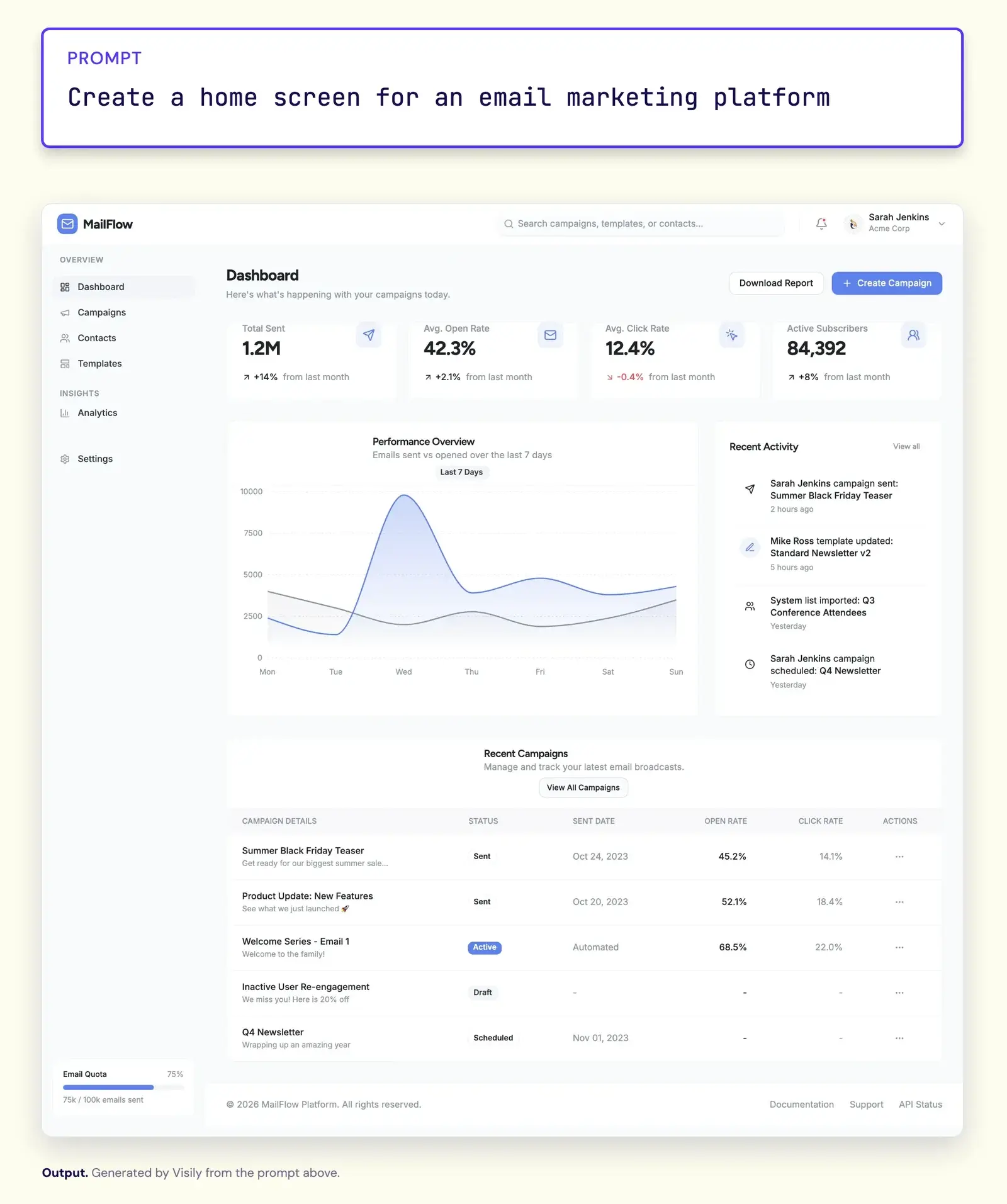
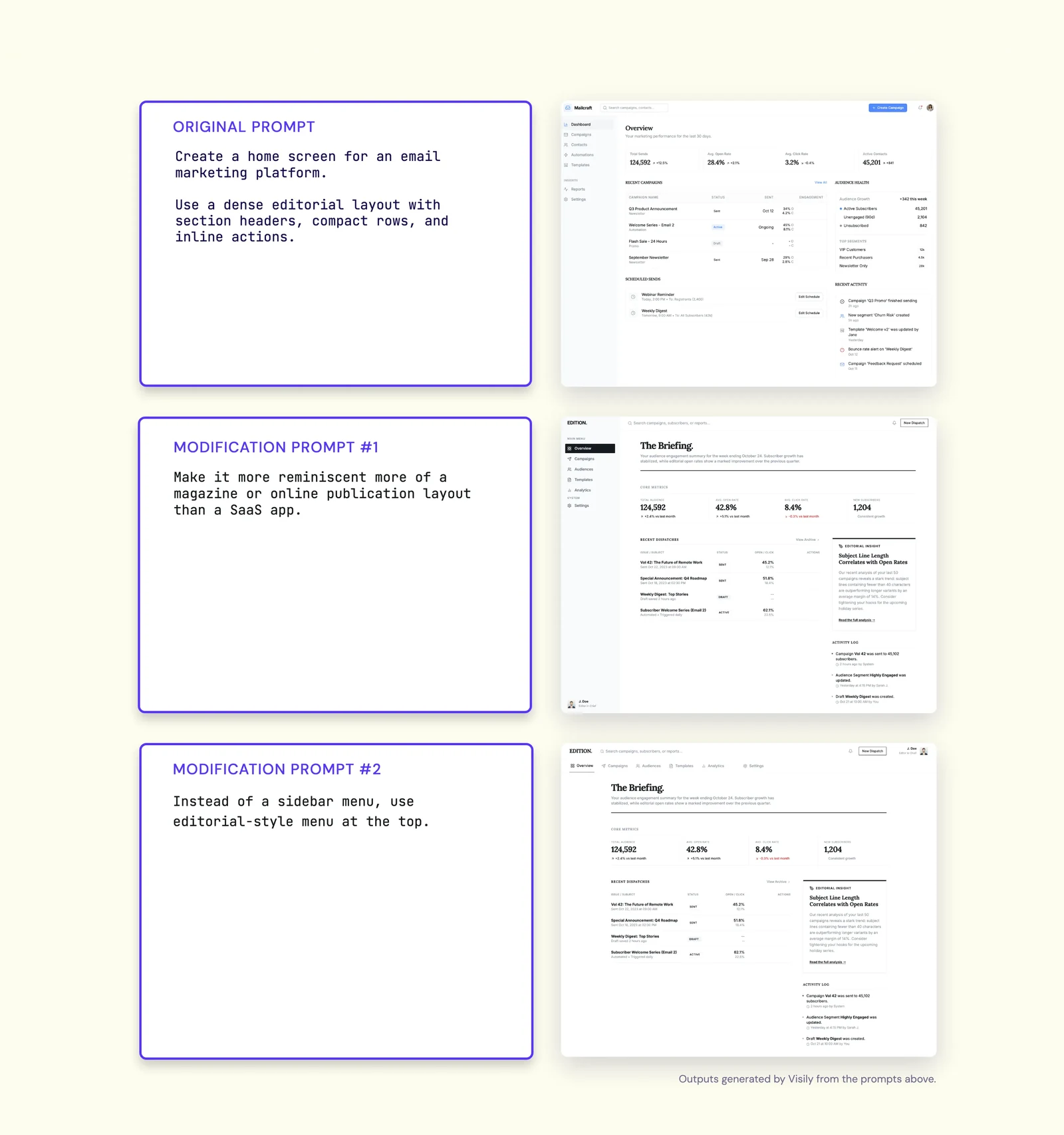
But over time, anyone who uses these tools regularly starts to recognize a subtle “AI-ness” in the designs—a kind of sameness that’s hard to define, but easy to spot once you’ve seen enough of it. The designs are clean and polished, have rounded cards, a tasteful sidebar, a modern sans-serif font, a few soft shadows, some stats across the top, and maybe a blue or purple accent color for good measure.
They look pretty good. They also somehow look like every single UI you’ve ever encountered in the last few years. They are, in a word, generic.
Because of my role at Visily, I have a vested interest in pushing AI to become more of a creative design partner than a visual slop cannon, which is the motivation behind this post: I want to share some of what I’ve learned from extensively designing with AI, including why AI systems gravitate to generic design, and what to do about it.
Why AI systems love generic design
Before attempting to solve a problem, it’s important to understand why the problem exists in the first place. In a future post, I’ll dive deeper into the “why” of this problem, but for now, the simplest explanation is this:
AI design tools default toward familiar, plausible UI patterns because they learn from existing UI examples and are shaped by common frontend frameworks, component libraries, templates, and design conventions.
This is true of LLMs generally, but it becomes especially visible in design because the output is also shaped by common templates, component libraries, design systems, and frontend conventions. Consequently, a prompt devoid of modifiers or context intended to bias the output toward something specific or unique, most often results in an exceedingly unoriginal design.
If counter measures are not taken (such as adding rich context and specific instructions), most AI systems will simply return the safest, most generic option.
Simply knowing that AI systems are naturally pulled to the most plausible solution helps you know how to combat that tendency.
How to generate unique & interesting designs
There’s no one right way to create unique UI with AI, but I’ve done it most successfully by breaking UI design down into two inputs:
There’s no one right way to create unique UI with AI, but I’ve done it most successfully by breaking UI design down into two inputs:
- Aesthetic
- Composition
Separating these variables from one another helps the AI dedicate its focus to a single task, which proves a useful defense against the pull toward genericness.
Aesthetic
I use “aesthetic” to simply describe the visual world the design lives in. It’s more than just color palettes or fonts I want the AI to use (in fact, I specifically avoid dictating those things at this point).
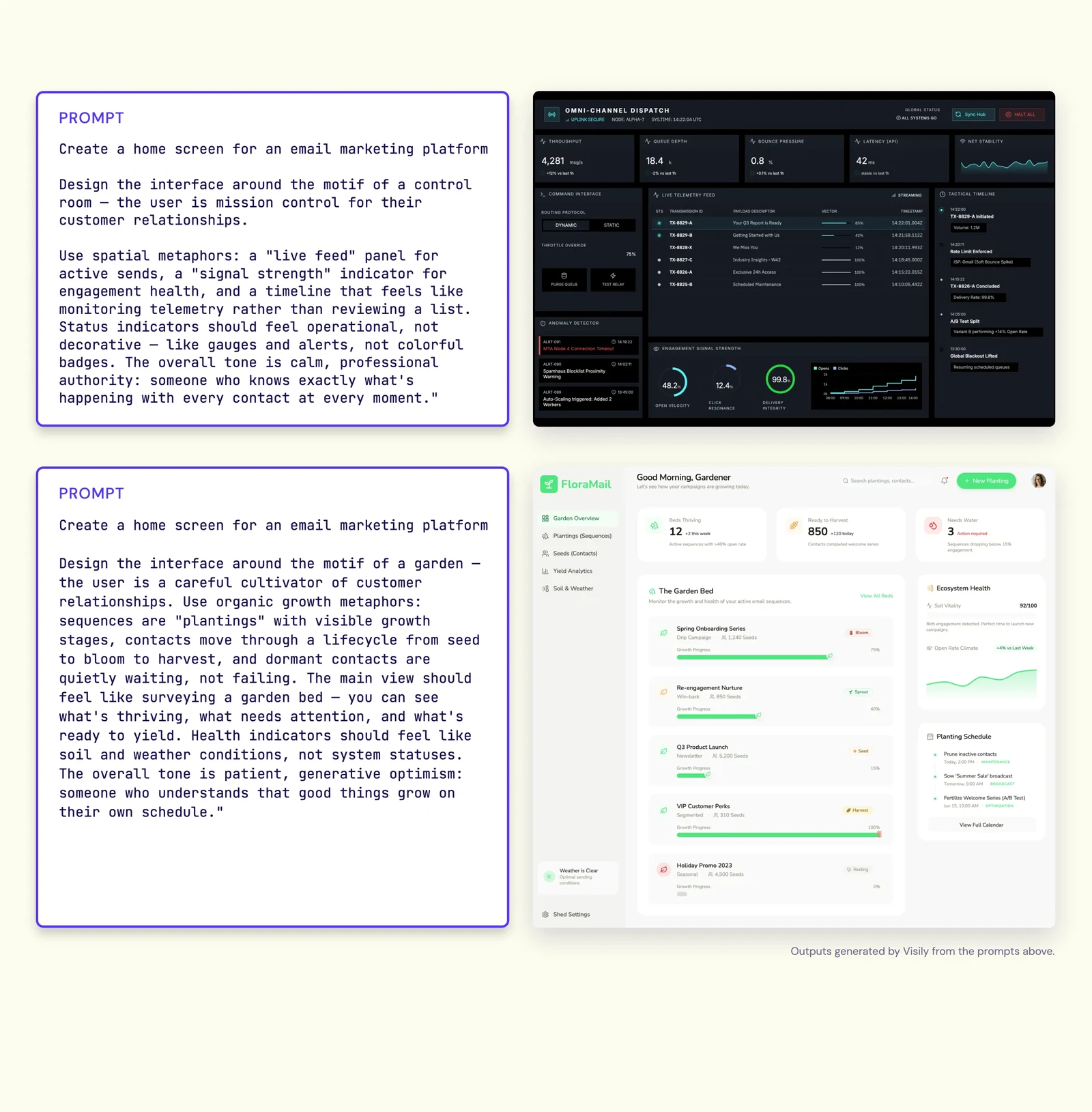
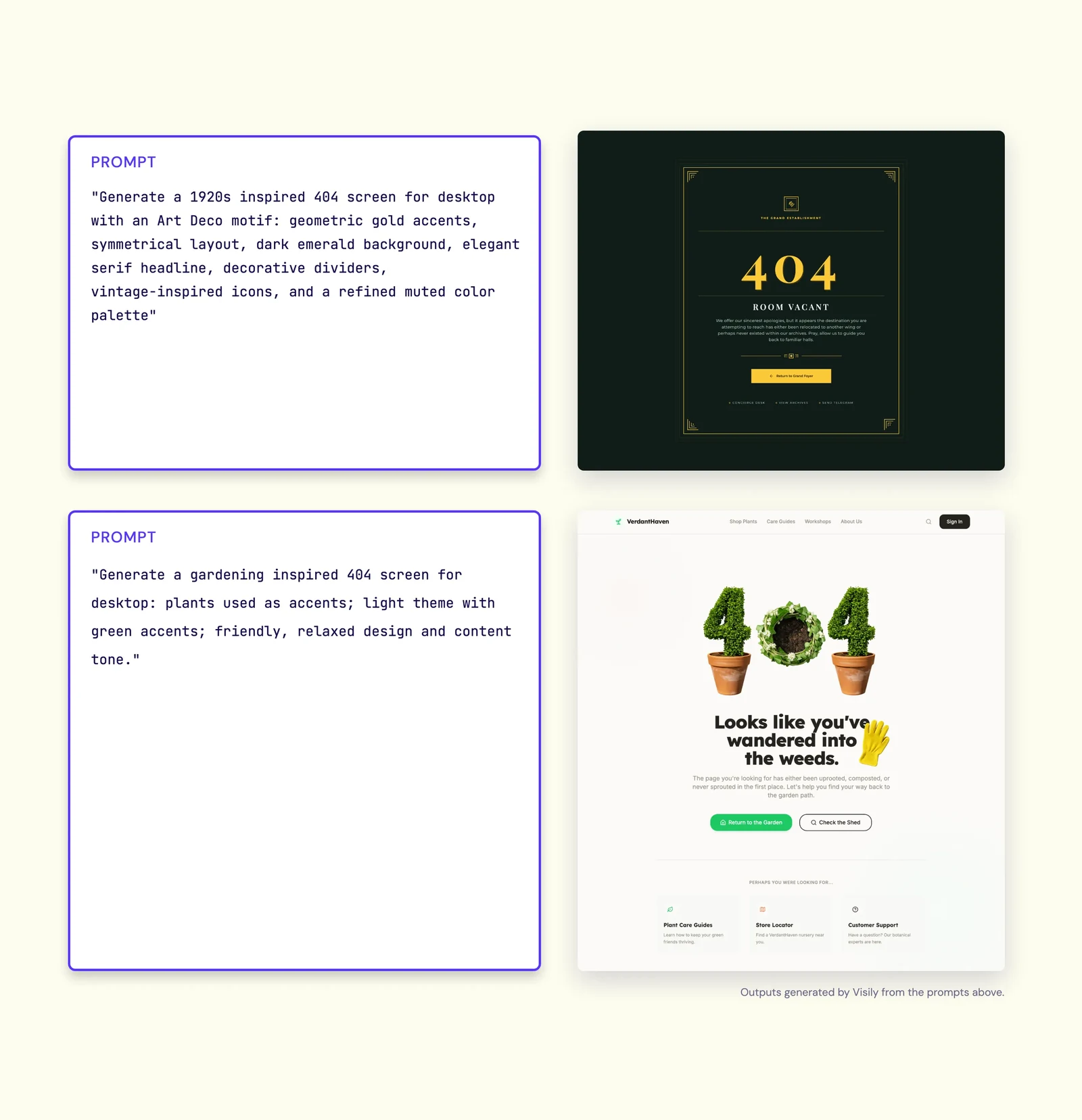
I’ve found “motifs” to be the most effective tool to generate creative aesthetics. A motif describes feelings the design should evoke, sources of inspiration, & the general mood of the entire app or website. If, for example, I were building an app for budding gardeners (see what I did there?), I might explore a garden or nature motif:
“Design the interface around the motif of a garden — the user is a careful cultivator of customer relationships. Use organic growth metaphors: sequences are “plantings” with visible growth stages, contacts move through a lifecycle from seed to bloom to harvest, and dormant contacts are quietly waiting, not failing. The main view should feel like surveying a garden bed — you can see what’s thriving, what needs attention, and what’s ready to yield. Health indicators should feel like soil and weather conditions, not system statuses. The overall tone is patient, generative optimism: someone who understands that good things grow on their own schedule.”
The key to a good motif is providing enough descriptive (but not prescriptive) language for AI to build out this aesthetic world. LLMs are remarkably good at doing this when given details about what you hope to convey.
Composition
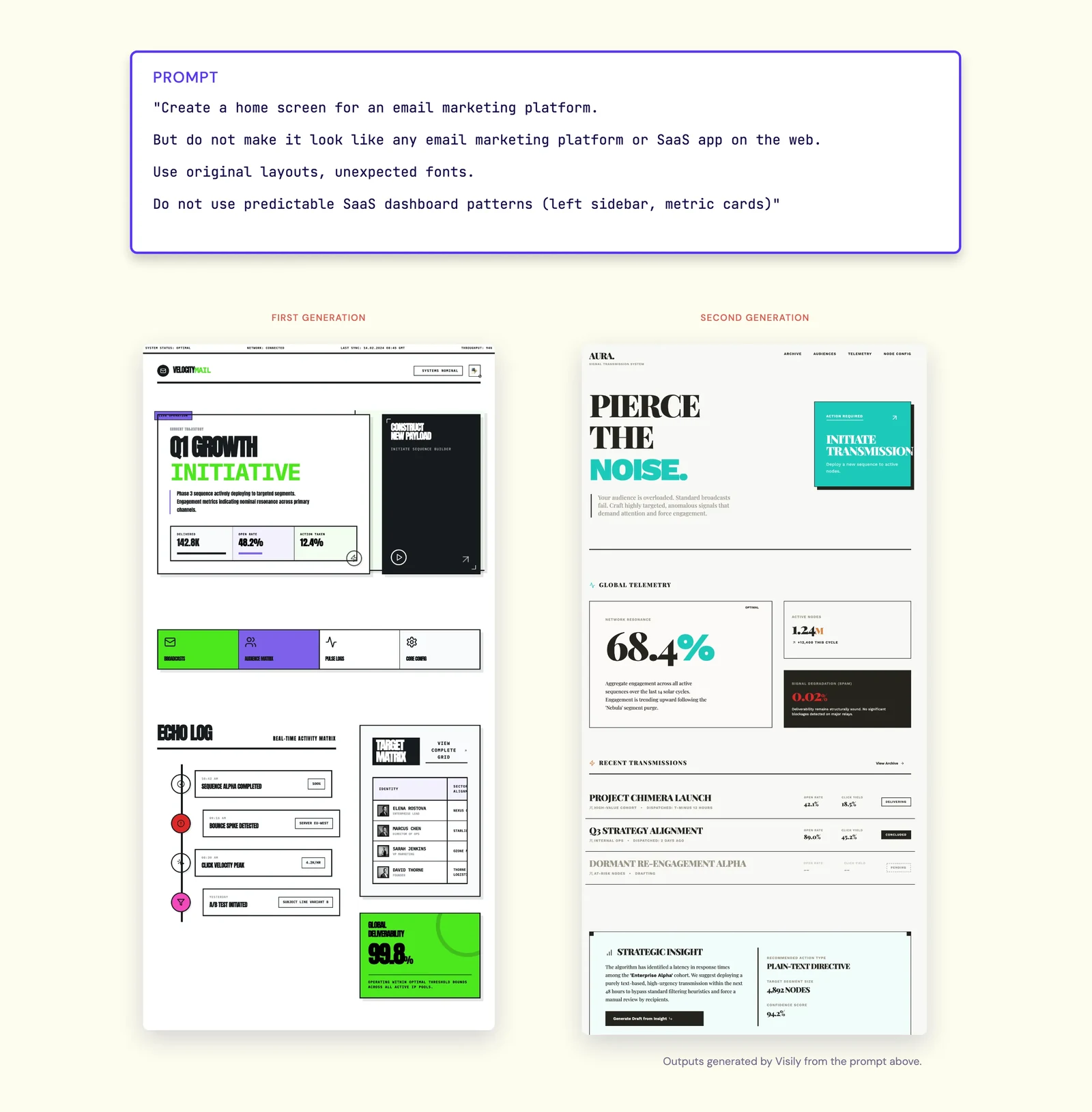
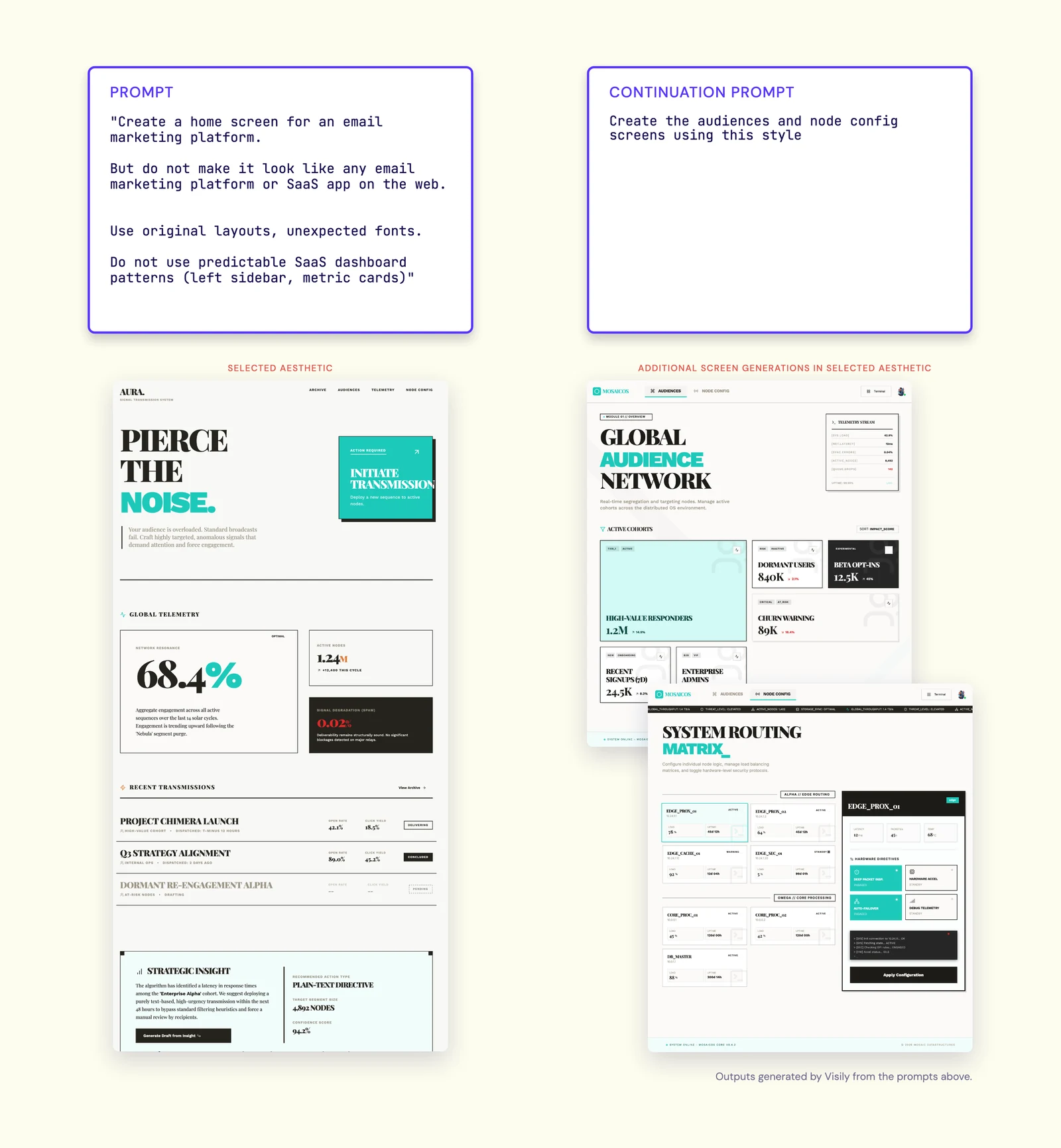
Composition is the screens, flows, or screen layouts I want to adopt or avoid. It helps constrain taste to the real-world requirements of your project. Sometimes these are dictated by real project constraints, other times they’re a matter of personal preference. Because I do a lot of brainstorming for software products such as our own, I know AI will naturally gravitate to typical software app conventions. I want to avoid many of them, so I typically will use some variant of the following in my prompt:
“Avoid generic SaaS web app layout. Specifically, do not use:
- Left sidebar navigation
- Top header/nav
- Main content area
- KPI cards across top
- Tables/charts below“
Combining aesthetic and composition for better outputs
I typically start 0-1 designs by developing the aesthetic I like. I do this because composition can constrain aesthetics, often unnecessarily or prematurely. Take the following prompt, for example:
“Create a basic checkout screen that just shows:
- Items purchased
- Cost of each item
- Total cost
- “Checkout” CTA button”
The AI’s creativity will be constrained by the requirements I’ve dictated as well as the implicit constraints of a checkout screen (standardized layouts, little variability in elements used, etc.). This may not make a huge difference to the final output, but I’ve found it best to maximize the creative potential of the AI by removing as many guardrails as possible before adding them back.
Perhaps layout and composition requirements matter more to you than any one particular aesthetic direction. Instead of using a motif, pair your composition requirements with instructions for the AI to design something atypical of this sort of app or website. This is a great way to explore new aesthetic ideas and push the boundaries a bit:
If developing a full motif feels like overkill for your project, even simple aesthetic and composition modifiers can push your design quality forward:
Iterate on aesthetic with motifs
To nail the visual direction, I first explore motifs. To do this, I typically use AI to help me generate motif prompts. Often this is the all I need to start editing or refining the motif to my liking.
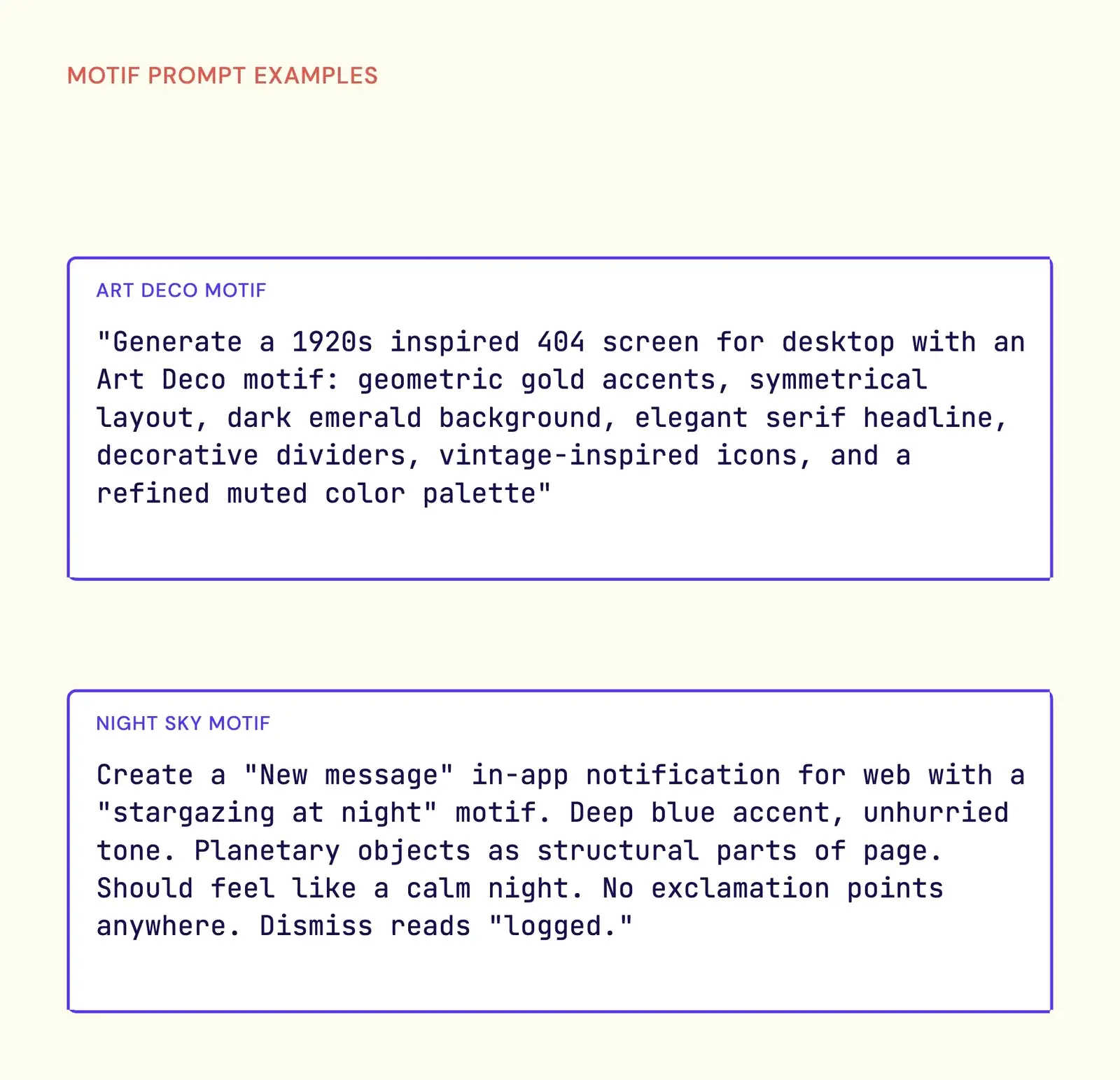
Because I want to let the AI really lean into the motif I’m exploring, I often apply the motif to the most unconstrained screens possible. For me, that’s typically a 404 page, because it carries the fewest implied requirements (just a simple “404” message, typically).
I’ve spoken at length about the deficiencies I see in prompt-centric AI design, so I often use image or direct style references that I like to derive the motif I like. For example, I’ve previously shared how simply stating “in the style of Minecraft” was enough to turn a stodgy HR app screen into something whimsical and weird.
Again, I avoid dictating specific fonts or color palettes to use at this point, because I only want to bias the AI toward the “vibe” I’m going for.
Iterate within set aesthetic
Once I find the aesthetic I like, I cement it as the default for all subsequent prompts. This is done differently in each AI design or vibe code tool, but most have some mechanism to do this. In Visily, I typically just repurpose the motif prompt in Design Instructions, which will use it on every subsequent generation.
Encoding this as the general visual system for the AI to work within will provide natural boundaries for future exploration, preventing substantial drift from the aesthetic you’ve established.
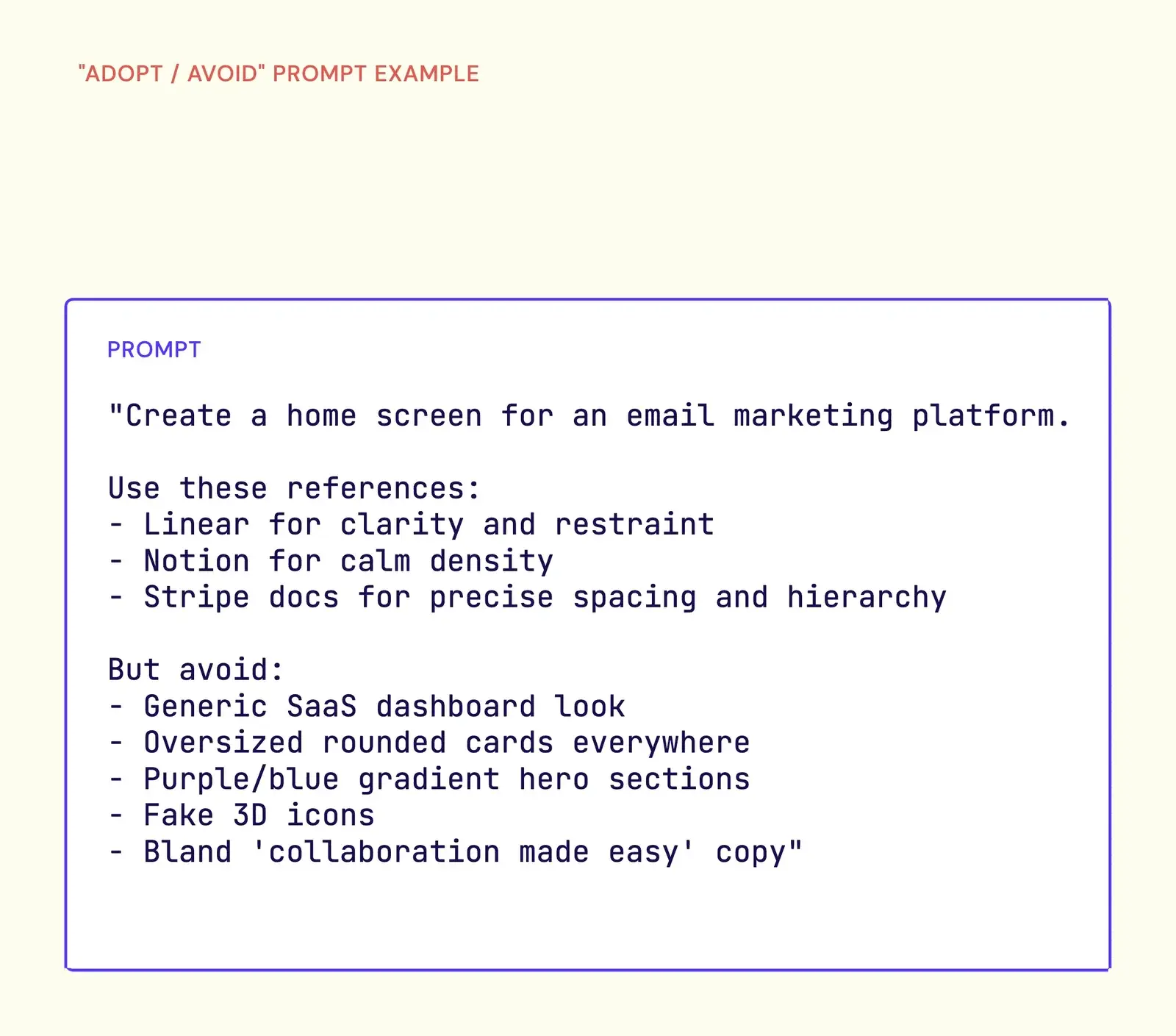
Iterate with set with “adopt/avoid” pairs
With the motif set, I dictate the specific screens, flows, and/or elements I need in my design. Because I rarely have a detailed list of requirements for 0-1 work, I specify what layouts or elements I want to avoid.
Using “adopt/avoid” language is a powerful way to generate novel compositions. Because AI is strongly pulled to the most plausible solution, it’s easy to develop a list of the patterns it will naturally be drawn to (even a couple bullet points can have a disproportionate positive impact). As you generate new designs, you can add to these lists to form a regression test suite that all future generations take into account.
Refine manually
As I home in on my desired UI, I like to do “last-mile” design manually. It’s less time and token consuming for me to remove and edit elements on my own, and it provides a bit more friction for me to think through the problems I want to solve.
A less generic present and future
I’m bullish on the future of AI-assisted design. Heck, I’m bullish on the present of AI design (obviously). AI design tools, including Visily, are already moving beyond one-shot prompting. As more tools incorporate smart mechanisms to build and manage better context about your brand, project, and goals, we will see increasingly impressive design outputs that feel creative and grounded in real business needs.
But you don’t have to wait on the tools to further develop to get better quality designs. By simply knowing a little bit about how these systems work, you can know what information to provide to steer them in the direction you want.