Designing great apps and websites takes a lot of work — and a lot of time. Design teams often spend hours doing the same layout tasks over and over again. People who aren’t trained designers find most design software confusing and hard to use. And if your team works remotely, every feedback round feels slower than it should. These problems add up quickly, especially when you’re trying to move a project forward.
All of that wasted time and frustration can hold back your best ideas. Instead of focusing on creativity and solving real user problems, teams get stuck in busywork. Deadlines slip. Projects stall. And people who have great ideas but no design background feel locked out of the process entirely.
That’s where AI-powered design tools come in. A new wave of smart software can now handle a huge chunk of the heavy lifting for you. Some of these tools can create full screen designs just from a short text description. Others can predict where users will look on a page using heatmaps. They work for teams of all sizes and skill levels, and many of them are free to start using right away — so anyone with an idea can bring it to life.
In this guide, I’ll break down the 9 best AI tools for UX/UI designers. You’ll learn what each tool does best, who it’s made for, and how it fits into your design process.
1. Visily: AI-Powered UI Design for Everyone
Visily is a browser-based, AI-powered UI design platform that enables teams to go from idea to interactive prototype in minutes. It was built from the ground up with artificial intelligence at its core, not as an afterthought or a bolted-on feature. This makes it fundamentally different from design platforms that added AI capabilities later. The platform is specifically designed for non-designers such as product managers, startup founders, software developers, and business analysts, while also giving professional UX/UI designers a faster way to work.
What sets Visily apart is its zero learning curve. You don’t need design training to produce professional wireframes and high-fidelity mockups. The drag-and-drop canvas feels natural from the first session. Teams at Amazon, LinkedIn, Microsoft, Walmart, Infosys, Udemy, Accenture, Niantic, and Verizon already trust Visily for their design workflows.
The platform also offers something rare in this category: the ability to switch between low-fidelity wireframes and high-fidelity mockups on the same board without losing any work. This lo-fi to hi-fi toggle means you can start rough and refine progressively, all in one place.
Key AI Features
Visily’s AI-powered design features cover the full spectrum of design generation and assistance:
- Text to Design lets you describe a screen or flow in plain language. Visily generates structured, editable UI elements that match your description.
- Screenshot to Design converts uploaded screenshots of existing apps, competitor products, or rough sketches into editable wireframes and high-fidelity mockups.
- Sketch to Design transforms hand-drawn sketches into clean digital wireframes automatically.
- Diagram to Design turns diagrams and flowcharts into full UI layouts, which is especially useful for mapping onboarding flows and multi-screen logic.
- Text to Diagram generates flowcharts, sitemaps, entity relationship diagrams, use case diagrams, and class diagrams from text prompts.
- Magic Images creates custom images that match the design aesthetic of your project.
- Magic Themes applies AI-generated color schemes and typography to your designs. It can also extract themes from a URL or image.
- Smart Design Assistant handles repetitive grunt work during the editing process so you can focus on decisions that matter.
Design and Prototyping Capabilities
Beyond AI generation, Visily is a full design and prototyping platform. The drag-and-drop canvas requires no training. The Smart Components library includes pre-built elements like nav bars, buttons, cards, tabs, accordions, calendars, and carousels.
Interactive prototyping mode simulates screen transitions, button clicks, and user flows. Auto-Prototyping speeds up prototype creation even further. The platform supports both mobile and web wireframing, and CSS inspection makes developer handoff straightforward.
The 1,500+ UI design templates are sorted by screen type, flow, or app category. You can start from a template and customize it, or generate something entirely new with AI.
Collaboration and Sharing
Visily is built for teams. Real-time co-editing lets multiple team members work on the same board at the same time. On-canvas cursor chat and commenting keep feedback contextual. Follower mode guides team members through designs during walkthroughs.
Shared asset libraries keep teams consistent across projects. Version history tracks every change. Presentation mode makes stakeholder reviews smooth and professional. Guest viewers and editors are available on the Pro plan.
Who Visily Is Best For
- Product managers who need to communicate product vision with quick wireframes before designers get involved.
- Startup founders who need to pitch ideas, test concepts, and iterate fast without any design skills.
- Software developers who want to visualize UI flows and layouts before writing code.
- Business analysts who create diagrams, flowcharts, and process visualizations for documentation and planning.
- UX/UI designers who want to accelerate repetitive layout work and early-stage ideation.
Why Visily Is #1
Visily earns the top spot because it combines the broadest set of AI design capabilities with the lowest barrier to entry. It was built around AI from day one. The lo-fi to hi-fi toggle is a feature you won’t find in most other platforms. The free tier is genuinely usable, not just a teaser. And the platform serves both non-designers and professionals equally well. While many design platforms require weeks of training, Visily lets you produce polished prototypes in your first session.
2. Galileo AI: Generative UI from Text Prompts
Galileo AI takes a focused approach to AI-powered design. It specializes in generating complete, high-fidelity UI screens from natural language descriptions. You type what you want, and Galileo produces a fully structured interface with realistic content, proper layout hierarchy, and editable components. The output quality is impressive, often looking like something a senior designer would produce.
This tool is particularly useful during the early ideation phase when you need to see multiple design directions quickly. Product teams can generate dozens of screen variations in the time it would normally take to sketch one. Galileo AI is still a relatively newer platform compared to some entries on this list, but its generative capabilities have matured significantly through 2025 and into 2026.
Key features:
- Generates full UI screens from plain text descriptions
- Produces high-fidelity designs with realistic placeholder content
- Outputs editable components that you can modify after generation
- Supports multiple screen types including dashboards, landing pages, and mobile interfaces
Best for: Designers and product teams who need rapid visual exploration of ideas during early-stage concepting.
Limitations: Manual editing and fine-tuning options are more limited than what you’d find in a full design platform. The tool works best as a starting point rather than a complete end-to-end solution.
Verdict: Galileo AI is a strong choice for fast concept generation, especially if you value speed over granular control in the early design phase.
3. Framer: AI-Powered Web Design and Publishing
Framer has grown into a serious AI-enhanced web design platform that combines design, prototyping, and publishing into a single workflow. Its AI capabilities focus on generating responsive web layouts from prompts, making it possible to go from an idea to a live website without switching between multiple tools. The platform handles animations, interactions, and CMS content natively.
What makes Framer stand out is its publish-ready output. Unlike tools that stop at the prototype stage, Framer lets you push designs live as actual websites. This makes it a strong option for marketing teams, freelancers, and small businesses that need to ship web pages quickly. The AI layout generation has improved substantially in 2026, producing cleaner and more responsive results than earlier versions.
Key features:
- AI-powered layout generation from text prompts
- Built-in CMS for content management
- Responsive design that adapts to all screen sizes automatically
- Native animations and interaction design
- One-click publishing to a live URL
Best for: Web designers, marketing teams, and freelancers who want to design and publish websites from one platform.
Limitations: Framer is heavily web-focused. It’s not the right tool if your primary need is mobile app design or complex multi-screen prototyping for native applications.
Verdict: Framer is excellent for web-centric projects where you need to move from concept to live site with minimal friction.
4. Locofy: AI Design-to-Code Conversion
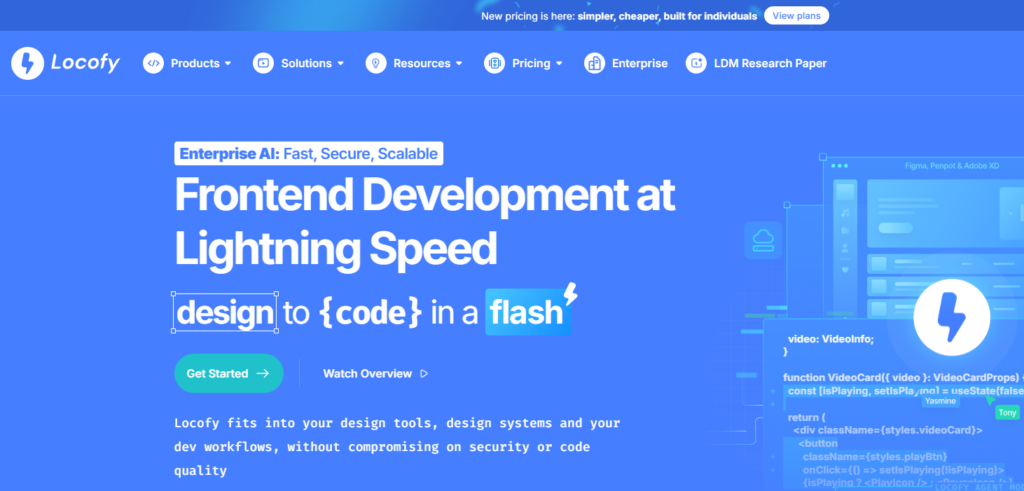
Locofy occupies a unique space in the AI design tool landscape. It focuses on converting existing designs into production-ready front-end code. If your team already has mockups or prototypes, Locofy uses AI to turn them into clean React, Next.js, or other framework-compatible code. This bridges the gap between design and development in a way that saves significant engineering time.
The tool is especially valuable for teams where the handoff between designers and developers creates bottlenecks. Instead of developers manually translating visual designs into code, Locofy automates the translation. The AI understands component structures, responsive breakpoints, and layout patterns, producing code that developers can actually use as a foundation rather than throwing away and rewriting.
Key features:
- Converts designs into React, Next.js, Vue, and other framework code
- Recognizes component structures and generates reusable code components
- Handles responsive layouts and breakpoints automatically
- Supports design imports from multiple sources
- Provides a visual editor for fine-tuning code output
Best for: Development teams and agencies that want to reduce the time and cost of translating designs into front-end code.
Limitations: Locofy is a conversion tool, not a design creation tool. You still need a separate platform to create your designs before bringing them into Locofy for code generation.
Verdict: Locofy is a powerful addition to any design-to-development pipeline, especially for teams shipping web applications at scale.
5. Khroma: AI Color Palette Generation for Designers
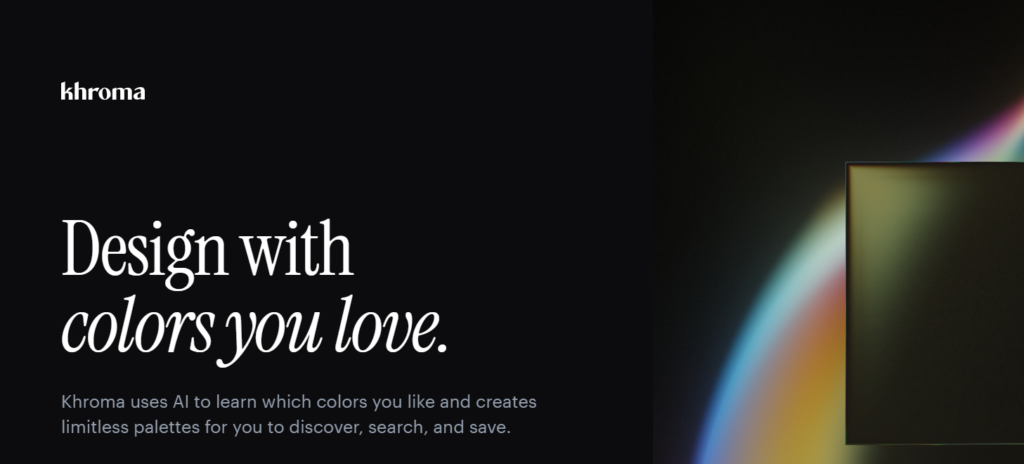
Khroma takes a specialized approach to one of the most subjective parts of design: color selection. It uses AI trained on thousands of popular color palettes to learn your personal color preferences and then generates infinite, personalized palette combinations. You start by selecting 50 colors you like, and Khroma’s neural network builds a model of your taste. From there, it produces palettes, gradients, typography pairings, and poster-style previews tailored to your aesthetic.
This tool solves a real pain point. Choosing colors that work well together is time-consuming, and getting it wrong can undermine an otherwise strong design. Khroma removes the guesswork by grounding its suggestions in both your preferences and established color theory principles. It’s free to use, which makes it accessible to designers at every level.
Key features:
- Learns your color preferences from an initial 50-color selection
- Generates unlimited personalized color palettes
- Shows colors in context: typography, gradients, posters, and custom images
- Allows you to save and organize favorite combinations
- Provides hex codes, RGB values, and accessibility contrast ratings
Best for: UX/UI designers, brand designers, and anyone who needs consistent, harmonious color palettes without spending hours on manual selection.
Limitations: Khroma is a single-purpose tool. It handles color exceptionally well but doesn’t offer wireframing, prototyping, or any other design capabilities. You’ll use it alongside a broader design platform.
Verdict: Khroma is the best AI color tool available for designers. It’s free, fast, and surprisingly accurate at matching your personal style.
6. Attention Insight: AI-Powered Design Analytics and Heatmaps
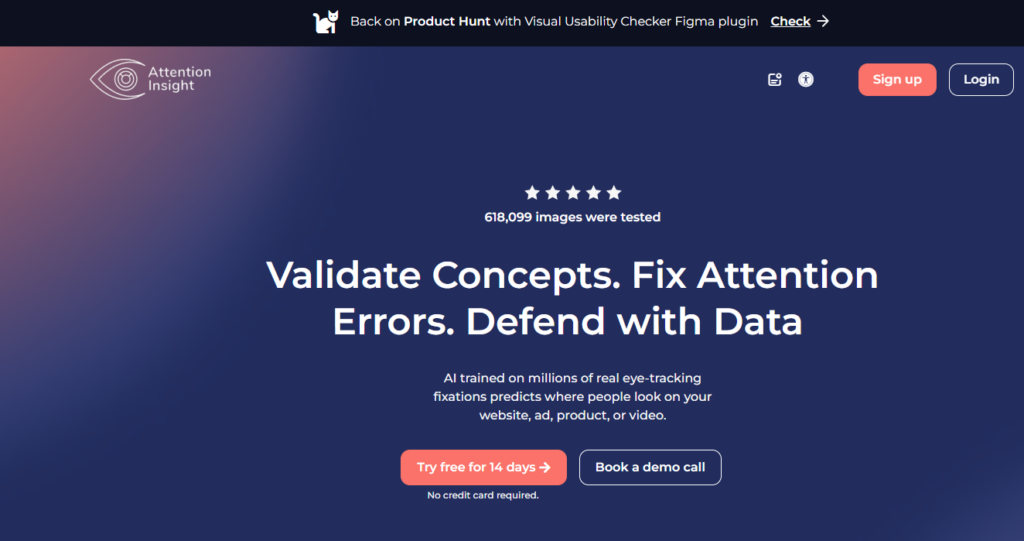
Attention Insight approaches UX/UI design from the analytics side. Instead of helping you create designs, it helps you evaluate them before they go live. The platform uses AI trained on eye-tracking studies to generate predictive attention heatmaps for any design you upload. You can see where users are most likely to look, which elements will get noticed first, and which parts of your layout might be ignored entirely.
This kind of pre-launch testing used to require expensive eye-tracking hardware and live user studies. Attention Insight makes it available instantly through AI prediction. The tool is particularly useful for landing pages, marketing materials, and any design where visual hierarchy directly affects conversion rates. According to research from the Nielsen Norman Group, users form opinions about a page’s visual appeal within 50 milliseconds, making attention prediction a valuable step before committing to development.
Key features:
- AI-generated attention heatmaps based on eye-tracking research data
- Percentage-of-attention scores for individual design elements
- Clarity and focus area analysis
- Support for web pages, mobile screens, and marketing materials
- Comparison mode to test multiple design variations side by side
Best for: UX/UI designers, conversion rate optimization specialists, and marketing teams who want to test visual hierarchy and attention flow before launching.
Limitations: Attention Insight is a testing and validation tool, not a design creation tool. It tells you what’s working and what isn’t, but you’ll need a separate platform to make changes based on its findings.
Verdict: Attention Insight is a smart addition to any design review process, especially for high-stakes pages where user attention directly impacts business results.
7. Relume: AI-Powered Sitemap and Wireframe Generator
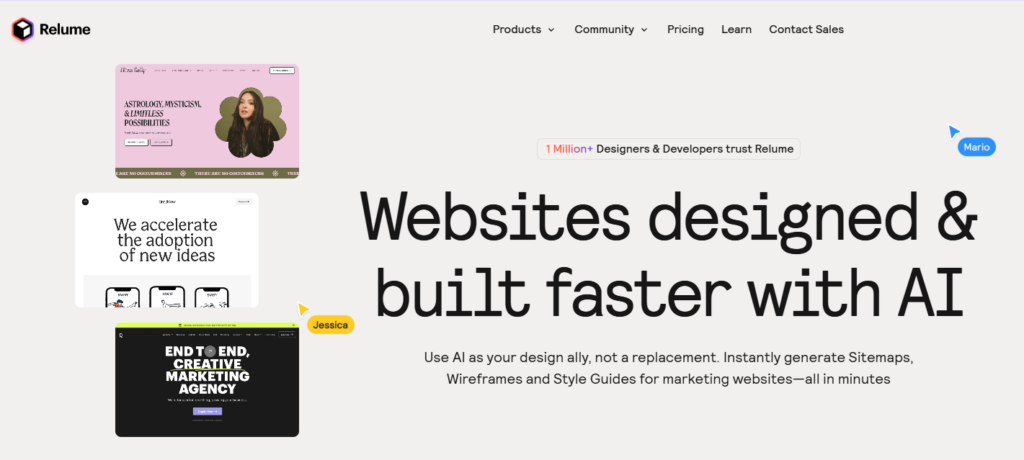
Relume focuses on the planning and information architecture phase of web design. It uses AI to generate complete website sitemaps and wireframes from simple text prompts. You describe the type of website you’re building, its purpose, and its key pages, and Relume produces a structured sitemap with wireframed page layouts. This saves hours of early-stage planning work that typically happens in spreadsheets or whiteboard sessions.
The tool also includes a component library that speeds up wireframe assembly. Each generated wireframe section is modular, so you can rearrange, swap, and customize blocks to match your project requirements. Relume is particularly popular among web designers and agencies who handle multiple client projects and need to move through the discovery and planning phase quickly.
Key features:
- Generates full website sitemaps from text descriptions
- Produces wireframed page layouts for each page in the sitemap
- Includes a modular component library for customization
- Exports wireframes for further refinement in other design tools
- Supports multi-page website structures including blogs, portfolios, and SaaS sites
Best for: Web designers, agencies, and product teams who need to plan website structures and create initial wireframes quickly during the discovery phase.
Limitations: Relume is web-focused and doesn’t support mobile app design. Its strength is in planning and wireframing, not in high-fidelity visual design or interactive prototyping.
Verdict: Relume is an excellent starting point for any web design project. It handles the structural thinking so you can move to visual design faster.
8. Fontjoy: AI Font Pairing Tool
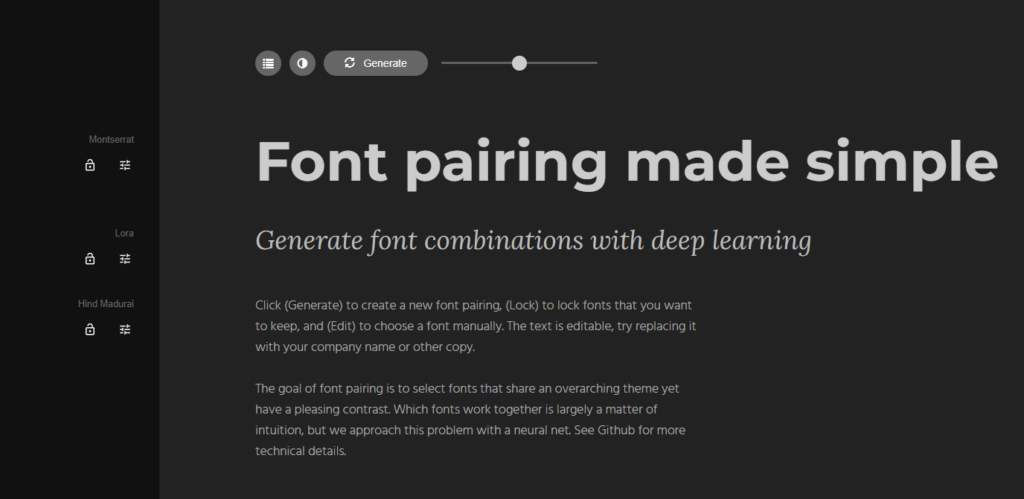
Fontjoy is a lightweight, free AI tool that uses deep learning to generate harmonious font pairings. Typography is one of the most important elements of any UX/UI design, and choosing fonts that work well together requires an understanding of contrast, weight, and visual rhythm. Fontjoy automates this process by analyzing the visual characteristics of fonts and suggesting combinations that balance similarity and contrast.
The tool pulls from the Google Fonts library, which means every pairing it suggests is free to use in your projects. You can lock one font and regenerate the others, adjust the contrast level between pairings, and preview combinations in real time. It’s simple, focused, and solves a specific problem that every designer faces regularly.
Key features:
- Deep learning model trained on font visual characteristics
- Generates three-font pairings (heading, subheading, body) with one click
- Adjustable contrast slider to control how different the paired fonts are
- Uses Google Fonts library so all suggestions are free to use
- Lock individual fonts and regenerate the rest
Best for: UX/UI designers, web designers, and brand designers who need quick, reliable font pairings without manual trial and error.
Limitations: Fontjoy only handles font pairing. It doesn’t offer any other design capabilities. The tool is also limited to Google Fonts, so if you work with custom or licensed typefaces, you’ll need to evaluate pairings manually.
Verdict: Fontjoy is the fastest way to find font combinations that work. It’s free, requires no sign-up, and delivers results in seconds.
9. Neurons (Predict): AI-Powered Design Performance Prediction
Neurons, formerly known as Neurons Predict, uses neuroscience-based AI models to predict how users will perceive and interact with your designs. It goes beyond simple attention heatmaps by providing cognitive load analysis, clarity scores, and focus area predictions. The platform is built on decades of neuroscience research and trained on large-scale eye-tracking datasets, giving it a scientific foundation that sets it apart from simpler analytics tools.
The tool is designed for teams that need data-driven confidence before committing designs to development. By predicting how users will process visual information, Neurons helps you identify potential usability issues, optimize visual hierarchy, and improve overall design effectiveness. It’s used by enterprise teams, agencies, and UX researchers who want to reduce the risk of launching designs that underperform.
Key features:
- Neuroscience-based attention heatmaps
- Cognitive load scoring to identify overly complex layouts
- Clarity scores that predict how easily users will understand the design
- Focus area predictions showing where users will look first
- Batch analysis for testing multiple designs at once
Best for: UX researchers, enterprise design teams, and agencies that need scientific validation of design decisions before launch.
Limitations: Neurons is a premium tool with pricing that reflects its enterprise focus. It’s an analytics and prediction platform, not a design creation tool. Smaller teams or individual designers may find the cost difficult to justify.
Verdict: Neurons is the most scientifically grounded design prediction tool available. If your team needs evidence-based design validation, it delivers insights that simpler tools cannot match.
How to Choose the Right AI Tool for Your UX/UI Workflow
Picking the right AI design tool depends on your specific situation. No single tool is perfect for every team, project, or workflow stage. Here are the key factors to consider before committing to a platform.
Your role and design experience level. If you’re a non-designer like a product manager, founder, or developer, you need a tool with zero learning curve and strong AI generation. Visily is built specifically for this use case. If you’re a professional designer, you might prefer a plugin like Magician that adds AI to your existing setup.
Project type. Are you designing a mobile app, a web application, or a marketing website? Some tools like Framer and Relume are web-focused. Others like Visily support both mobile and web wireframe tool creation.
Workflow stage. Different tools shine at different stages. Relume is strong for planning and sitemaps. Visily and Galileo AI are excellent for wireframing and prototyping. Attention Insight and Neurons are best for testing and validation. Locofy handles the handoff to development.
Team collaboration needs. If you work with a remote or cross-functional team, real-time co-editing and sharing features matter. Visily offers built-in collaboration with cursor chat, commenting, and presentation mode.
Budget and pricing model. Several tools on this list offer free tiers. Visily’s free Starter plan is particularly generous. Evaluate what you get at each price point and whether the free tier covers your needs.
Integration with existing tools. Consider how each tool fits into your current stack. Visily offers Figma export for teams that need pixel-perfect refinement downstream. Locofy integrates with development frameworks. Magicians work inside existing design environments.
How AI Is Transforming UX/UI Design Workflows
The relationship between AI and UX/UI design has shifted from experimental to essential. According to McKinsey & Company, AI adoption across industries has more than doubled since 2017, and creative and design workflows are among the fastest-growing areas of AI application. In 2026, AI will no longer be a novelty in the design process. It’s a standard part of how teams work.
The biggest impact is on speed. Tasks that used to take hours now take minutes. Generating wireframes from a text description, converting sketches into digital layouts, and producing interactive prototypes can all happen with a few clicks. Visily’s AI-first architecture is a clear example of this shift, where the platform was designed around AI capabilities rather than adding them as secondary features. Tools like AI UI generators have made it possible for anyone on a product team to contribute to the design process.
AI also handles the repetitive parts of design work. Populating screens with realistic data, applying consistent color themes, resizing layouts for different devices, and generating placeholder images are all tasks that AI manages efficiently. This frees designers to spend their time on the work that requires human judgment: understanding user needs, making strategic decisions, and solving complex interaction problems.
There are clear limits to what AI can do. User empathy, contextual understanding, and creative problem-solving remain human strengths. AI can generate a layout, but it can’t tell you whether that layout serves your users’ emotional needs. The best teams in 2026 use AI as a multiplier for human creativity, not a replacement for it.
Frequently Asked Questions About AI Tools for UX/UI designers
What are AI tools for UX/UI design?
AI tools for UX/UI design are software applications that use artificial intelligence to automate or assist with user experience design tasks. These tasks include wireframing, prototyping, layout generation, color selection, font pairing, and design testing. They help both trained designers and non-designers create professional interfaces faster by handling repetitive work and generating design elements from simple inputs like text descriptions or sketches.
Are there free AI tools for UX/UI designers?
Yes. Several AI tools for UX/UI designers offer free tiers or are completely free. Visily’s free Starter plan includes 300 AI credits in the first month, 2 editable boards, and 150 template credits per month. Fontjoy and Khroma are entirely free to use. Most tools on this list offer free trials or freemium models that let you test core features before paying.
Can AI tools replace UX/UI designers?
AI tools cannot replace UX/UI designers. They automate repetitive tasks like wireframing and layout generation, but they cannot replicate human skills like user empathy, strategic thinking, contextual judgment, and creative problem-solving. AI tools work best as accelerators. They handle the production work so designers can focus on research, strategy, and the nuanced decisions that shape great user experiences.
What is the best AI tool for UX/UI beginners?
Visily is the best AI tool for UX/UI beginners. It requires zero design experience and offers a drag-and-drop interface that anyone can use from the first session. AI features like text-to-design and screenshot-to-design generate professional layouts without manual work. The free tier makes it accessible, and resources like wireframing for beginners help new users get started quickly.
How do AI design tools help product managers?
AI design tools help product managers create wireframes and prototypes without relying on design teams. Tools like Visily allow PMs to describe a screen in plain language and generate editable UI layouts instantly. This speeds up ideation, improves stakeholder communication, and reduces dependency on designers for early-stage concepts. PMs can share interactive prototypes with their teams and gather feedback before any design resources are allocated.
What AI features should I look for in a UX/UI design tool?
Look for text-to-design generation, screenshot-to-wireframe conversion, AI-powered prototyping, smart component suggestions, AI color and theme generation, and design analytics or heatmap prediction. The best tools combine multiple AI capabilities with manual editing control. This lets you refine AI-generated outputs to match your exact requirements rather than accepting whatever the AI produces.
Can non-designers use AI UX/UI design tools?
Yes. Many AI UX/UI design tools are specifically built for non-designers. Visily is designed for product managers, founders, developers, and business analysts who need to create professional wireframes and prototypes without design training. AI handles the visual heavy lifting while users focus on ideas, content, and business logic. The learning curve is minimal, and results look professional from the start.
Final Thoughts
AI tools have become a standard part of UX/UI design workflows. The tools covered in this guide represent the best options across different needs, from full-platform design generation to specialized color selection and design analytics.
Visily stands out as the most complete option on this list. Its AI-first architecture, zero learning curve, lo-fi to hi-fi toggle, and generous free tier make it the strongest choice for both non-designers and professional UX/UI teams. It’s trusted by enterprise teams and accessible to solo founders alike.
If you’re ready to see how AI can speed up your design process, try Visily for free and build your first prototype today.